Claude Code Source Leak: What 512K Lines of TypeScript Reveal About AI Coding Agents
TL;DR — Anthropic accidentally shipped a 59.8MB source map in Claude Code’s npm package, exposing 512,000 lines of TypeScript. The code reveals a three-layer memory architecture, three distinct multi-agent execution models, and 44 hidden feature flags including an autonomous background daemon called KAIROS. No user data or model weights were involved.
What Happened
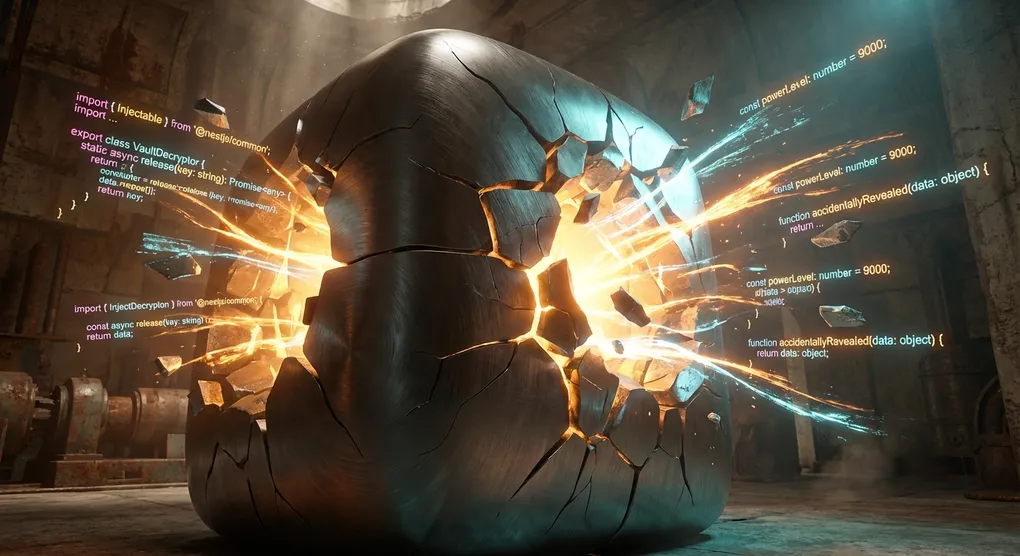
Security researcher Chaofan Shou found that Claude Code v2.1.88 on npm contained something it shouldn’t have: a complete source map file.
Source maps are debugging tools that reverse minified code back to its original form. Normally you strip them before publishing. Anthropic didn’t. The 59.8MB .map file pointed to a zip archive on Anthropic’s own Cloudflare R2 bucket, containing 1,906 TypeScript source files.
Within hours, the code was mirrored to GitHub and forked over 41,500 times.
Anthropic called it “a release packaging issue caused by human error, not a security breach.” They’re right that no customer data or credentials were exposed. But 512,000 lines of production code are now public knowledge, and there’s no putting that back in the box.
The Tech Stack
Claude Code’s technology choices are worth noting:
- Language: TypeScript, ~512K lines
- Terminal UI: React + Ink
- Runtime: Bun
- Architecture: Three-layer memory system + multi-agent orchestration
Using React for a CLI tool is an unconventional choice. Ink lets developers build terminal interfaces with the same component model used for web UIs. The tradeoff is pulling in React’s entire rendering pipeline for a terminal app, but it probably makes the codebase easier to maintain at scale.
Three-Layer Memory Architecture
The most interesting part of the codebase is how Claude Code handles context. Rather than stuffing everything into the prompt window, it uses a layered approach:
Layer 1 — MEMORY.md index. A lightweight pointer file that stays permanently loaded. Each entry is under 150 characters, just enough to tell the agent “I’ve remembered something about X, here’s where the details are.” Tiny token cost, always available.
Layer 2 — Project context. CLAUDE.md files (project-level instructions) and memory files loaded on demand. The agent decides what to pull in based on the current task.
Layer 3 — Session cache. Immediate conversation context with automatic compression of older messages when approaching window limits.
This is essentially a working memory / long-term memory split. Most AI coding tools still take the brute-force approach of cramming everything into the prompt. Claude Code’s design suggests that intelligent context scheduling matters more than raw context window size.
Multi-Agent Execution Models
The source reveals three distinct ways Claude Code runs sub-agents — none of which were fully documented before:
Fork model. Creates a byte-identical copy of the parent context, hitting the API’s prompt cache directly. Good for parallel read operations like searching multiple files simultaneously.
Teammate model. Agents communicate through a file-based mailbox system, each running in its own terminal pane. Suited for coordinated but relatively independent tasks.
Worktree model. Each agent gets its own git branch with physical workspace isolation. Built for parallel modifications that might conflict.
The three models cover a spectrum from “cheap parallel reads” to “fully isolated writes.” This is practical engineering, not a multi-agent demo.
Hidden Feature Flags
The code contains 44 feature flags for functionality that’s built but not shipped. Two stand out:
KAIROS (Greek for “the right moment”) appears over 150 times in the source. It’s a background daemon mode where Claude Code runs autoDream while the user is idle — consolidating observations from past sessions into structured knowledge.
If this ships, it means the coding assistant doesn’t stop thinking when you stop typing. It keeps processing, connecting dots, converting vague patterns into concrete knowledge.
BUDDY is a terminal pet system. 18 species including a capybara, each with stats like DEBUGGING, PATIENCE, and CHAOS. Whether this is a serious feature or an internal joke remains unclear.
What This Means for Developers
This leak gives the industry its first complete look at a production-grade AI coding agent’s internals. A few observations:
Context management is the hard problem. Claude Code’s three-layer architecture is significantly more complex than “bigger context window = better.” Smart scheduling of what to load and when matters at least as much as total capacity.
Multi-agent orchestration needs practical design. Three execution models, each targeting a specific use case. This is more useful than abstract research on “agents talking to each other.”
The direction is toward autonomy. KAIROS points to a future where AI coding assistants work in the background, not just responding to prompts. That’s a meaningful shift from the current “type a question, get an answer” model.
Try Claude Code with ofox.ai
If you want to experience Claude Code’s programming capabilities firsthand, ofox.ai provides a unified OpenAI-compatible API that gives you access to Claude Opus 4.6, Sonnet 4.6, and other models with a single API key.
For setup instructions, check out our Claude Code configuration guide. If you’re comparing AI coding tool options, our Cursor vs Claude Code vs Cline comparison breaks down the differences.
Looking Ahead
Anthropic won’t open-source Claude Code because of this — the leak was an accident, not a strategy. But 512,000 lines of production code don’t un-leak themselves.
For the broader ecosystem, this is probably a net positive. Having a reference implementation for AI agent architecture means fewer teams reinventing the wheel. The patterns in this codebase — layered memory, multi-modal agent execution, background processing — will likely influence how the next generation of AI coding tools gets built.
The immediate lesson is simpler: check your .npmignore before publishing.