OpenAI SDK Migration to OfoxAI: Python, TypeScript & Framework Guide (2026)
Why Migrate to OfoxAI
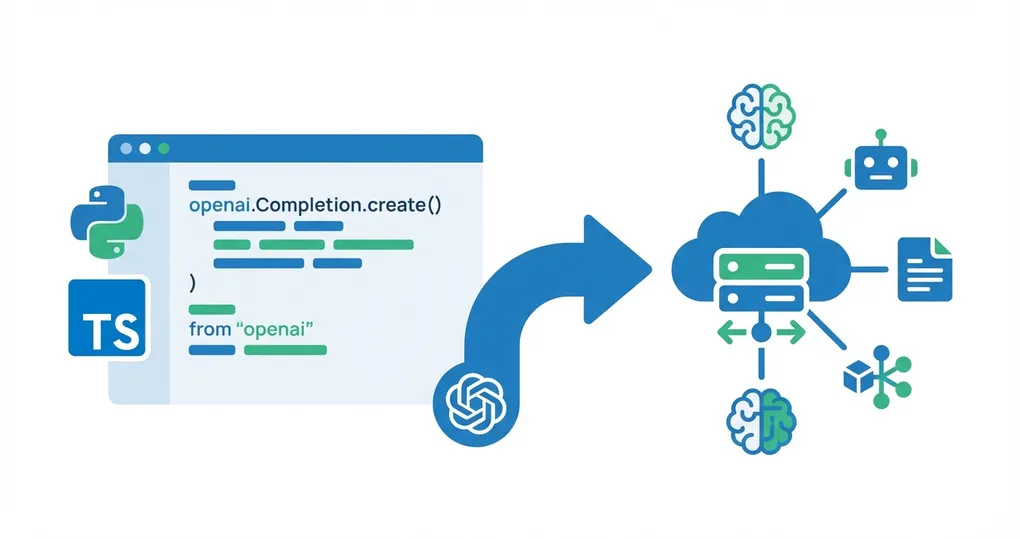
OfoxAI is fully compatible with the OpenAI SDK. Migrating from a direct OpenAI connection requires changing just two parameters: base_url and api_key. Here is what you gain:
- Multi-model access: One API key for OpenAI, Anthropic, Google, DeepSeek, and more
- Zero code changes: Only
base_urlandapi_keyneed updating - Full API compatibility: Chat Completions, Streaming, Function Calling, JSON Mode, Vision, Embeddings, Models List, Images Generation — all supported
- Same SDK: Keep using the official
openaiPython/TypeScript package
This guide covers the exact changes needed for Python, TypeScript, and three popular frameworks.
For the official integration reference, see the OfoxAI OpenAI SDK documentation.
Python SDK Migration
Before (Direct OpenAI)
from openai import OpenAI

client = OpenAI(api_key="sk-openai-xxx")

response = client.chat.completions.create(
    model="gpt-4o",
    messages=[{"role": "user", "content": "Hello!"}]
)
After (Via OfoxAI)
from openai import OpenAI

client = OpenAI(
    base_url="https://api.ofox.ai/v1",    # Added
    api_key="<your OFOXAI_API_KEY>"        # Replaced
)

# Everything else stays the same!
response = client.chat.completions.create(
    model="openai/gpt-4o",  # Add provider prefix
    messages=[{"role": "user", "content": "Hello!"}]
)
Three changes total: base_url, api_key, and the openai/ prefix on the model name. Everything else stays the same.
Environment Variables (Recommended for Production)
import os
from openai import OpenAI

client = OpenAI(
    base_url=os.getenv("OPENAI_BASE_URL", "https://api.ofox.ai/v1"),
    api_key=os.getenv("OPENAI_API_KEY")
)
With environment variables, switching between OpenAI direct and OfoxAI requires zero code changes — just update the env vars.
TypeScript SDK Migration
Before
import OpenAI from 'openai'

const client = new OpenAI({ apiKey: 'sk-openai-xxx' })
After
import OpenAI from 'openai'

const client = new OpenAI({
  baseURL: 'https://api.ofox.ai/v1',      // Added
  apiKey: '<your OFOXAI_API_KEY>'          // Replaced
})

// Everything else stays the same!
Note the naming difference: TypeScript uses baseURL (camelCase), Python uses base_url (snake_case).
Model Name Mapping
OfoxAI uses the provider/model-name format for model identifiers:
| OpenAI Original Name | OfoxAI Model ID |
|---|---|
gpt-4o | openai/gpt-4o |
gpt-4o-mini | openai/gpt-4o-mini |
gpt-5.2 | openai/gpt-5.4-mini |
text-embedding-3-small | openai/text-embedding-3-small |
Through OfoxAI, you also get access to models from other providers:
| Additional Models | Description |
|---|---|
anthropic/claude-sonnet-4.6 | Claude Sonnet 4 |
google/gemini-3.1-flash-lite-preview | Gemini 3 Flash |
deepseek/deepseek-chat | DeepSeek V3 |
Switching between models is a one-line change — just update the model parameter.
Streaming
Streaming works identically. No changes needed beyond the client configuration:
stream = client.chat.completions.create(
    model="openai/gpt-4o",
    messages=[{"role": "user", "content": "Write a poem about code"}],
    stream=True
)

for chunk in stream:
    if chunk.choices[0].delta.content:
        print(chunk.choices[0].delta.content, end="")
TypeScript streaming with async iterators also works unchanged:
const stream = await client.chat.completions.create({
  model: 'openai/gpt-4o',
  messages: [{ role: 'user', content: 'Write a poem about code' }],
  stream: true,
})

for await (const chunk of stream) {
  process.stdout.write(chunk.choices[0]?.delta?.content || '')
}
Function Calling
Function calling / tool use works identically:
response = client.chat.completions.create(
    model="openai/gpt-4o",
    messages=[{"role": "user", "content": "What's the weather in London?"}],
    tools=[{
        "type": "function",
        "function": {
            "name": "get_weather",
            "description": "Get weather for a city",
            "parameters": {
                "type": "object",
                "properties": {
                    "city": {"type": "string", "description": "City name"}
                },
                "required": ["city"]
            }
        }
    }]
)
Compatibility Overview
OfoxAI supports the following OpenAI API features:
| Feature | Status |
|---|---|
| Chat Completions | Fully compatible |
| Streaming | Fully compatible |
| Function Calling | Fully compatible |
| JSON Mode | Fully compatible |
| Vision (image input) | Fully compatible |
| Embeddings | Fully compatible |
| Models List | Fully compatible |
| Images Generation | Fully compatible |
Framework Integration
LangChain
from langchain_openai import ChatOpenAI

llm = ChatOpenAI(
    base_url="https://api.ofox.ai/v1",
    api_key="<your OFOXAI_API_KEY>",
    model="openai/gpt-4o"
)
LangChain’s ChatOpenAI wraps the OpenAI SDK internally, so changing base_url is all you need. All Chains, Agents, Tools, and Output Parsers continue to work.
LlamaIndex
from llama_index.llms.openai import OpenAI

llm = OpenAI(
    api_base="https://api.ofox.ai/v1",
    api_key="<your OFOXAI_API_KEY>",
    model="openai/gpt-4o"
)
Note that LlamaIndex uses api_base as the parameter name, not base_url.
Vercel AI SDK
import { createOpenAI } from '@ai-sdk/openai'

const ofoxai = createOpenAI({
  baseURL: 'https://api.ofox.ai/v1',
  apiKey: '<your OFOXAI_API_KEY>'
})

const model = ofoxai('openai/gpt-4o')
The Vercel AI SDK’s createOpenAI factory accepts any OpenAI-compatible endpoint. You can also switch to ofoxai('anthropic/claude-sonnet-4.6') or any other model without changing anything else.
Any framework or tool that supports the OpenAI SDK can integrate with OfoxAI by changing the base_url.
Migration Checklist
- Sign up for OfoxAI and get your API key at app.ofox.ai
- Update
base_url/baseURLtohttps://api.ofox.ai/v1 - Replace
api_key/apiKeywith your OfoxAI key - Update model names with the
openai/prefix - Test core features: chat completions, streaming, function calling
- Switch production environment variables
Summary
Migrating from OpenAI SDK to OfoxAI is a configuration change, not a code migration. You keep using the same openai package, the same method signatures, and the same response formats. The payoff is access to multiple model providers through one API key and one codebase.
For complete documentation, see the OfoxAI OpenAI SDK Integration Guide.