Gemini function calling: what 40 extra tools add to a request
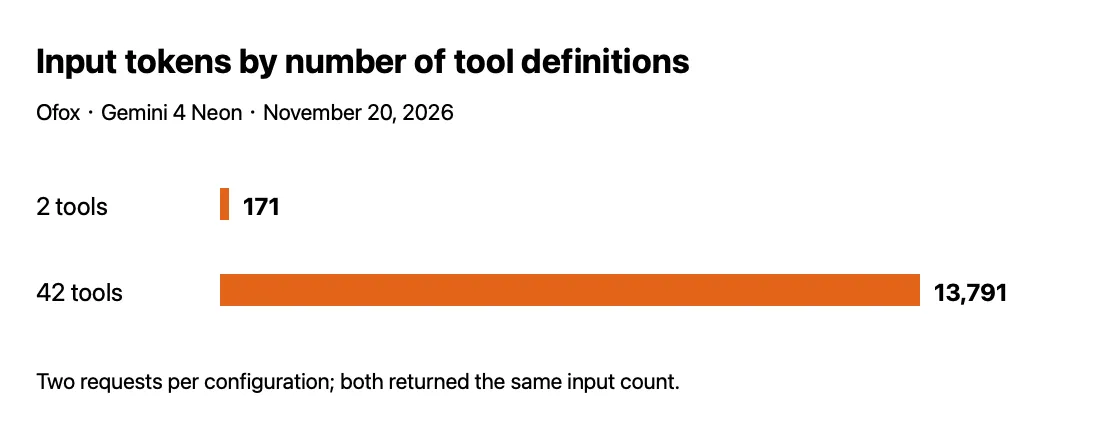
On Ofox, Gemini 4 Neon used 171 input tokens with two tools and 13,791 with 42. Compare four receipts and check your own function schemas.
 Ofox
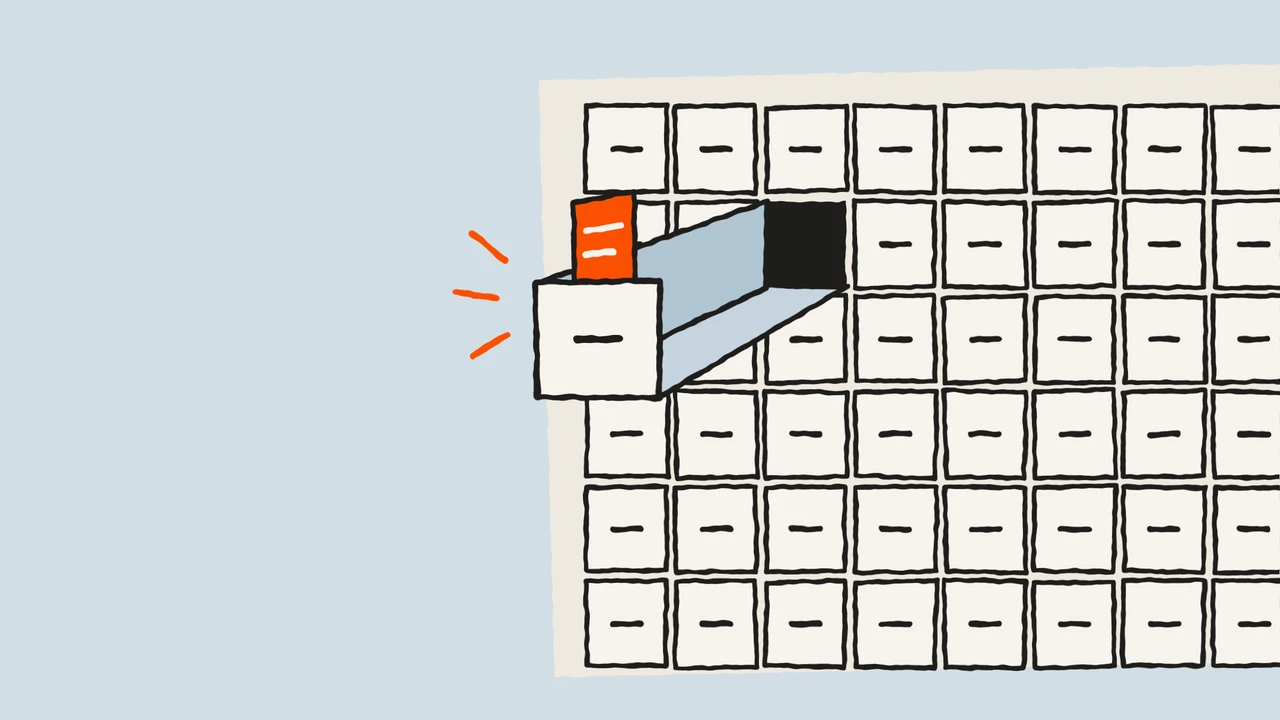
A customer requested a refund. Gemini first chose the order lookup tool. With two available tools, Gemini 4 Neon read 171 input tokens. With 42, it read 13,791 and still picked the same function. Choosing the tool list for each step can matter more than shortening the customer’s question.
Two tools versus 42
| Run | Tools | Input tokens | Cached input | Output tokens (of which reasoning) | Time |
|---|---|---|---|---|---|
| Small, 1st | 2 | 171 | Unreported | 151 (124) | 4.6 s |
| Small, 2nd | 2 | 171 | Unreported | 151 (124) | 4.6 s |
| Large, 1st | 42 | 13,791 | Unreported | 224 (197) | 24.9 s |
| Large, 2nd | 42 | 13,791 | 11,737 | 167 (140) | 17.5 s |
What the 85.1% cache share means for your bill
For the second large request, input cost can be calculated as (2,054 × regular input price + 11,737 × cached input price) ÷ 1,000,000 when both prices are quoted per million tokens. Add output separately. If both input rates are equal, that cache hit saves nothing on input charges. For the other three requests the cache field was absent.
Choose tools by task
For an order lookup, send the lookup function first. Add a refund function only after the workflow reaches a refund decision. Before deploying a shorter list, replay one order lookup and one refund request. Check the selected function and arguments as well as input usage: a smaller prompt is only useful if the agent can still finish the job.
Check the schema overhead in your own responses
Save two complete, non-streaming Chat Completions responses as small.json and large.json. Keep the model, user message and tool-choice setting fixed. Change only the tool list. Save the reader below as usage.py and run python3 usage.py small.json large.json.
import json
import sys

for filename in sys.argv[1:]:
    with open(filename, encoding="utf-8") as stream:
        usage = json.load(stream)["usage"]
    total = usage["prompt_tokens"]
    cached = (usage.get("prompt_tokens_details") or {}).get("cached_tokens")
    print(filename, "input:", total, "cached:", cached,
          "output:", usage["completion_tokens"])
Subtract the smaller input count from the larger one and divide by the number of definitions added. For the archived pair, (13,791 − 171) ÷ 40 = 340.5 tokens per added definition. That average depends on schema length. A cached value of None means the field was absent. Leave the cache-adjusted cost unknown for that run.
When to evaluate Tool Retrieval
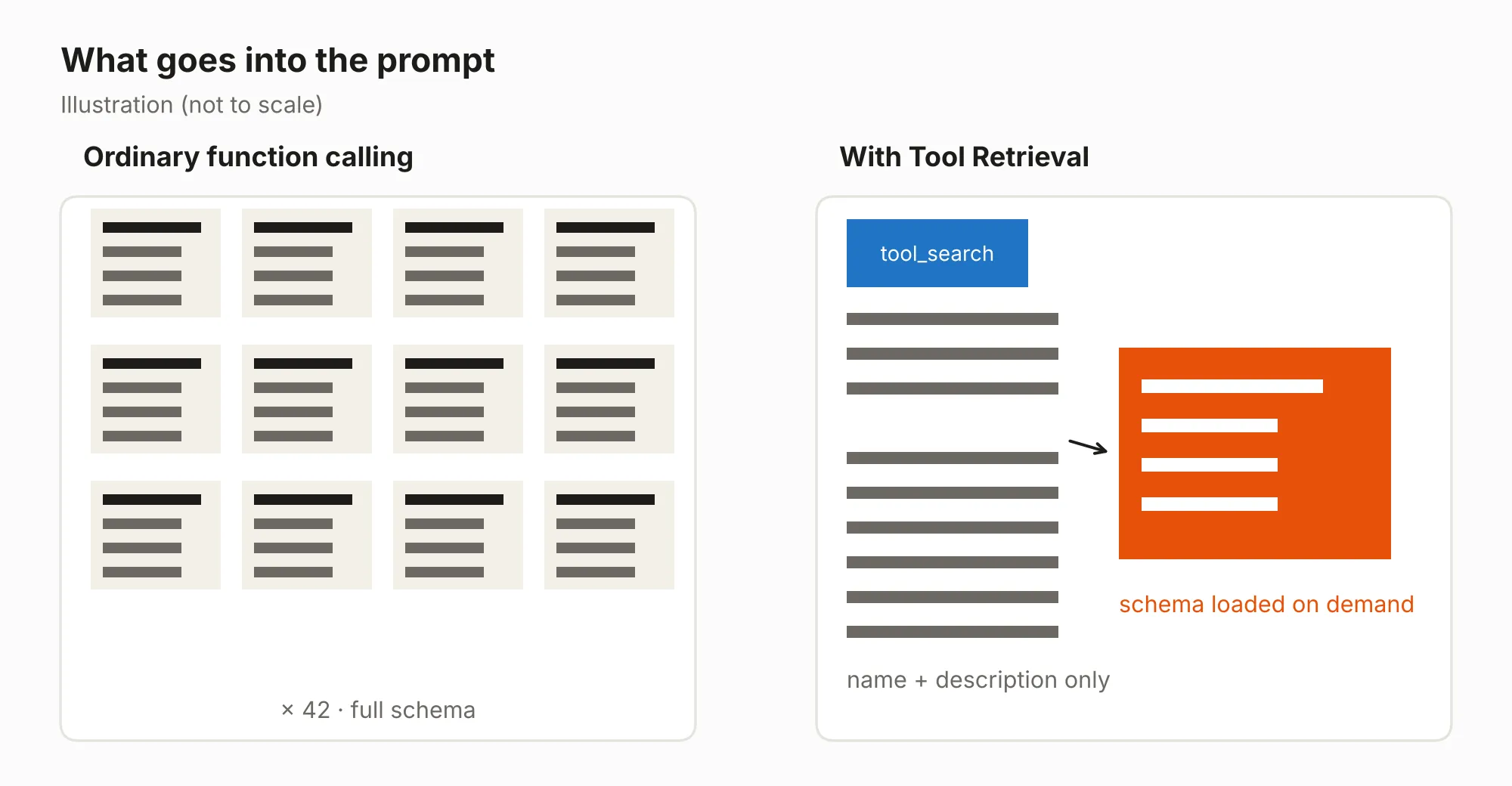
When the next tool cannot be predicted from the workflow, deferred loading is a separate option to evaluate. Compare the same order task with retrieval enabled and disabled, then inspect the tool selected, the final order result and total input across all steps. The figures above cover ordinary function calling on Ofox.
Related Docs
- Introducing Tool Retrieval in the Gemini API: Google’s announcement, November 19, 2026
- Gemini Interactions API reference:
defer_loadingandtool_searchfields - Ofox Gemini-native protocol: the endpoints Ofox supports for Gemini models
- Ofox Gemini model docs: model IDs, endpoint choice and common errors
Method
Four Ofox calls on November 20, 2026, two per list size. All four selected search_orders. The test measured tool definitions and did not run a retrieval-enabled comparison.
Frequently Asked Questions
- How much input did each extra tool add?
- The 40 extra definitions added 13,620 input tokens, averaging 340.5 per definition. Each extra definition had eight described string fields.
- What did the second 42-tool request cache?
- The receipt reported 11,737 cached tokens out of 13,791 input tokens (85.1%). The remaining 2,054 were outside that count.