Create a looping GIF with GPT Image 2.6 and check the result
Build an Image 2.6 GIF request, save the returned animation, inspect frames and timing, and diagnose unsupported settings without blind retries.
 Ofox
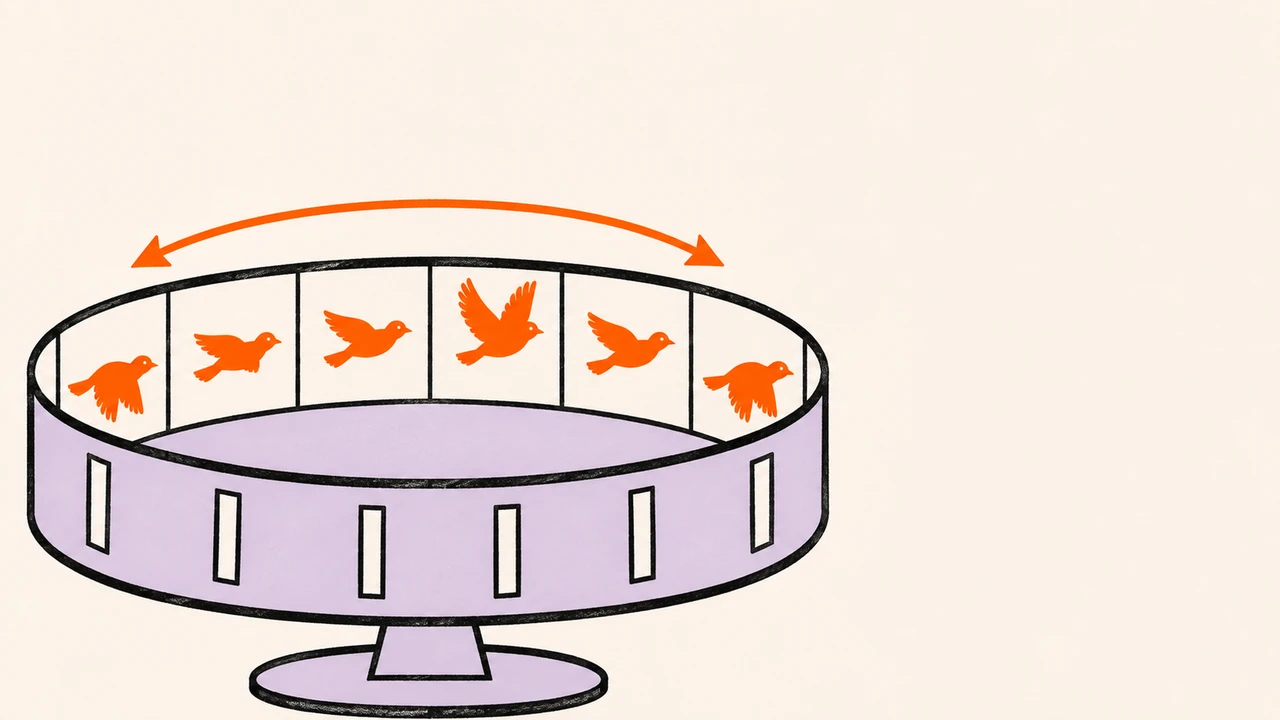
GPT Image 2.6 supports animated GIF output through the Images API generation endpoint. Request output_format: "gif", describe a short action that returns to its starting pose, then decode the returned file. A successful request is only the first check: the result also needs actual moving frames, suitable timing and an acceptable transition from the end back to the start.
This November 5, 2026 guide follows OpenAI’s current image-generation documentation. The requests below are documentation-based examples, not paid model tests performed by Ofox. Our companion file tools are validated locally with synthetic fixtures; that does not establish generation quality or API access. Ofox’s public catalog and our account model list did not list Image 2.6 at the time of checking, so these examples use direct OpenAI, not the Ofox gateway.
Start with one action and a clear ending
A short looping illustration is a better first acceptance task than a complex product commercial. Use one subject, a fixed camera and a single reversible movement. Avoid text or fine product labels in the first attempt: they introduce additional things to validate.
Our proposed test brief is an orange bird that lifts its wings and returns to rest. This is an original request template, not a description of a generated result:
Create a looping animation of a small orange bird on a stationary branch
against a plain cream background. The bird raises its wings, pauses, then
lowers them to its starting pose. Keep the camera fixed, the branch still,
and the bird shape and colors consistent. No text. Make the transition
back to the start smooth.
For a brand character, use assets you are authorized to use and make the acceptance criteria specific: colors, silhouette, accessories and proportions. A prompt asking for consistency is not proof that the output preserves it. This text-to-GIF workflow also should not be described as a tested upload-and-animate workflow for an existing photo.
Choose parameters that match the endpoint
| Parameter | Documented range or behavior | Starting example |
|---|---|---|
model | 2.6 Flare or Sunburst | gpt-image-2.6-flare |
output_format | gif on the generation endpoint | gif |
frame_count | 2–64; default 9 | 9 |
frame_duration_ms | 20–2000 per frame, rounded to 10 ms; default 200 | 200 |
size | auto or supported dimensions that are multiples of 16 | auto |
n | Output count, subject to the request’s limits | 1 |
Nine frames at 200 milliseconds per frame imply a requested playback cycle of 9 × 200 / 1,000 = 1.8 seconds. This is playback duration, not generation latency. Inspect the returned file rather than assuming it exactly matches the request.
Frame dimensions, frame count and output count must fit the model’s size limits and total pixel budget. Merely using dimensions divisible by 16 does not guarantee a valid request. Start with auto; if a size-budget error occurs, reduce the relevant dimensions, frames or output count instead of repeatedly sending the same payload.
Do not add stream, partial-image settings, output_compression or prompt_rewriter to this GIF request. The current guide says GIF output does not support those features. The image-edit endpoint does not output GIFs. These restrictions matter when copying a still-image request from an older integration.
Send one request and save the response
You need a direct OpenAI API key with access and billing configured, Python 3 and curl. Your ChatGPT interface and API project are separate access checks. Read the pricing and access guide before generating, particularly the distinction between a still-image estimate and a GIF bill.
Download the companion ZIP. It contains the full gif-request.json, an SVG example and the local verification scripts. Work in a new directory so you do not overwrite a previous result. Set OPENAI_API_KEY securely in your shell; do not put its value in the JSON or commit it to Git.
curl --fail-with-body --max-time 240 \
  https://api.openai.com/v1/images/generations \
  -H "Authorization: Bearer $OPENAI_API_KEY" \
  -H "Content-Type: application/json" \
  --data-binary @gif-request.json \
  --output gif-response.json
The supplied JSON uses the bird prompt, quality: "low", complexity: "low", size: "auto", one GIF, nine frames and 200 ms per frame. These are starting choices for evaluation, not a proven optimal combination. OpenAI describes Flare as the faster option and Sunburst as the detailed-work option; compare them on your task before making a quality claim.
If curl exits unsuccessfully, inspect the saved error response before doing anything else. A local timeout does not prove that the server did no work: check request status and account activity before submitting another paid attempt.
After a successful response, decode it:
python3 decode_image.py gif-response.json bird.gifThe helper looks for data[0].b64_json, validates base64, checks the GIF signature and refuses to overwrite an existing output. It prints any returned usage for your records. A missing base64 field is a response-shape problem to inspect, not permission to rename arbitrary bytes to .gif.
Inspect the animation before publishing it
Install Pillow in a virtual environment and run the companion inspector:
python3 -m venv .venv
source .venv/bin/activate
python -m pip install Pillow
python inspect_gif.py bird.gif
It reports dimensions, frame count, each frame’s duration, total playback duration and the loop extension. Under Pillow’s convention, a GIF loop value of zero means indefinite repetition; an absent value is not proof of looping. A single frame fails the animation requirement even if the file has a GIF signature.
The script also calculates the mean RGB difference between the first and last decoded frames. This is a diagnostic, not a quality score or pass threshold. Two nearly identical frames can still hide jerky movement between them. A good loop may also have nonidentical end frames because the next frame is the beginning of the next cycle.
Open the GIF in a browser and watch several cycles. Check whether the branch or camera unexpectedly moves, the bird changes shape, the wing action reaches its intended pose, and the transition jumps. Inspect the result at the actual display size, not only enlarged. Confirm the destination supports animated GIFs and review file size; a platform may flatten, recompress or replace the animation.
For a public reference, OpenAI provides a lantern GIF example. It is OpenAI’s example, not our bird output or evidence of Ofox gateway support. Our own generation sample is not available for this batch.
Fix the observed problem, one change at a time
| Symptom | First check | Next controlled step |
|---|---|---|
| Request rejects the output format | Endpoint and exact model ID | Use the documented generation endpoint; verify account access |
| Parameter validation error | Extra settings copied from a raster request | Remove unsupported GIF options and retain the minimal request |
| Pixel-budget error | Frames, dimensions and n together | Reduce workload; do not assume changing only duration will help |
| Download is static | Actual frame count and destination behavior | Inspect the original before blaming upload or generation |
| Loop visibly jumps | Ending pose, camera and intermediate frames | Ask for one reversible action and a fixed scene |
| Subject changes shape | Too many actions or visual constraints | Simplify the brief and compare a fresh attempt |
| 401, 429 or timeout | Credentials, account limits, response details | Diagnose first; avoid automatic unbounded retries |
These are documentation-derived checks, not claims that we reproduced each error. Keep the original output and record which variable you changed. Do not promise a perfect loop from a prompt alone.
Hand off an accepted GIF
Keep the original GIF, request without secrets, returned usage, actual charge and a short acceptance note. A useful note says “9 frames, checked at intended display size, no visible camera movement, loop reviewed in the destination,” rather than merely “generation succeeded.”
If you need editable shapes instead of motion, follow the Image 2.6 SVG guide. For a longer product film, the existing product-photo storyboard workflow addresses a different deliverable; a short GIF should not be presented as equivalent to a fully edited video advertisement.
For Ofox integration, first check the current model documentation and rate-limit guide. This article does not claim that pasting this request into Ofox Chat will select Image 2.6 or return a GIF.