GPT Image 2.5 Flare vs Sunburst: which should you use?
Choose GPT Image 2.5 Flare or Sunburst using official guidance, editing requirements and quality settings, then compare latency and cost on your own workload.
 Ofox
Ofox 
Start with GPT Image 2.5 Flare when speed matters most, or Sunburst when demanding image quality and precise editing matter most. OpenAI describes Flare as the smaller model with quality comparable to GPT Image 2, and Sunburst as the base model with higher quality than GPT Image 2. These are official positioning statements, not an Ofox benchmark.
GPT Image 2.5 is now available on Ofox: see Flare and Sunburst for current pricing and API examples.
The actual API choices are gpt-image-2.5-flare and gpt-image-2.5-sunburst. This guide checks the official documentation on September 9, 2026.
Flare vs Sunburst at a glance
| Your workflow | Start with | What to verify |
|---|---|---|
| Everyday generation with a tight response-time budget | Flare | Acceptable quality and measured latency |
| GPT Image 2 already produces suitable results | Flare | Retain quality, then look for faster completion |
| Complex images or edits that GPT Image 2 struggles with | Sunburst | Required details and subject preservation |
| Sunburst already meets the quality target | Also evaluate Flare | Switch only if quality holds and latency improves |
Both models accept text and image inputs and produce images. Both support generation, editing and transparent backgrounds. Neither their names nor the table above establishes a fixed speed multiplier for your application.
Choose around the result you need
For a product photograph, acceptance might mean preserving the bottle shape, readable label wording and clean edges while changing only the background. A social illustration may instead prioritize composition and a short wait. A single general quality ranking does not describe both tasks well.
OpenAI’s image prompting guide recommends using your current image quality as the starting point. If GPT Image 2 already passes, try Flare first. If it falls short on a complex task, start with Sunburst and establish whether it meets the requirement before optimizing speed.
For editing, explicitly separate the change from the details to preserve:
Replace the plain background with a softly lit studio background. Preserve the product shape, label wording, camera angle and crop. Add no extra objects or text.
That is an example instruction, not proof of perfect preservation. Inspect the output against the source, especially text, contours and shadows. Both models advertise improvements in precise editing and subject preservation; neither statement is a guarantee for a particular image.
How should you choose the quality setting?
Both model pages list auto, low, medium, high, xhigh and max. For the first comparison, keep an explicit setting unchanged where supported, along with the prompt, reference images and dimensions. The same setting label does not guarantee equal visual quality or response time across models.
If the result fails, test a higher setting. Once it passes, test whether a lower setting preserves acceptable quality. Use xhigh or max to address a visible problem within your latency budget. OpenAI cautions that higher quality settings do not guarantee better results for every prompt.
Do not compare a small Flare output with a larger Sunburst output and attribute the entire difference to model choice. Similarly, using auto can be appropriate in an application, but an explicit setting makes an initial comparison easier to interpret.
Does choosing Flare save money?
It is not established by the price table. Both official model pages list the same token rates. Faster completion does not necessarily mean fewer billable tokens. The GPT Image 2 calculator cannot estimate 2.5 token consumption; the current image generation guide has a separate 2.5 output-cost estimator with exclusions.
Read the GPT Image 2.5 pricing guide for the complete billing categories and a worked calculation. Compare cost per accepted image, including billed corrections, rather than the cost of one especially successful attempt.
Six actual outputs: product, lettering and reference editing
On September 13, 2026, we sent one request per model for each task through Ofox at https://api.ofox.ai/v1: four /images/generations calls and two multipart /images/edits calls. All requested 1024x1024, quality="medium" and n=1. Each pair used the same prompt; the edits used the same locally authored illustration. All six returned HTTP 200. We made no retries or corrections.
| Task | Flare: client time / actual charge | Sunburst: client time / actual charge |
|---|---|---|
| Product image | 19.519 s / $0.013460 | 25.065 s / $0.013460 |
| English lettering | 35.692 s / $0.013585 | 23.017 s / $0.013585 |
| Reference edit | 15.459 s / $0.021742 | 25.013 s / $0.021742 |
Client time runs from sending the POST to receiving the response body, including transfer but excluding subsequent decoding and file saving. It differs from the console’s service latency. Charges were read from Ofox request activity and matched by model, time and usage; they are account charges, not a formal invoice or a universal price. The six calls totalled $0.097574. A single pair does not establish a speed ranking: Flare was slower on this lettering prompt. The upstream provider route was not captured.
Product image: both met the visible criteria
| Flare | Sunburst |
|---|---|
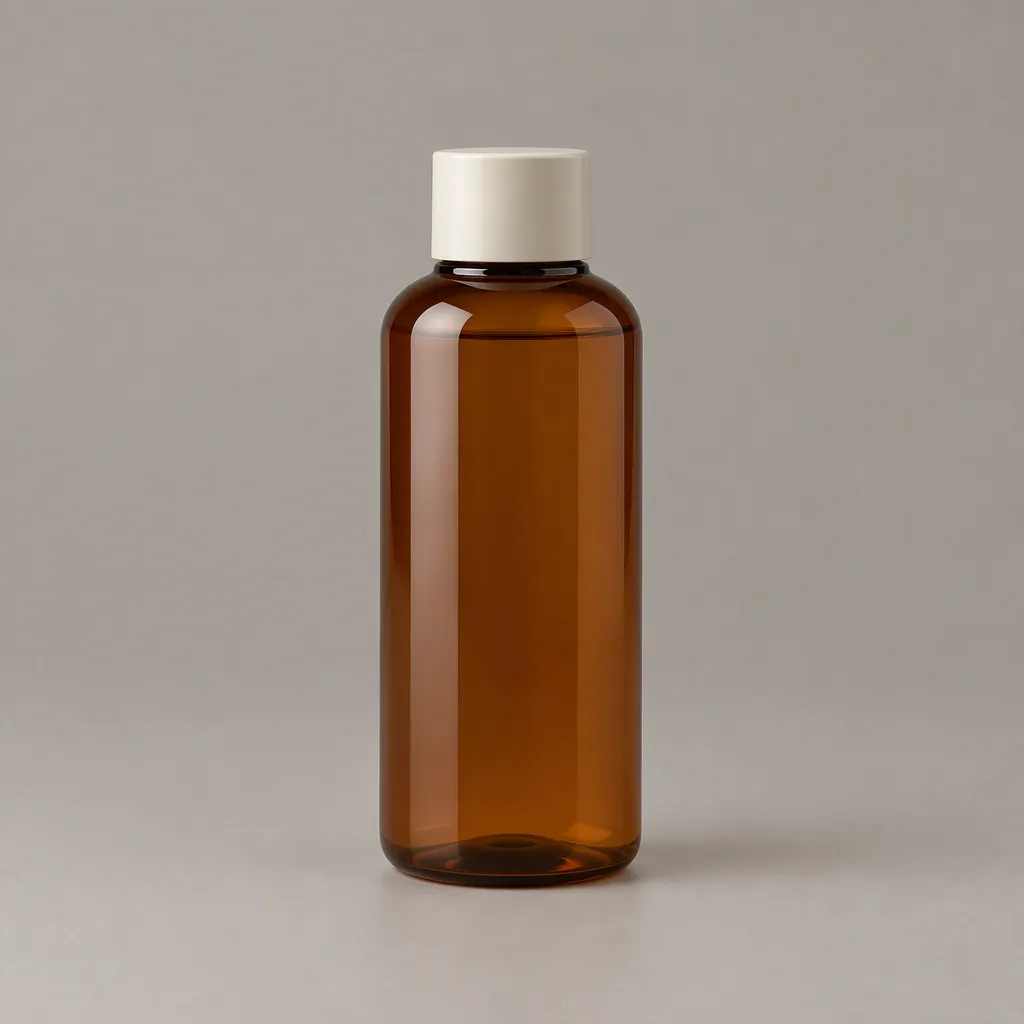 | 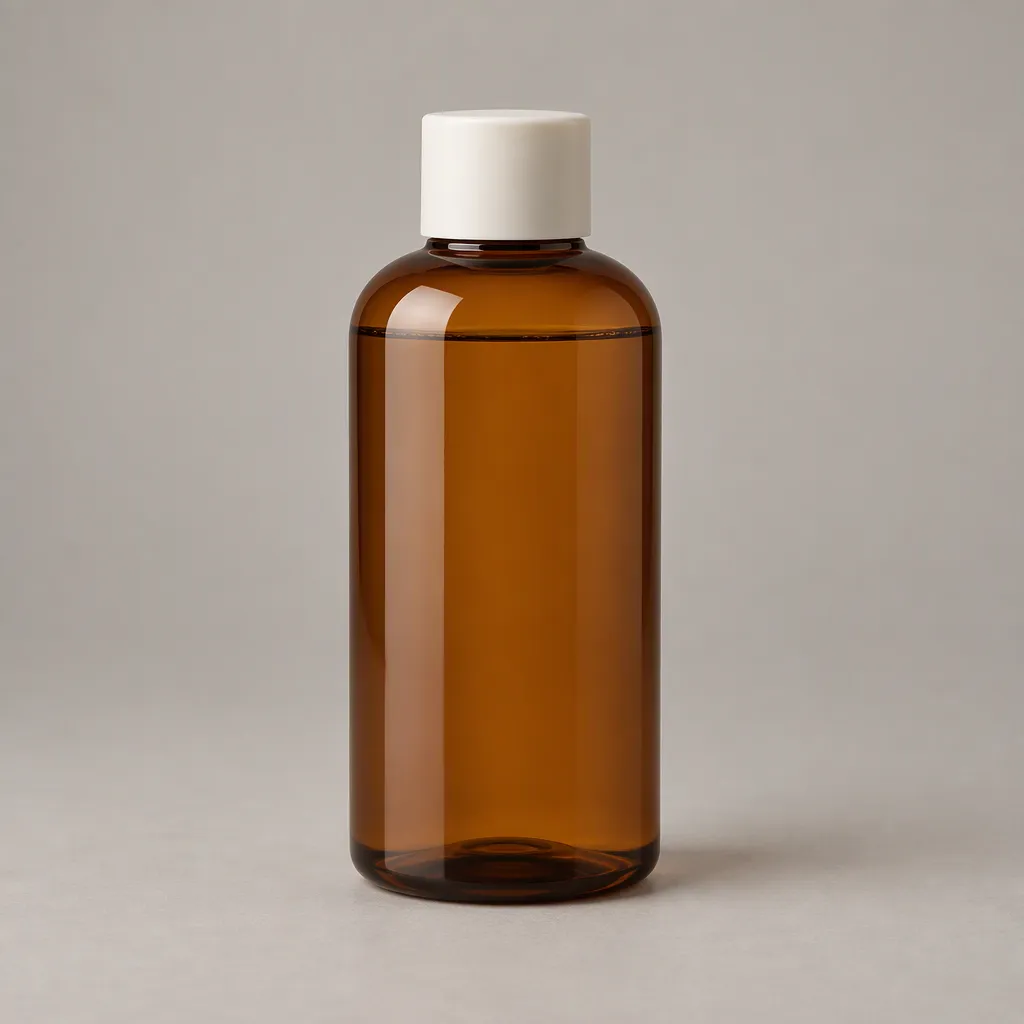 |
Both originals show one complete amber bottle, an ivory cap and a contact shadow, with no added text or objects. Bottle proportions differ. These are generated product images, not photographs of a real product.
Exact lettering: both retained all three English lines
| Flare | Sunburst |
|---|---|
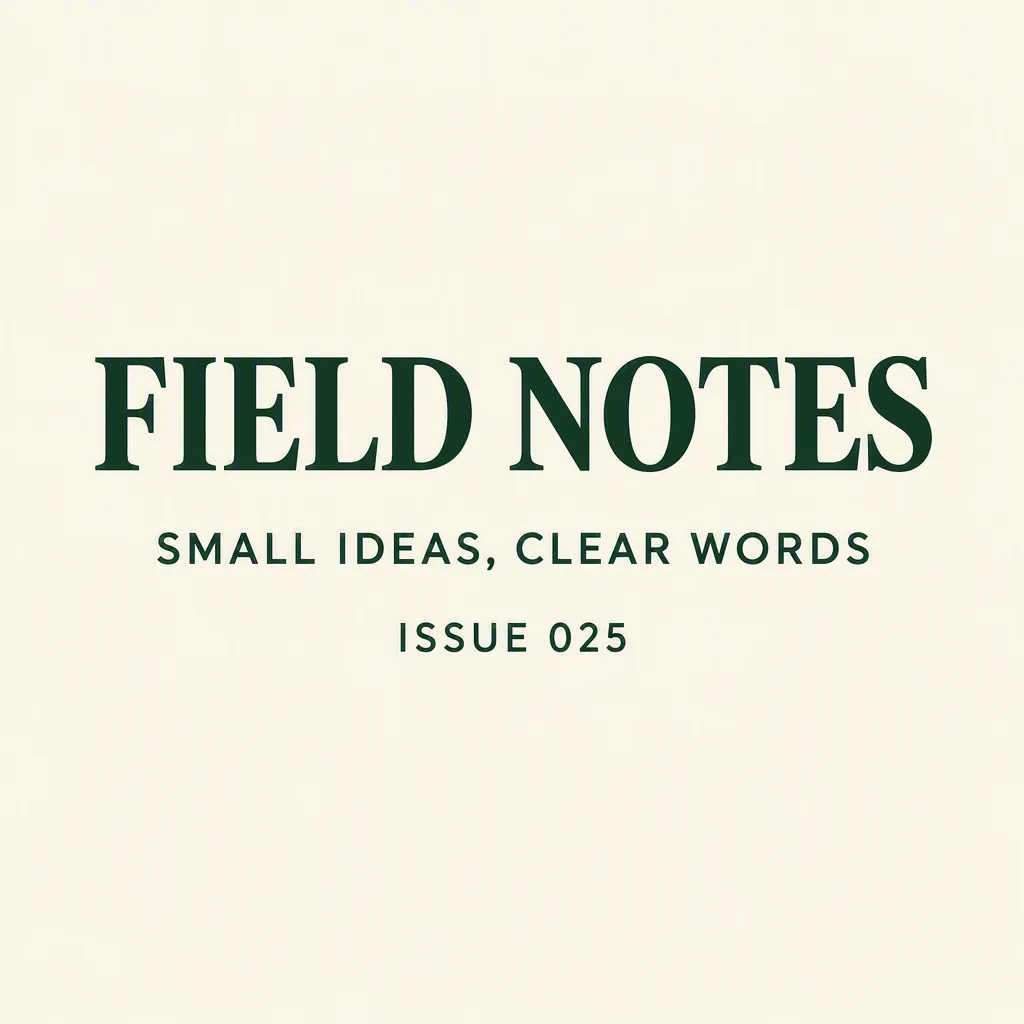 | 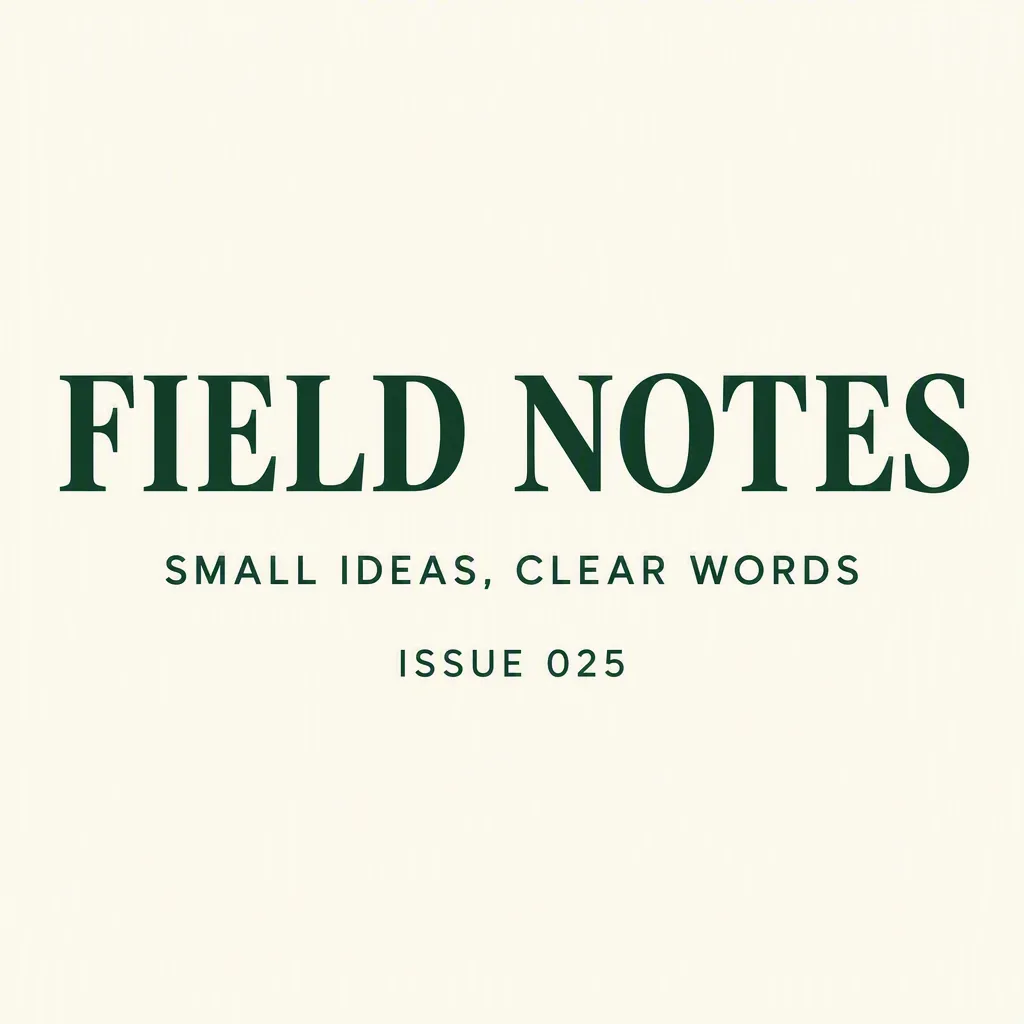 |
Both render FIELD NOTES, SMALL IDEAS, CLEAR WORDS and ISSUE 025 in order, including the comma and leading zero. This tests those English strings only; it provides no evidence about Japanese, Chinese, Korean or Cyrillic text.
Reference editing: preserve the caveat alongside the result
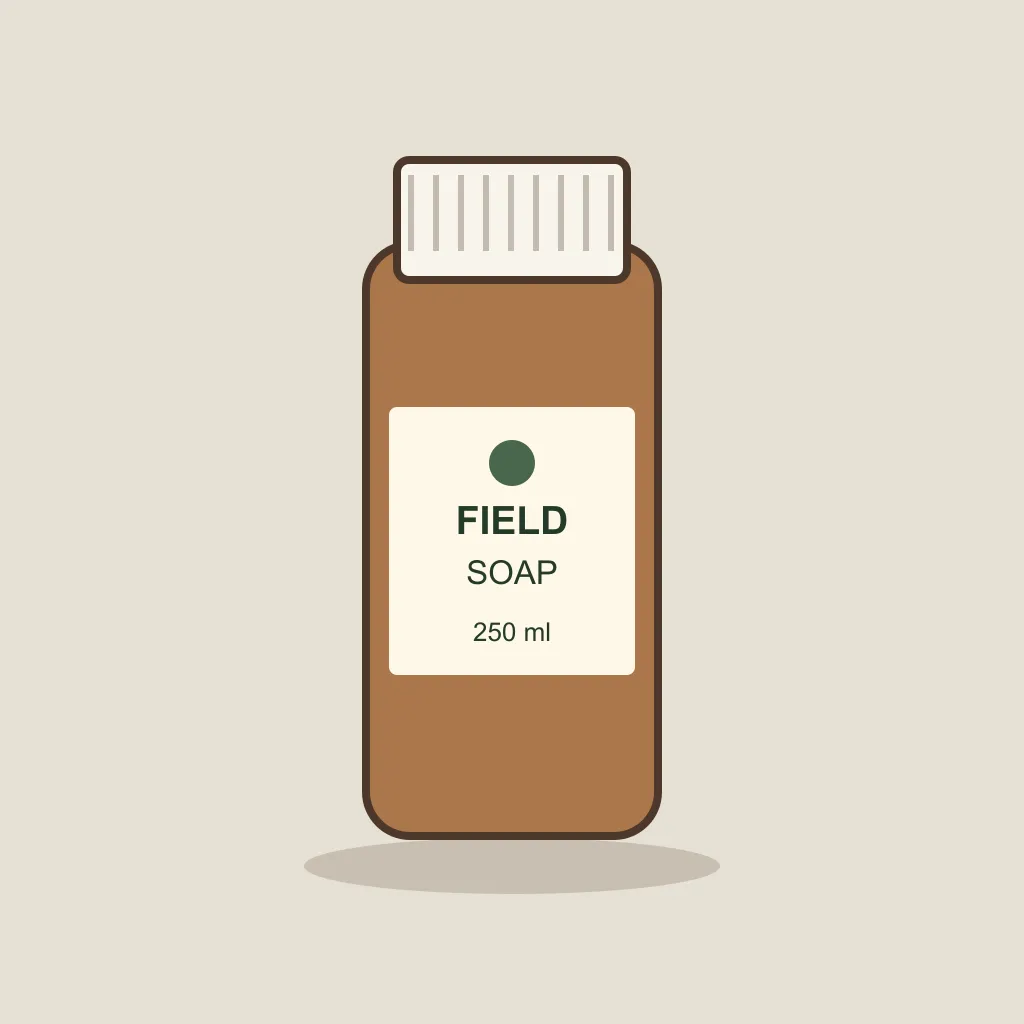
The source above is our hand-authored SVG rendered to PNG, not a model output or product photograph.
| Flare | Sunburst |
|---|---|
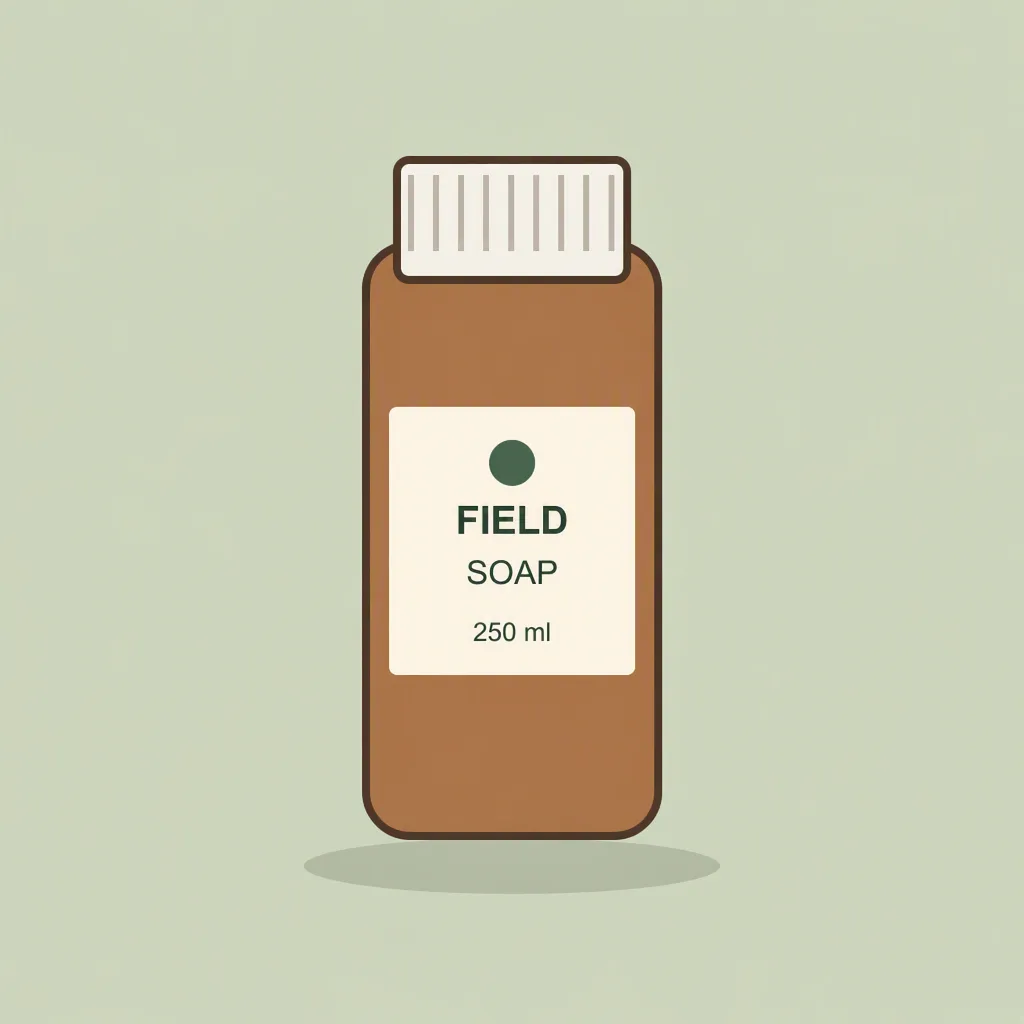 | 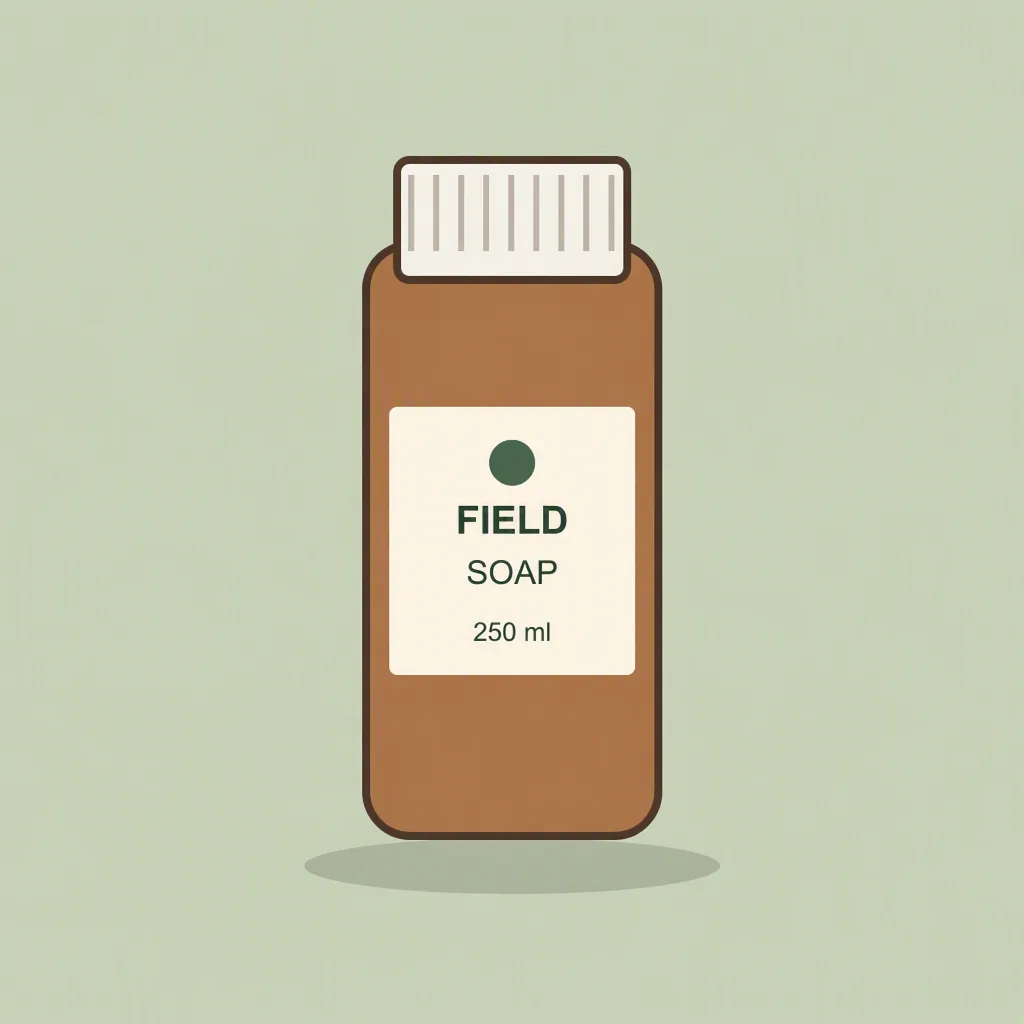 |
Both changed the background to pale green and visually retained the bottle outline, label text, mark placement and framing. However, the bottle or label also acquired small tone or texture changes. Neither fully met the strict instruction to change only the background. These uncorrected examples remain in the comparison; an HTTP success is not proof that an editing requirement passed. The assessment is AI visual inspection at native resolution, not a blind human study or a pixel-preservation guarantee.
The request and usage record includes the full prompts, parameters, times, usage and output hashes. See the pricing example for the charge calculation.
Three tasks for a useful side-by-side comparison
Use one prompt per row for both models. Fix the dimensions and quality setting, and use the same source file for editing. Write the acceptance criteria before looking at the outputs.
| Task | Keep fixed | Inspect at full resolution |
|---|---|---|
| Product image | One bottle, plain background, complete subject, no text | Bottle and cap geometry, extra objects, cropped edges, contact shadow |
| Exact lettering | Three specified lines, same punctuation and line order | Missing, extra or incorrect characters, punctuation, legibility and layout |
| Reference edit | Same product image; change only the background | Label wording, outline, mark placement and crop against the original |
For a lettering test, use the same short strings such as FIELD NOTES, SMALL IDEAS, CLEAR WORDS and ISSUE 025. If your application needs Japanese, add a separate test using the actual Japanese copy; an English result does not establish Japanese text quality.
Record every attempt’s model ID, parameters, elapsed time, returned usage and acceptance decision. Keep failures and corrections alongside successes. One pair per task illustrates particular results; it cannot establish a reliable speed ranking or overall win rate. Check the API guide for generation and editing setup and the pricing worksheet for cost per accepted image.
Test a complete editing sequence, not only the first image
Save an accepted image, make one edit, and compare the full output with the reference. Repeat the preservation requirements on the next edit. A good first result does not establish that a later sequence will retain layout, labels or subject details.
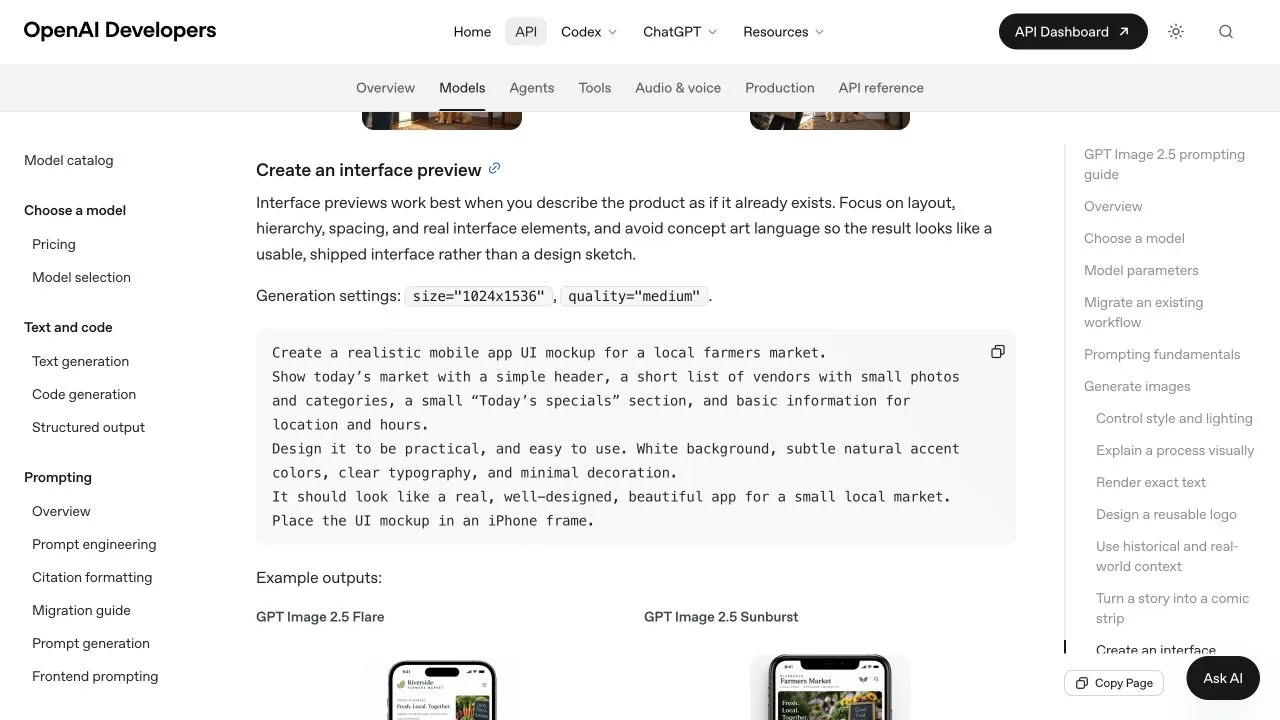
OpenAI’s image prompting documentation, captured September 16, 2026. These are official examples, not additional Ofox measurements. They do not extend the six-call sample above into a UI benchmark.
For a practical brief, use the UI mockup workflow. Keep dimensions and quality fixed for the initial model comparison, then change one parameter at a time. If a region must remain pixel-identical, composite an approved edit into the original rather than relying on a preservation prompt alone.
Sources
Frequently Asked Questions
- Which GPT Image 2.5 model should I choose?
- Start with Flare when speed is the priority and Sunburst when demanding quality is the priority. Verify quality and latency on your own workload.
- Is Flare cheaper than Sunburst?
- Not necessarily. Published token rates are identical, but usage and the number of attempts can differ.
- Does max quality always produce a better image?
- No. OpenAI says a higher quality setting does not guarantee better results for every prompt.