OpenRouter requests time out: find where the request stops
Separate connection failures, HTTP errors and interrupted streams before retrying an OpenRouter request. Keep request evidence and avoid duplicate work.
 Ofox
Ofox 
When an OpenRouter request times out, first identify whether it failed before connection, before the first response, or during streaming. Keep the error body and request identifier where available. Increasing the timeout or switching providers immediately can conceal the distinction you need to diagnose the problem.
This guide presents general HTTP and client-side diagnosis applied to OpenRouter requests. It does not claim an OpenRouter outage, a platform-wide failure rate or that a particular provider is responsible for your error. No live OpenRouter request was used to produce this guide.
Separate three different symptoms
| Symptom | Evidence to capture | Next step |
|---|---|---|
| Connection cannot be established | DNS/TLS/connection error and client timestamp | Check local connectivity and configured endpoint |
| Server returns an HTTP error | Status, response body and request ID, if present | Diagnose that error; do not call every error a timeout |
| Stream starts then stops | Last complete event, elapsed time and termination state | Treat output as incomplete and inspect client/proxy time limits |
A rate-limit error and a timeout require different remedies. For a Kimi-specific 429, start with the existing rate-limit guide. This article concerns where a request stopped, rather than assuming a model-specific rate limit.
Inspect the client before changing the route
Write down the library and version, endpoint, selected model and whether streaming is enabled. Check whether your SDK automatically retries; one apparent call can represent several attempts. Also check whether a hosting proxy or application server has its own shorter deadline.
Measure connection time, time to first byte and total duration separately if your instrumentation supports them. A fast connection followed by a long silent wait differs from an immediate DNS failure. For streamed responses, HTTP headers arriving successfully do not establish that the complete generation succeeded.
Do not paste API keys, authorization headers or private user content into a public issue. Use a minimal synthetic prompt and redacted metadata when reproducing a problem.
Reduce the reproduction to one request
- Preserve the original error and timestamp.
- Use one authorized request with a small input and a model already available to your account.
- Keep the client retry count visible. For a diagnostic run, disable automatic retries only through that client’s documented setting.
- Change one variable at a time: application proxy, streaming mode or request size. Record both successes and failures.
- If testing a different route, use its documented parameters and compare the same input. Do not assume a parameter copied from another gateway is accepted.
A successful small request narrows the problem; it does not prove production reliability. A failed small request is useful evidence, but still does not identify the failing layer without logs.
Read error guidance in the correct scope
OpenAI’s error-code documentation illustrates the distinction between connection errors, timeouts and returned API errors. It describes OpenAI’s service and SDK, not an OpenRouter guarantee. Use the actual gateway response and your installed client’s documentation when implementing the fix.
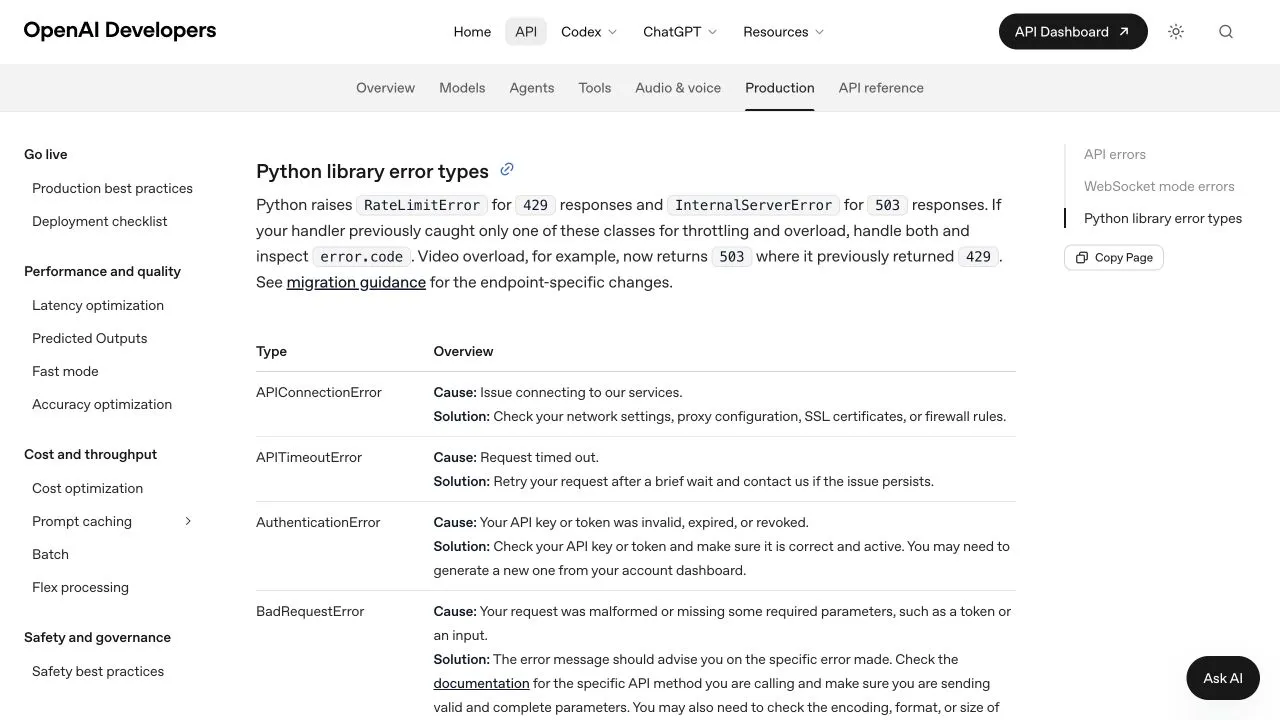
Screenshot of OpenAI’s error reference, captured September 16, 2026. This is a comparison reference for error categories, not an OpenRouter console screenshot or a reproduced OpenRouter failure.
Retry without duplicating side effects
Retry only when the operation is appropriate to repeat. Use a bounded policy and respect documented server retry guidance. Avoid an unbounded loop that keeps spending while the underlying problem remains unchanged.
An interrupted request may have completed work upstream even when the client did not receive the result. A generated answer can also contain a tool action your application already executed. Before replaying an agent turn, reconcile the application state and any available request activity. Do not assume a timeout means zero tokens or zero charge.
Store incomplete streamed output as incomplete. Do not concatenate a second full answer onto the first as if they were one valid response. For an analogous coding-client symptom, the Codex stream interruption guide explains why checkpoints matter.
Prepare an actionable support record
Include the UTC timestamp, requested model, redacted request identifier, library/version, streaming mode, timeout values, observed attempts and whether the small reproduction also fails. State what remains unknown. A clear record is more useful than an unsupported claim that a whole platform is down.
The API provider verification checklist adds routing and billing evidence. If you later compare an alternative provider, rerun the same acceptance task instead of treating a provider change as proof that the earlier service was at fault.
Frequently Asked Questions
- Does an HTTP 200 mean a streamed response finished?
- No. A stream can stop after the headers arrive. Check the complete protocol termination and application result, not just the initial status.
- Will a longer timeout always fix the problem?
- No. It may help a request that legitimately needs more time, but it does not repair a connection problem, an explicit API error or a broken client.
- Is a timed-out request always free?
- Do not assume that. Review available usage and charge records because the client losing the response does not establish what happened upstream.