CC Switch Download & Install for Claude Code, Codex (v3.20.1)
Install CC Switch v3.20.1 to switch Claude Code, Codex, Gemini CLI and 4 more from one tray. Direct .msi, .dmg, .deb links, brew and npm CLI setup. Updated Sept 2026.
 Ofox
Ofox 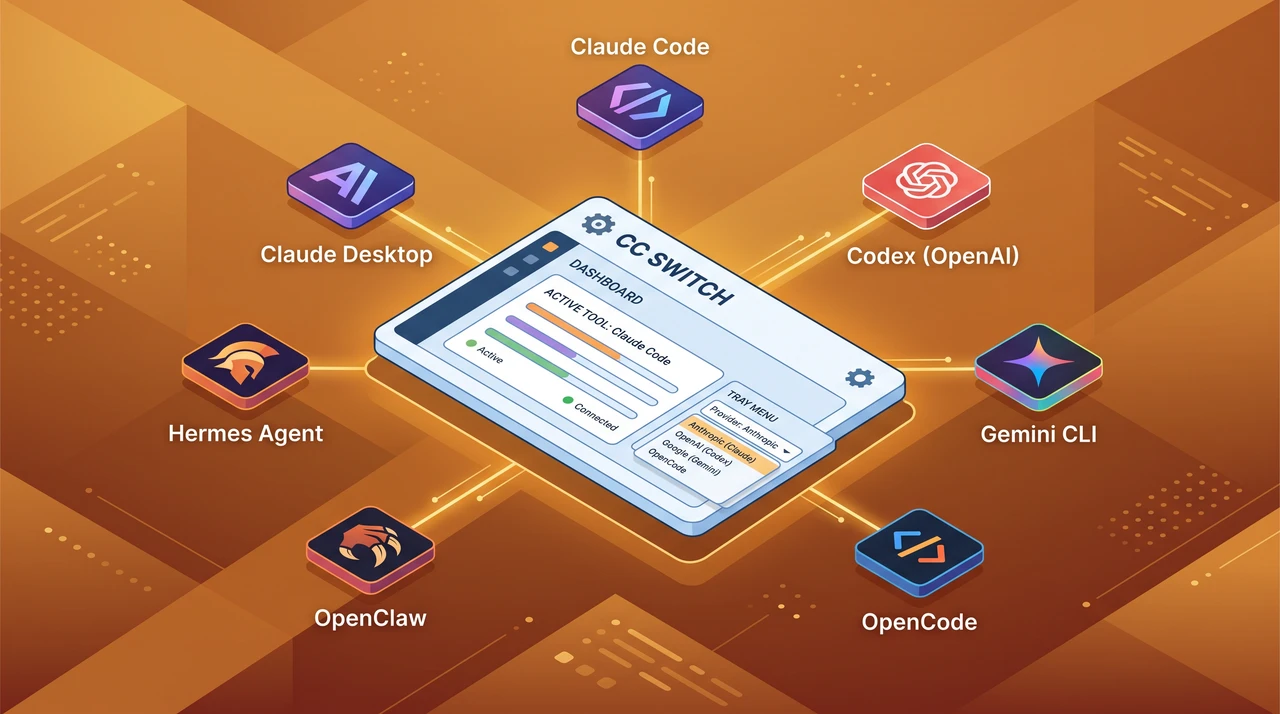
What You Can Do After This Setup, In 30 Seconds
| Question | Answer |
|---|---|
| What you’ll have | One desktop app that switches API providers across Claude Code, Claude Desktop, Codex, Gemini CLI, OpenCode, OpenClaw, and Hermes Agent — without editing config files by hand |
| Time required | 10 minutes (install + first provider + tray switch verified) |
| What you need | macOS 12+ / Windows 10+ / Linux (Ubuntu 22.04+, Debian 11+, Fedora 34+, Arch), Node.js 20 LTS for most CLIs (Gemini CLI and Hermes Agent floor), Node 22.19+ if you install OpenClaw, and at least one provider API key |
| Latest version (verified) | CC Switch v3.20.1, released 2026-08-28 |
If you’re already on CC Switch and looking for a specific problem — config file not picked up, OAuth re-login loop, Codex wire_api mismatch — jump to Common Errors During Setup below. Otherwise, the next four sections walk through install → first provider → verify → multi-CLI in order.
Download CC Switch v3.20.1
Pick the row that matches your platform. All direct links go to the v3.20.1 assets on GitHub Releases (Tauri-signed, checksummed). The full list — including arm64 builds and .sig files — is on the v3.20.1 release page.
| Platform | Recommended install | One-line / direct download |
|---|---|---|
| macOS 12+ (Homebrew) | Signed cask, auto-updates | brew install --cask cc-switch |
| macOS 12+ (.dmg) | Manual install | CC-Switch-v3.20.1-macOS.dmg |
| Windows 10+ (.msi) | Standard installer | CC-Switch-v3.20.1-Windows.msi |
| Windows 10+ (portable) | No-install zip | CC-Switch-v3.20.1-Windows-Portable.zip |
| Linux — Arch | AUR (community-maintained) | paru -S cc-switch-bin |
| Linux — Ubuntu / Debian (x86_64) | .deb | CC-Switch-v3.20.1-Linux-x86_64.deb |
| Linux — Ubuntu / Debian (arm64) | .deb | CC-Switch-v3.20.1-Linux-arm64.deb |
| Linux — Fedora / RHEL (x86_64) | .rpm | CC-Switch-v3.20.1-Linux-x86_64.rpm |
| Linux — Fedora / RHEL (arm64) | .rpm | CC-Switch-v3.20.1-Linux-arm64.rpm |
| Linux — universal (x86_64) | AppImage | CC-Switch-v3.20.1-Linux-x86_64.AppImage |
| Linux — universal (arm64) | AppImage | CC-Switch-v3.20.1-Linux-arm64.AppImage |
For headless servers (no GUI) see Headless servers / CI below.
System Requirements
CC Switch is a Tauri 2 desktop app — small (~10 MB installer), but it does need a graphical session and the right CLI runtimes underneath. Check each row before you start, because most “CC Switch isn’t working” reports trace back to a missing CLI rather than the app itself.
| Component | Minimum | Recommended | Verified version |
|---|---|---|---|
| CC Switch | v3.13.0 (Codex OAuth proxy floor) | v3.20.1 | v3.20.1 (2026-08-28) |
| Node.js (for npm-installed CLIs) | 20 LTS (22.19+ for OpenClaw) | 22 LTS | 22.x |
Claude Code (@anthropic-ai/claude-code) | Node 18+ | latest | 2.1.178 |
Codex (@openai/codex) | Node 16+; 0.137.0 (wire_api responses-only floor) | latest | 0.140.0 |
Gemini CLI (@google/gemini-cli) | Node 20+ | latest | 0.46.0 |
OpenCode (opencode-ai) | no engine floor declared | latest | 1.17.7 |
OpenClaw (openclaw) | Node 22.19+ | latest | 2026.6.6 |
Hermes Agent (hermes-agent) | Node 20+ | latest | 0.16.0 |
| OS (desktop) | macOS 12 / Windows 10 / Ubuntu 22.04 / Debian 11 / Fedora 34 / Arch | Latest stable | — |
You don’t have to install every CLI up front — CC Switch only manages the panels you actually have on disk. Start with the one or two you use most.
Step 1 — Install CC Switch
Pick the platform-native path. Don’t mix Homebrew and manual download on macOS; auto-update only tracks one channel.
macOS (Homebrew)
brew install --cask cc-switch
# upgrade later with:
brew upgrade --cask cc-switch
The cask is signed and notarized by Apple — first launch opens directly without a Gatekeeper prompt.
macOS (manual .dmg)
# Download the latest DMG from the Releases page, then:
open CC-Switch-v3.20.1-macOS.dmg
# Drag CC Switch.app to /Applications
Windows
Download CC-Switch-v3.20.1-Windows.msi from github.com/farion1231/cc-switch/releases and double-click. A portable CC-Switch-v3.20.1-Windows-Portable.zip is available if your machine blocks MSI installs.
Linux (Debian / Ubuntu)
# x86_64 example
sudo dpkg -i CC-Switch-v3.20.1-Linux-x86_64.deb
# If apt complains about dependencies:
sudo apt-get install -f
Linux (Arch)
paru -S cc-switch-bin # or: yay -S cc-switch-binLinux (universal AppImage)
chmod +x CC-Switch-v3.20.1-Linux-x86_64.AppImage
./CC-Switch-v3.20.1-Linux-x86_64.AppImage
Headless servers / CI
The Tauri 2 desktop app needs Wayland or X11. For headless boxes — build runners, remote sandboxes — use the Rust CLI community project SaladDay/cc-switch-cli instead. It reads the same WebDAV-synced config bundle, so you can author providers on a laptop and pull them down on the agent.
Verify the install
After first launch:
- The CC Switch window opens to the Claude Code panel by default.
- A CC Switch icon appears in the system tray (menu bar on macOS, system tray on Windows/Linux).
- The top-left app switcher lists the seven managed targets — Claude Code, Claude Desktop, Codex, Gemini CLI, OpenCode, OpenClaw, Hermes Agent. Greyed-out entries are CLIs CC Switch couldn’t detect on disk; that’s expected if you haven’t installed them yet.
If the tray icon is missing on Linux, your DE may not support StatusNotifierItem; install gnome-shell-extension-appindicator (GNOME) or equivalent and restart the session.
Step 2 — Install the CLIs You’ll Manage
CC Switch doesn’t install the CLIs themselves — it manages their config files. Install whichever you need:
# All seven, for reference. Pick what you actually use.
npm install -g @anthropic-ai/claude-code   # Claude Code (Node 18+)
npm install -g @openai/codex               # Codex (Node 16+)
npm install -g @google/gemini-cli          # Gemini CLI (Node 20+)
npm install -g opencode-ai                 # OpenCode (no engine floor)
npm install -g openclaw                    # OpenClaw (Node 22.19+)
npm install -g hermes-agent                # Hermes Agent (Node 20+)
Claude Desktop is the standalone Anthropic app — download from claude.ai/download rather than npm.
If npm install -g fails with EACCES or the new shim isn’t on PATH, see our walkthrough on npm global install permission and PATH fixes for Codex CLI — the same fixes apply to every CLI on this list.
Step 3 — Add Your First Provider
Open CC Switch and click the + in the top-right corner. The Add Provider panel has two tabs:
- App-specific Provider — only for the panel you’re on right now
- Universal Provider — shared across Claude Code, Codex, and Gemini CLI
For the first run, use App-specific:
- From the Preset dropdown, pick the provider that issued your key. CC Switch ships with ~50 third-party presets across all panels: DeepSeek, Zhipu GLM, MiniMax, Kimi, Bailian (Alibaba Qwen), AWS Bedrock, NVIDIA NIM, OpenRouter, plus a long list of relay services. Most just need the API key — the endpoint URL and protocol fields are pre-filled.
- Paste your API Key.
- (Codex only) If the preset is marked “Needs Local Routing” — that’s any chat-completions backend like DeepSeek or Zhipu — CC Switch turns on the Local Routing toggle for you, which proxies Codex’s Responses API protocol down to the provider’s
/v1/chat/completions. Don’t disable it; Codex 0.137.0+ dropped support forwire_api = "chat"at config-load time and only acceptsresponses(still enforced in 0.140.0). - Click Add.
What each preset actually writes
The preset list is the convenience layer. Underneath, CC Switch writes the CLI’s native config file:
| CLI | Config file | What CC Switch writes |
|---|---|---|
| Claude Code | ~/.claude/settings.json | env.ANTHROPIC_API_KEY + env.ANTHROPIC_BASE_URL |
| Codex | ~/.codex/auth.json + ~/.codex/config.toml | OPENAI_API_KEY to auth.json; model_provider, model, base_url, wire_api to config.toml |
| Gemini CLI | ~/.gemini/.env + ~/.gemini/settings.json | GEMINI_API_KEY + GOOGLE_GEMINI_BASE_URL to .env |
| OpenCode | ~/.config/opencode/opencode.json | provider block under provider |
| OpenClaw | ~/.openclaw/openclaw.json (JSON5) | provider block under models.providers |
| Hermes Agent | ~/.hermes/config.yaml + ~/.hermes/.env | custom_providers entry + .env secrets; model.provider / model.default on switch |
The principle is “minimal intrusion” — even if you uninstall CC Switch tomorrow, every CLI still works because their native config files are intact. CC Switch’s own state in ~/.cc-switch/cc-switch.db is purely additive.
Step 4 — Switch and Verify
Once you have at least one provider per CLI:
- From the app: click the provider card, then Enable.
- From the system tray (the genuinely useful part): right-click the CC Switch icon → pick a CLI panel → click a provider name. The new config is written before the menu closes.
Then activate it on the CLI side:
| CLI | Activation |
|---|---|
| Claude Code | Hot-reload — the next prompt picks up the new key with no restart |
| Codex | Quit and reopen the terminal |
| Gemini CLI | Hot-reload — ~/.gemini/.env is re-read on each request |
| OpenCode | Quit and reopen the terminal |
| OpenClaw | Quit and reopen the terminal |
| Hermes Agent | Quit and reopen the terminal |
Quick sanity test inside each CLI’s session:
> Hello — which model am I talking to right now?A reasonable model identification confirms both that the key is valid and that the routing is correct.
Common Errors During Setup (and Fixes)
| Symptom | Root cause | Fix |
|---|---|---|
| Tray icon missing on Linux | DE doesn’t support StatusNotifierItem | Install gnome-shell-extension-appindicator (or KDE equivalent); restart session |
| Switch succeeds but Codex still uses old key | Codex caches config.toml at startup | Quit the Codex process fully (not just the prompt) and restart |
Codex preset connects, but every request returns CHAT_WIRE_API_REMOVED_ERROR | Preset’s “Needs Local Routing” toggle was turned off after adding | Re-enable Local Routing on the provider card; Codex 0.137.0+ rejects wire_api = "chat" at config-load time (verified in 0.140.0) |
| Claude Code “first-run wizard” shows up every time you switch | Default onboarding flow re-triggers when ~/.claude/settings.json changes | Settings → General → enable Skip Claude Code first-run confirmation (writes skipIntroduction to ~/.claude/settings.json) |
Authentication failed (401/403) on every preset | API key string is wrong or the key isn’t authorized for the chosen model | Verify the key on the provider’s own dashboard first; the Auto-Fetch Models button (download icon next to the model input) calls /v1/models and surfaces auth errors immediately |
| Can’t delete the currently active provider | Last-config-standing guard | Switch to another provider first, then delete; if you really want to wipe the panel, hide that CLI in Settings instead |
| Gemini CLI ignores the provider | Node 18 detected, but @google/gemini-cli@0.46.0 requires Node 20 | nvm install 20 && nvm alias default 20, then reinstall the CLI |
| OpenClaw fails to install or start | Node < 22.19 (engines floor >=22.19.0) | nvm install 22 && nvm alias default 22, then reinstall |
| Hermes Agent fails to install | Node < 20 (engines floor >=20.0.0) | nvm install 20 && nvm alias default 20, then reinstall |
| WebDAV sync writes succeed but other devices don’t see the new providers | Both devices need the same WebDAV root and the same custom config directory in Settings → Storage | Set the same claudeConfigDir / codexConfigDir etc. on every device |
~/.cc-switch/cc-switch.db is locked | Two CC Switch instances open at once (common on macOS with iCloud sync) | Quit one; CC Switch holds an exclusive SQLite mutex on the file |
If your CLI complains about its own config — model_not_found, EACCES, 429, 503 — that’s the CLI’s problem, not CC Switch’s. For Codex specifically, the install-time command not found failure mode is covered in Codex command not found: 7 fixes after npm install -g. Each CLI has its own runtime-error runbook; CC Switch only manages the config file, not the request path.
Team / Multi-Developer Configuration
The pain CC Switch actually solves is teams that share third-party keys across multiple agents — not the solo dev with one CLI. Three patterns scale.
Pattern 1 — Universal Provider for a shared relay key
If your team uses a single OpenAI-compatible relay (one base URL, one shared key) across Claude Code, Codex, and Gemini CLI, the Universal Provider tab is the right tool. Add it once with the relay’s endpoint and key, check the boxes for the three apps to sync to, and CC Switch writes the same key to each CLI’s native config file. When the relay rotates the key, you update one row and click Save and Sync — every CLI on every laptop picks it up on next switch.
Pattern 2 — WebDAV-synced config bundle for laptop + CI
Set up a WebDAV server (Nextcloud, self-hosted, whatever your team already has) and point Settings → Storage → custom config directory at it. Authors create providers on their laptops; CI runners using SaladDay/cc-switch-cli pull the same SQLite snapshot. Don’t sync ~/.cc-switch/cc-switch.db through a vanilla Dropbox/iCloud folder — those will happily overwrite the database mid-write if two devices push at the same time. WebDAV with proper locking is the safer transport for the database file specifically.
Pattern 3 — Per-machine override for an on-call engineer
If one engineer needs to test a different provider without affecting the rest of the team, the device-level ~/.cc-switch/settings.json overrides for claudeConfigDir, codexConfigDir, etc. point that engineer’s CC Switch at a non-shared config directory. The team’s WebDAV bundle stays untouched; the override evaporates when they revert the setting.
For all three, treat ~/.cc-switch/cc-switch.db like ~/.ssh/ — it’s not encrypted at rest, so the file’s protection is filesystem permissions plus whatever transport you sync it over.
Advanced — MCP, Skills, Prompts, and OAuth Reuse
Once switching providers is solved, the unified panels are where CC Switch starts pulling its weight.
Unified MCP across five CLIs
Open the MCP button on any panel. CC Switch reads the MCP server list from each CLI’s native location — ~/.claude.json for Claude Code, [mcp_servers.*] blocks in ~/.codex/config.toml, mcpServers in ~/.gemini/settings.json, and the equivalents in OpenCode and Hermes — and lets you toggle each server’s presence per CLI. Add an mcp-fetch server once, sync it to Claude Code + Codex + Gemini, and every agent has the same tool surface.
Prompts (CLAUDE.md / AGENTS.md / GEMINI.md)
The Prompts panel is a Markdown editor with cross-app sync. Edit one prompt in CC Switch, sync to ~/.claude/CLAUDE.md, ~/.codex/AGENTS.md, and ~/.gemini/GEMINI.md in one click. Backfill protection means edits made directly in the live files are pulled back into CC Switch before the next sync overwrites them — useful if a teammate edited CLAUDE.md directly.
Skills
The Skills panel installs skills from GitHub repos or ZIP files into each CLI’s skills directory (~/.claude/skills/, ~/.config/opencode/skills/, etc.). Symlink mode is the default — one canonical copy lives in ~/.cc-switch/skills/ and the CLIs see it via symlink. Switch to file-copy mode if your CLI is sandboxed and doesn’t follow symlinks.
Codex OAuth reverse proxy (since v3.13)
CC Switch added a path that reuses your ChatGPT account’s Codex entitlement inside Claude Code. It shows up as a new Claude provider card type — not as a Codex preset — and routes Claude Code’s requests through a local proxy fronting chatgpt.com and auth.openai.com. Useful if you already pay for ChatGPT Plus or Pro. Read the in-app risk notice before relying on it for production; it’s an unofficial reuse path and could break the day OpenAI tightens auth.
Alternatives — When You Don’t Want a Desktop App
Two paths cover the cases where the Tauri desktop app isn’t a fit.
- Single OpenAI-compatible gateway — If you just want one base URL that Claude Code, Codex, Cursor, Cline, and OpenClaw can all point at, OfoxAI exposes
https://api.ofox.ai/v1as a unified OpenAI-compatible endpoint. Most teams reach for this when they want to avoid editing per-CLI configs at all; see the Claude Code integration guide for the one-line setup. You can keep CC Switch for tray-level switching and use ofox as the underlying provider, or skip CC Switch entirely if a single endpoint is enough. - Headless / scripted environments — SaladDay/cc-switch-cli is a Rust CLI community project that does provider switching, MCP management, skills install, and local proxy from the terminal. Same WebDAV-compatible storage format as the desktop app. Best fit for build agents, remote dev containers, and
tmux-only servers. - Browser UI — Laliet/cc-switch-web is a community web-based alternative covering Claude Code, Codex, and Gemini CLI. Less feature-complete than the desktop app today, but useful if you want a shared URL the whole team opens.
How to Monitor and Stay Current
- Auto-updater — Settings → About → Check for updates. The desktop app auto-checks on launch.
- Release feed — Subscribe to github.com/farion1231/cc-switch/releases. Recent shipped changes worth tracking: Claude Desktop as a first-class panel, the Codex OAuth reverse proxy (v3.13), unified Skills install from GitHub (added pre-v3.16), and per-app usage dashboards.
- Backup hygiene —
~/.cc-switch/backups/keeps the 10 most recent SQLite snapshots automatically. Before any major version upgrade,cp ~/.cc-switch/cc-switch.db ~/.cc-switch/cc-switch.db.bak.$(date +%F)— a manual snapshot survives the rolling window.
FAQ
The frontmatter faq block above holds the canonical answers; the questions there mirror the People Also Ask cluster for cc switch claude code install, ccswitch install npm, and related queries. Skim those — they cover supported CLI scope, terminal-restart behavior, the community-project landscape (cc-switch-cli, cc-switch-web), official-account coexistence, the Codex OAuth reverse-proxy mode, key storage, headless support, and the hand-editing comparison.
References
- farion1231/cc-switch README
- cc-switch User Manual — installation guide
- cc-switch FAQ — 5.1 Configuration Files
- npm registry —
npm view <pkg> version engineson@anthropic-ai/claude-code@2.1.178 SaladDay/cc-switch-cli- openai/codex source
model-provider-info
Frequently Asked Questions
- Where do I download CC Switch v3.20.1 for macOS, Windows, or Linux?
- All installers ship from the same GitHub Releases page: github.com/farion1231/cc-switch/releases/latest. macOS users can also
brew install --cask cc-switch(signed and notarized, auto-updates). Windows users getCC-Switch-v3.20.1-Windows.msior the portable.zip. Linux users get.deb/.rpm/.AppImagefor x86_64 and arm64, orparu -S cc-switch-binon Arch. Files are checksummed and Tauri-signed; verify the.signext to each binary if you mirror internally. - Which CLIs does CC Switch support in 2026?
- CC Switch v3.20.1 manages seven first-class targets: Claude Code, Claude Desktop, Codex, Gemini CLI, OpenCode, OpenClaw, and Hermes Agent. Each has its own preset list (50+ third-party providers in aggregate) and writes to that CLI's native config file —
~/.claude/settings.json,~/.codex/config.toml,~/.gemini/.env,~/.config/opencode/opencode.json,~/.openclaw/openclaw.json, and~/.hermes/config.yaml. CC Switch's own state lives in a SQLite database at~/.cc-switch/cc-switch.dband never replaces the CLI's loader. - Do I need to restart the terminal after switching providers?
- Mostly yes. Claude Code is the only one that hot-reloads in place — switch in the tray and the next prompt picks up the new key. Codex, OpenCode, OpenClaw, and Hermes Agent need the CLI process restarted because they cache
~/.codex/config.toml,~/.config/opencode/opencode.json, etc. at startup. Gemini CLI re-reads~/.gemini/.envon each request, so it behaves like Claude Code in practice. Plan team workflows around the slowest member of that list. - Is CC Switch open source, and which community build should I use?
- The desktop app at
farion1231/cc-switchis open source under MIT and ships fromccswitch.io. Two related community projects extend it:SaladDay/cc-switch-cliis a Rust CLI for headless servers and CI runners, andLaliet/cc-switch-webis a browser UI. They are independent repos, not GitHub forks, but share WebDAV sync — so a team can mix a desktop install on laptops with the CLI build on a build agent. For most engineers, install the desktop app from Homebrew or the GitHub Releases. - Can I keep using my Anthropic, OpenAI, and Google official accounts alongside third-party providers?
- Yes. Every CLI panel includes an
Official Loginpreset (Anthropic, OpenAI, Google OAuth). Add it once, switch to it, run the CLI's ownloginflow, and from then on you can flip between the official account and any third-party provider in the tray. Codex specifically supports rotating between multiple Plus or Team accounts under the same preset. Deleting the last active provider is blocked by design so the CLI never ends up without a config. - What's the Codex OAuth reverse-proxy mode and when do I want it?
- Added in v3.13.0: CC Switch can reuse your logged-in ChatGPT account's Codex entitlement as a provider inside Claude Code. It shows up as a new Claude provider card type — not as a Codex preset — and routes Claude Code requests through a local proxy that fronts
chatgpt.comandauth.openai.com. Useful if you pay for ChatGPT Plus or Pro and want that quota to also drive Claude Code; check the in-app risk notice before depending on it for production, because it's an unofficial reuse path. - Where does CC Switch store API keys, and is the database encrypted?
- All providers, MCP servers, prompts, skills, and usage logs live in
~/.cc-switch/cc-switch.db(SQLite). Device-level UI preferences are in~/.cc-switch/settings.json. The database is not encrypted at rest — it relies on filesystem permissions for$HOME. Treat the file as you would~/.ssh/: don't sync it through an unencrypted cloud folder unless that folder enforces end-to-end encryption. Auto-rotated backups (10 most recent) sit in~/.cc-switch/backups/. - Does CC Switch work on Linux without a desktop environment?
- The Tauri 2 desktop build needs a graphical session — Wayland or X11 with GTK 3. For headless servers and CI runners, use
SaladDay/cc-switch-cli, the Rust CLI community project; it reads the same WebDAV-synced config bundle the desktop app produces, so you can author providers on a laptop and pull them down on a build agent. The desktop app's official Linux targets are Ubuntu 22.04+, Debian 11+, Fedora 34+, and Arch (viaparu -S cc-switch-bin). - How does this compare to editing config files by hand?
- For one CLI and one provider, hand-editing is faster. For two or more CLIs sharing the same third-party key, hand-editing means duplicating that key across
~/.claude/settings.json,~/.codex/config.toml, and~/.gemini/.env, and remembering to update every file when the key rotates. CC Switch's Universal Provider tab writes one source of truth and syncs it to every selected CLI on save — that's the actual ROI for engineers running more than one agent.