Codex CLI Multi-Provider Setup via config.toml
Configure Codex CLI model providers, Responses API access, authentication and profile files. Check gateway compatibility before switching models.
 Ofox
Ofox 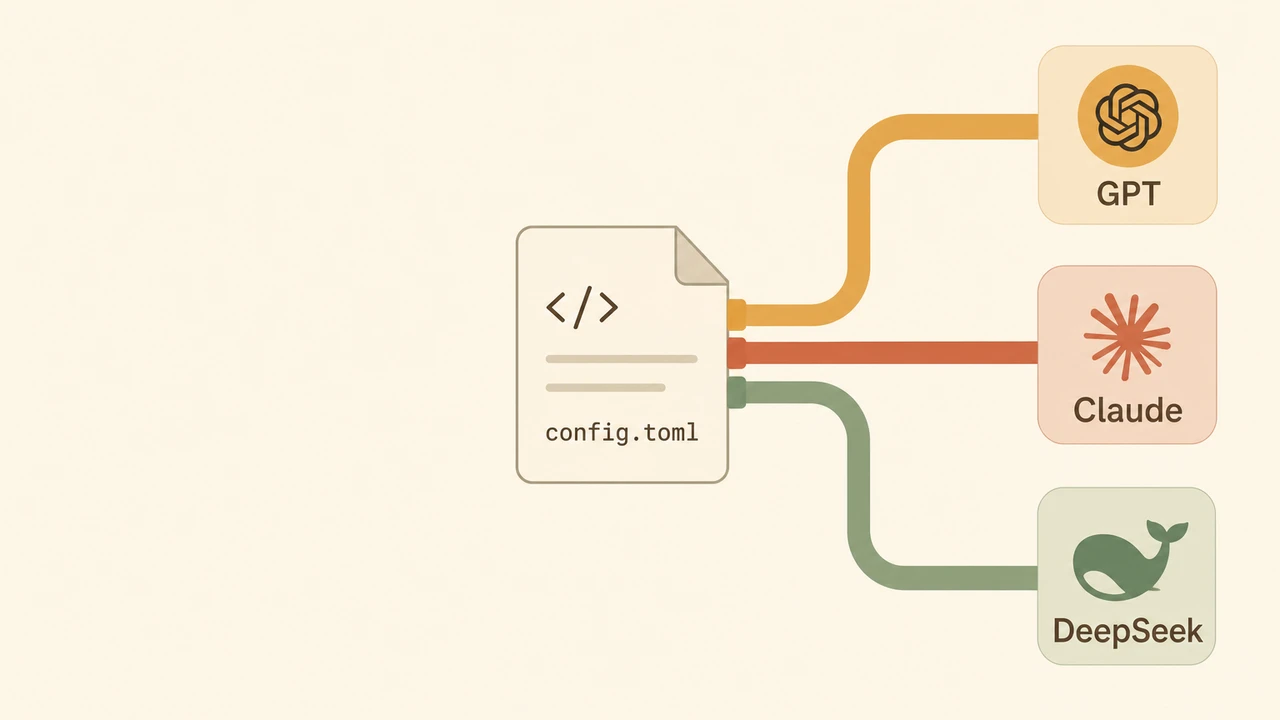
Start with the config.toml location and minimal configuration if you have not created the file. For an existing failure, use the Codex error index to separate authentication, startup and model errors. Switching a catalog model still requires Responses and tool compatibility on that route.
TL;DR
Codex CLI supports named providers and profiles. Declare the provider in [model_providers.<id>] in your user configuration, then select a model supported by that provider. The route must implement Responses and the tool interactions Codex needs; appearing in a gateway’s model catalog alone does not establish that compatibility.
This guide skips the OPENAI_BASE_URL shortcut covered in our Codex CLI API configuration guide and walks the config-file path: one file, multiple providers, profile-based switching, and the pitfalls that bite real setups.
Why the env-var trick stops working
The two-line shell-rc trick (OPENAI_API_KEY + OPENAI_BASE_URL) is fine for a single endpoint. It breaks the moment you want to:
- Keep OpenAI direct and an OpenAI-compatible gateway active in the same terminal
- Run one project against GPT-5.3 Codex and another against Claude Sonnet 4.6 without re-sourcing your rc
- Inject a non-standard auth header (some gateways require
X-Project-Idor rotate Bearer tokens) - Tune
request_max_retriesper provider so a flaky upstream doesn’t poison your default
Each of those needs a real config file. Codex CLI reads ~/.codex/config.toml on every invocation, and the [model_providers.<id>] table is where it expects custom endpoints to live (OpenAI Codex config reference).
Anatomy of a model_providers block
The full table accepts roughly a dozen keys. The five that actually matter most days:
[model_providers.ofox]
name = "ofox.ai gateway"
base_url = "https://api.ofox.ai/v1"
env_key = "OFOX_API_KEY"
wire_api = "responses"
request_max_retries = 4base_url— points at the API root, ending in/v1for OpenAI-compat gateways. No trailing slash. The path Codex appends depends onwire_api.env_key— the environment variable name Codex reads at runtime for the Bearer token. Do not hard-code keys in TOML.wire_api— use"responses", the only value supported by the current official reference. Codex sends requests to/responses. A Chat Completions-only gateway cannot be fixed by changing this to"chat".http_headers— static headers merged into every request. Useful for organization scoping or regional routing.env_http_headers— same, but the value is read from an env var at request time. Use this for tokens that rotate.
Two corollaries that catch people:
- Reserved IDs
openai,ollama, andlmstudioare taken — your custom provider needs a different name. requires_openai_auth = falsemeans the provider does not require OpenAI authentication. It is not a key-prefix validation switch;env_keysupplies the gateway credential.
Configure ofox.ai with the Responses API
Create or edit ~/.codex/config.toml:
model = "openai/gpt-5.3-codex"
model_provider = "ofox"

[model_providers.ofox]
name = "ofox.ai"
base_url = "https://api.ofox.ai/v1"
env_key = "OFOX_API_KEY"
wire_api = "responses"
requires_openai_auth = false
Export your key once:
export OFOX_API_KEY=<your-ofox-key>Verify with a trivial run:
codex "list every TODO in src/ and group them by file"A text response confirms basic connectivity. Also test one file read and a tool result in a scratch workspace. For a 404, check the full request path, exact model ID, model availability, and Responses support. Do not switch to wire_api = "chat".
Swapping the model per command
The model key in the top of config.toml is the default. Override per call:
codex --model anthropic/claude-sonnet-4.6 "review this PR for race conditions"
codex --model deepseek/deepseek-v3.2 "translate this Bash script to Python"
codex --model openai/gpt-5.4-pro "design a Postgres schema for an audit log"
The catalog checked on September 7 lists Responses endpoints for these model IDs. This is advertised compatibility, not an end-to-end test of every Codex tool or reasoning feature. The model IDs above are the ones published in ofox’s catalog; verify the exact string before pasting (vendors rename, the catalog updates).
Profiles: the cleanest multi-stack pattern
Use --model for a one-off override. The current official configuration reference places named profile files next to the user config: $CODEX_HOME/<profile-name>.config.toml (normally under ~/.codex).
For example, create ~/.codex/codex-fast.config.toml:
model = "openai/gpt-5.3-codex"
model_provider = "ofox"
model_reasoning_effort = "low"
Keep the provider definition in your user-level config.toml, then select the profile:
codex --profile codex-fast "generate unit tests for utils/parse_url.go"A review profile can select another compatible model; add reasoning settings only when that model and route support them. Check codex --version and the documentation for your installed release if migrating older inline [profiles.*] configuration. Project-local .codex/config.toml cannot override provider and authentication settings in the current reference.
Multiple providers in one config
There’s no rule against declaring several. A practical setup keeps OpenAI direct for sensitive prompts and ofox.ai for everything else:
[model_providers.ofox]
name = "ofox.ai"
base_url = "https://api.ofox.ai/v1"
env_key = "OFOX_API_KEY"
wire_api = "responses"
requires_openai_auth = false

[model_providers.openai-direct]
name = "OpenAI direct"
base_url = "https://api.openai.com/v1"
env_key = "OPENAI_API_KEY"
wire_api = "responses"
Switch with --config:
codex --config model_provider=openai-direct --model gpt-5.4 "..."
codex --config model_provider=ofox --model deepseek/deepseek-v3.2 "..."
For a self-hosted server, first confirm that its installed version implements the Responses API and the tool workflow you need. Chat Completions support alone is insufficient.
Auth that isn’t a static Bearer
If your gateway hands out short-lived tokens, the static env_key model is wrong. Codex supports an auth sub-table that shells out to a token-fetcher command on a refresh interval:
[model_providers.corp]
name = "Internal proxy"
base_url = "https://llm.corp.internal/v1"
wire_api = "responses"

[model_providers.corp.auth]
command = "/usr/local/bin/corp-token"
args = ["--audience", "codex"]
timeout_ms = 5000
refresh_interval_ms = 300000
Codex refreshes the bearer token on the configured interval. The command must print only the token to stdout. Do not combine this auth table with env_key, experimental_bearer_token, or requires_openai_auth. A bearer-token helper does not itself implement AWS SigV4 signing.
The five mistakes I keep seeing
- Trailing slash on
base_url.https://api.ofox.ai/v1/will work sometimes depending on the gateway; the spec is no trailing slash. Match the docs exactly. - A Chat-only gateway. Current Codex requires Responses support. Check the provider and model endpoint instead of selecting
"chat". - Conflicting authentication settings. Choose the credential mechanism documented by your provider;
requires_openai_authdoes not validate key prefixes. - Reusing the
openaiprovider ID. Reserved. Pick a different name. - Hard-coding the key in TOML. Don’t.
env_keyexists for a reason — secrets in a checked-in dotfile is a recurring incident.
Where this fits in the bigger Codex picture
The custom-provider config is one of three lifts you’ll typically need:
- Install (see the complete official Codex CLI install guide)
- Routing (this guide)
- Day-to-day usage patterns (see the real-world Codex CLI workflow)
Most people arrive at this page because the meter ran out rather than because they wanted a new provider; if that is you, Codex reset: when your weekly limit clears tells you whether waiting is even an option before you spend forty lines of TOML.
If you’re choosing between Codex CLI and other terminal agents first, the Claude Code vs Codex CLI vs Cursor vs DeepSeek TUI comparison is the right starting point. And if the gateway question itself is unsettled, why use an LLM API gateway covers the rationale before the config. For the equivalent BYOK story on GitHub’s tooling — Copilot Chat and the Copilot CLI agent — see how to use any OAI-compatible API with GitHub Copilot.
Closing
Codex CLI’s custom-provider story used to be undocumented folklore. In 2026 it’s a first-class config block, and that’s the version worth learning — because the moment you have two API keys to juggle, OPENAI_BASE_URL becomes the thing standing between you and a clean setup. Forty lines of TOML buys you a coding stack where the model is a flag, not a tax.
Provider misconfiguration usually shows up as an auth or model error rather than a config error. The Codex error index tells you which is which.
Frequently Asked Questions
- Why use model_providers in config.toml instead of OPENAI_BASE_URL?
- The env-var approach hard-codes one endpoint. The model_providers block lets you define several providers side-by-side, attach static or rotating headers, set per-provider retry limits, and switch with --profile or --config without editing your shell init. Once you outgrow a single endpoint, this is the path.
- Does Codex CLI still support wire_api = "chat" in 2026?
- No. The current official configuration reference supports only "responses". Your gateway and selected model must support the Responses API; Chat Completions compatibility alone is insufficient.
- Can I route Claude or Gemini through Codex CLI?
- Only if the gateway exposes the selected model through the Responses API and supports the tool interactions Codex needs. A model appearing in an OpenAI-compatible catalog does not by itself establish that compatibility.
- What's the difference between --model, --profile, and --config?
- --model overrides only the model identifier for one run. The current reference resolves --profile to a named profile file beside the user config, such as ~/.codex/work.config.toml. Older inline profile tables need version-specific migration. --config sets any single key inline (codex --config model_provider=ofox). Profiles are the cleanest way to keep multiple stacks at hand.