Grok Imagine Image Quality Retirement: What to Change
Prepare for Grok Imagine Image Quality retirement on November 2: check model routing, pin Image 2.0 quality, compare settings, and plan a controlled migration.
 Ofox
Ofox 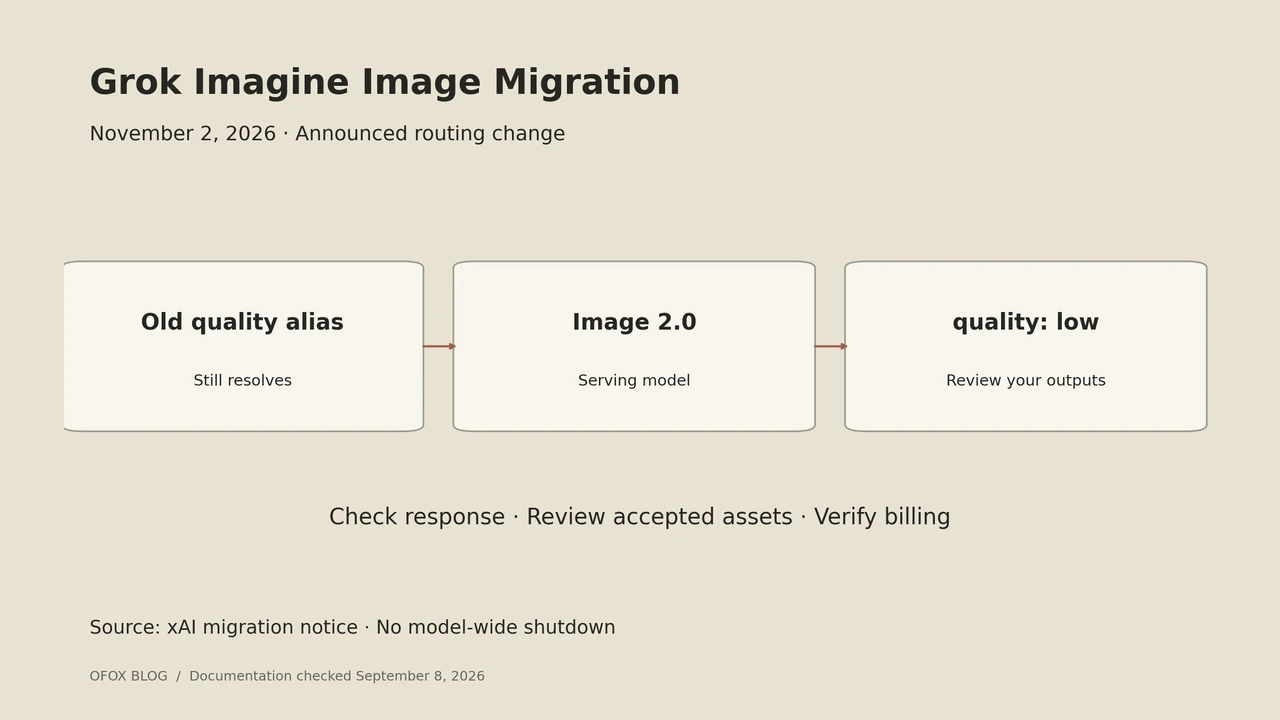
The Grok Imagine Image Quality retirement is scheduled for November 2, 2026. According to xAI, requests using grok-imagine-image-quality will then be served by grok-imagine-image-2.0 with low quality, retaining the request and response shape. The original grok-imagine-image model is not affected by this announcement. The older grok-imagine-image-pro alias, which already routes to the quality model, follows the same transition. Source: official migration notice.
If you already use the affected model, the practical task is to identify where your application selects it and decide whether to migrate explicitly before the routing change. A compatible response shape is helpful, but you still need to review the resulting images against your own requirements.
This article was checked on September 8, 2026. The announced change is still in the future; it is not evidence that an API request failing today has already been retired.
Access note: this guide covers the direct xAI API. Grok Imagine is not currently listed in Ofox’s model catalog. An Ofox API key cannot be used for the direct-xAI examples here.
Contents: scope, migration, checks, rollout, FAQ.
Which model name is affected?
There are two different uses of the word “quality” to separate: the old model identifier and a parameter on Image 2.0. Search your repository for the complete model name, not just the word quality. That avoids confusing application-level image settings with the model being retired.
Start with these places:
- Model configuration files and environment-specific defaults.
- Background workers that generate or edit images.
- Scheduled jobs and automation templates.
- Database rows that preserve a selected model.
- Provider adapters that translate your internal model label.
The last item matters if your code does not call xAI directly. A supplier can expose its own model identifier and update schedule. Ask which upstream model will serve that specific endpoint; do not assume an announcement about the direct API describes every reseller’s behavior.
Make the model selection explicit
A deliberate migration starts by recording the old configuration, then writing the intended replacement as a separate candidate configuration. The relevant selection can be represented as a small JSON fragment:
{
  "model": "grok-imagine-image-2.0",
  "quality": "low"
}
This is a configuration fragment, not a complete API request. Keep your existing prompt, input handling, authentication, and result processing around it, and check the current schema for the endpoint you call.
Pin the quality when it is part of a budget or acceptance decision. The direct API documentation allows low, medium, and auto; the current automatic selection differs between generation and editing. An explicit choice prevents your configuration from relying silently on that default. Source: image generation parameter reference.
If your use case needs medium quality, create a separate candidate and evaluate it. Do not interpret the provider’s announced low-quality route as a statement that low quality satisfies every workload formerly sent to the quality model.
Build a small regression set
A regression set should represent what your application actually asks the model to do. For a product-image workflow, choose a few examples that cover the difficult requirements rather than a large collection of easy prompts.
An illustrative set could contain ten briefs:
| Brief group | Suggested examples | What to inspect |
|---|---|---|
| Product on a simple background | 3 | Shape, proportions, color |
| Packaging or visible text | 3 | Exact wording and placement |
| Editing a supplied image | 2 | Requested change and preserved details |
| Difficult aspect ratios | 2 | Cropping and subject placement |
Those quantities are a suggested review plan, not a published benchmark. Keep the source inputs and written acceptance checks fixed when comparing configurations. Record each request’s selected model and settings beside the output.
Ask a reviewer to label each result as acceptable, needs editing, or unusable. If a candidate looks attractive but repeatedly changes a product label, its usefulness for that workload is limited. A generic visual preference score would hide the reason it failed.
Compare the task budget as well as the model output
Build the migration estimate from the replacement configuration, the number of input images, and the expected number of requests. Do not assume an old internal constant named quality_image_price remains correct after changing the model.
A useful comparison sheet has these columns:
brief_id, configuration, requested_outputs, input_images,
accepted_outputs, billed_cost, review_notes
Download the migration review worksheet. Leave billed cost empty until you have an actual charge. If you only have a calculated estimate, label that column estimated cost. This keeps a documentation review from turning into an apparent paid test.
Also separate engineering work from generation spend. Updating a provider adapter or reviewing results is part of the migration effort, even if the replacement model has a lower advertised rate.
Roll out with a record of what changed
Use a configuration switch that selects the intended model and settings for a small portion of your workload. Preserve the old and candidate configurations in version control so the change can be reviewed.
Before expanding the rollout, check three things: the application can consume the response, the generated assets satisfy the brief, and the observed spend matches the budget assumptions. These are separate checks. Passing one does not establish the others.
A rollback plan should specify an available fallback, not just an old alias whose routing is scheduled to change. Before the transition date, verify what your proposed fallback will resolve to afterward. If you choose another model or supplier, record the changed behavior as a new candidate and review it too.
For supplier-selection questions, our image API workflow guide describes another image-model family. For a product workflow that also produces video, see the video API selection guide. Neither alternative should be treated as a drop-in replacement without checking its input and output contract.
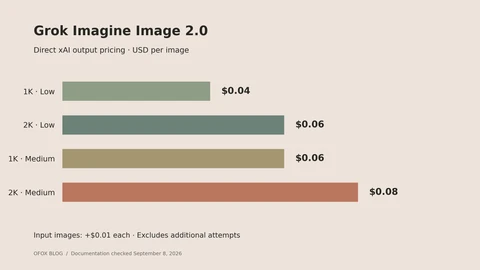
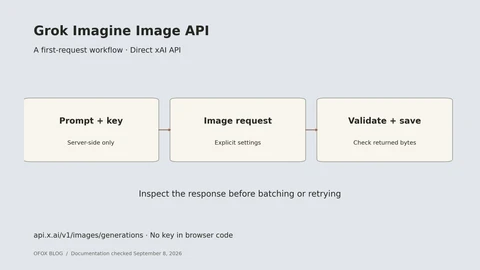
Use the Image 2.0 pricing breakdown to update your estimates and the image API tutorial for a complete direct-xAI request.
Frequently Asked Questions
- Is Grok Imagine shutting down?
- The cited notice concerns a specific image-model identifier. It does not announce a shutdown of the whole Imagine family. Check the exact name in your application before planning a migration.
- Must I rewrite the whole application?
- Start by reviewing your model selection and provider adapter. The announcement describes a compatible request and response shape for the affected direct-API route. Your application's visual acceptance and budgeting requirements still deserve a separate check.
- Is this the cause of an error before November 2?
- The future retirement announcement alone does not establish that. Inspect the actual error response, selected endpoint, account access, and provider status before changing model configuration.
- What should I do first?
- Locate every use of the affected model identifier, save the current configuration, and prepare a small representative review set. That gives you a concrete migration decision rather than an untested model-name replacement.