Grok Imagine Image 2.0 API Pricing by Quality
Compare Grok Imagine Image 2.0 API pricing across quality and resolution, calculate editing costs, and budget for 100 or 1,000 generated images with examples.
 Ofox
Ofox 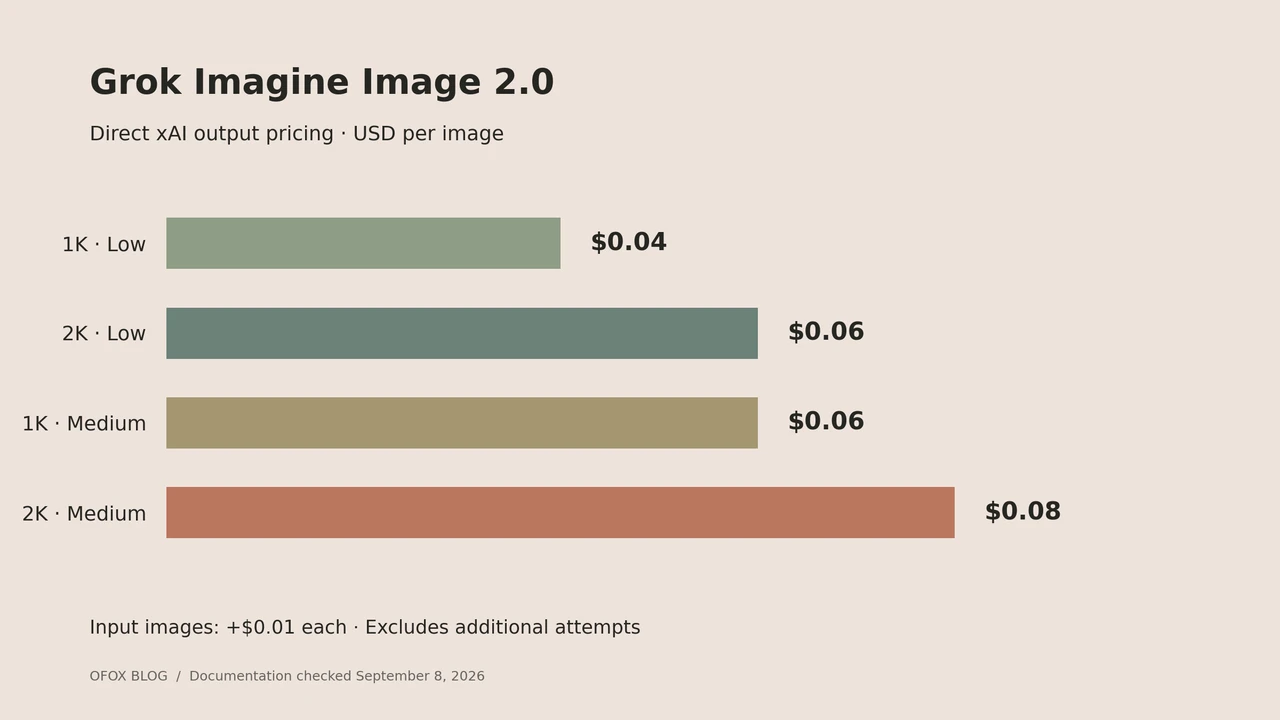
Grok Imagine Image 2.0 API pricing starts at $0.04 per output image, but your chosen resolution and quality can double that figure. Editing adds an input-image charge. For a developer budgeting an image workflow, the useful unit is the cost of a completed task: outputs, reference inputs, and any additional attempts you choose to generate.
The direct xAI rates below were checked on September 8, 2026. They are published prices, not measurements from a billed generation test. Source: xAI model pricing.
Quick decision: price the exact settings you intend to send. For exploratory drafts, compare the lowest-priced setting against your acceptance criteria. For final assets, count how many outputs need another edit before choosing a budget.
Access note: this guide covers the direct xAI API. Grok Imagine is not currently listed in Ofox’s model catalog. An Ofox API key cannot be used for the direct-xAI examples here.
Contents: rates, editing, budget, defaults, FAQ.
Grok Imagine Image 2.0 price per image
| Output resolution | Quality | Output price |
|---|---|---|
| 1K | Low | $0.04 |
| 2K | Low | $0.06 |
| 1K | Medium | $0.06 |
| 2K | Medium | $0.08 |
Image inputs cost $0.01 each on the direct API. These rates describe grok-imagine-image-2.0, not every model with “Imagine” in its name. The lower price shown for another family member is not a discount on this exact model. Source: model rate card.
The equal-priced middle rows are a useful budgeting decision. You can spend the same output budget on higher resolution at low quality or on medium quality at the smaller resolution. That is a choice to evaluate against your deliverable. It does not establish equal visual quality, identical file dimensions across aspect ratios, or an automatic winner for product photography.
Write the requested resolution and quality next to every estimate. A spreadsheet entry that says only “Grok images” makes it difficult to explain a later difference between the forecast and the bill.
How much does image editing cost?
For a planning estimate with one output per request:
estimated request cost = output rate + input image count × input image rate
estimated batch cost = sum of estimated request costs
A hypothetical edit using two reference images and producing one medium-quality 2K output is:
$0.08 + 2 × $0.01 = $0.10If you make 100 such requests, the modeled API cost is $10. This assumes one output from every request, no additional attempts, and no other charges. It is an arithmetic example, not a measured acceptance rate or an invoice.
Keep the first generation and a later edit as separate rows. Suppose you create an image, then use that image as the input for a second request. Your project has bought two generated outputs. Treating the second request as a free revision would understate the budget.
Also keep model input images separate from reference files stored in your own asset library. The budgeting quantity is the number submitted in each request. A folder containing twenty photographs does not mean every operation uses twenty billable inputs.
Budget for 100 or 1,000 images
These are calculated output-only totals from the rate table above.
| Configuration | 100 outputs | 1,000 outputs |
|---|---|---|
| 1K Low | $4 | $40 |
| 2K Low | $6 | $60 |
| 1K Medium | $6 | $60 |
| 2K Medium | $8 | $80 |
For editing, add the planned inputs to each request. If every request uses two inputs, the added modeled input cost is $2 per 100 requests or $20 per 1,000 requests. Changing the number of outputs per request requires a separate accounting check; do not assume a batch inherits every billing property of a single-output edit.
The accompanying budget worksheet uses one output per request so its assumptions remain visible. Copy it for each workload rather than mixing thumbnails, product edits, and final campaign images into one average.
Set quality explicitly when budgeting
The direct API accepts low, medium, and auto. The current documented auto behavior selects low quality for generation and medium for editing. Images are billed at the served quality. Pinning a quality makes a planned setting easier to compare with later usage. Source: generation configuration.
For a budgeted experiment, record a small specification before generating:
- Model and provider.
- Requested resolution and quality.
- Number of outputs and input references per request.
- Maximum number of additional attempts.
- Acceptance checks, such as correct product color and readable label text.
This specification is also useful when comparing providers. A cheaper-looking request may use a different model generation, output setting, or input count. Compare like-for-like estimates before discussing any price advantage.
Price a usable asset, not just an output
A simple internal metric is total project spend divided by accepted assets. For example, an illustrative $12 generation-and-edit budget that yields 80 accepted assets works out to $0.15 per accepted asset. Neither number is a Grok benchmark; they demonstrate how to measure your own workflow.
Separate aesthetic rejection from technical failure. An image can be successfully generated yet fail your brand review. If you choose to request a replacement, that is another production attempt. Do not assume the provider treats your subjective rejection as a refundable API failure.
For recurring work, keep three columns: generated outputs, accepted assets, and total billed spend. That gives you a basis for choosing between settings without claiming that one setting is always sufficient for final work.
For a broader comparison, read our FLUX image API workflow guide and Seedream image API introduction. Compare the functions your application needs before selecting a supplier, and recheck each model’s current price.
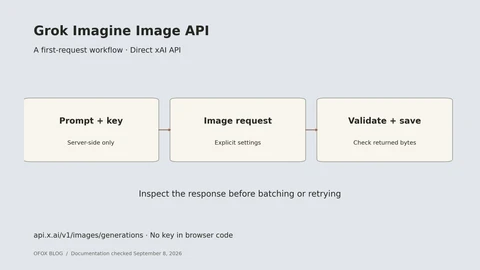
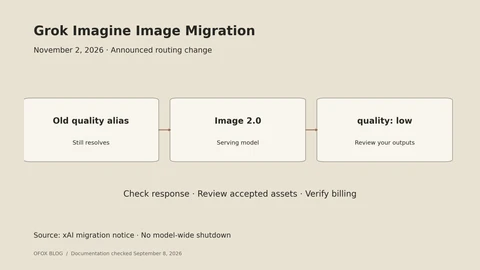
For the request fields behind this budget, use our Grok Imagine Image API tutorial. If your application still selects the old quality model, check the November 2 migration guide.
Frequently Asked Questions
- Does a 2K image always cost twice as much as 1K?
- No. Use the specific quality row in the table. Resolution is only one part of the price choice. Compare the exact configuration rather than applying a universal resolution multiplier.
- Is medium quality always worth paying for?
- That depends on what makes an image acceptable in your project. Evaluate the same brief against your requirements, then compare cost per accepted asset. This article does not include a controlled quality test.
- Does a single image price cover editing too?
- An editing estimate also needs the number of submitted input images and the selected output configuration. Count later edit requests separately so the budget includes revisions.
- Can I use this table for a third-party API?
- Use it as a direct-xAI reference. Confirm the third party's exact model, defaults, input charges, and current rate card before using it as your supplier budget.