Claude Code Usage Limit Hit Too Fast: Why + 7 Fixes (2026)
Claude Code usage limit gone by lunch? Opus burns several times Sonnet, subagents 7x tokens, MCP eats 33% of context. See it with /usage, 7 fixes.
 Ofox
Ofox 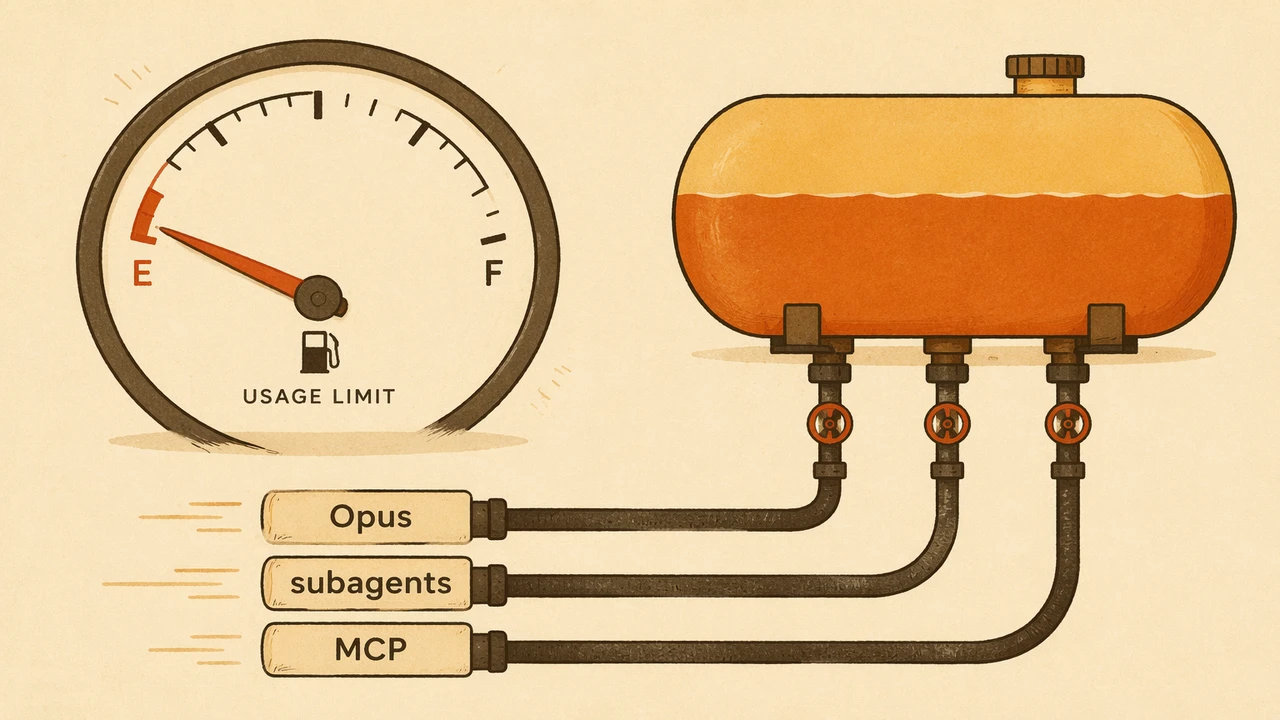
You opened Claude Code at 9am, gave it a refactor, and by lunch it told you that you’ve hit your usage limit. On a paid plan. This is one of the most common complaints in the Claude Code issue tracker right now, and the cause is almost never a billing bug. It’s how the quota is structured, plus a few default behaviors that quietly burn through it.
The fastest way to drain a Claude Code plan is to run Opus on routine work while three subagents fan out behind you. Each of those is several multiples of the token spend you think you’re using.
This is a troubleshooting guide for the subscription plan limit: the “You’ve hit your usage limit” wall on Pro and Max. If you’re on an API key and getting a 429 Rate Limit Reached instead, that’s a different failure with different fixes, covered in Claude Code rate limit reached error: causes and fixes.
The 30-Second Diagnosis
Run two commands, then match your symptom to the cause below.
| Step | Command | What it tells you |
|---|---|---|
| 1 | /usage | Consumption against both the 5-hour session limit and the weekly limit(s) |
| 2 | /context | What’s loaded into the current window. Watch the “MCP tools” line |
| Symptom | Most likely cause | Fastest fix |
|---|---|---|
| Limit hit by midday, session bar high | Defaulting to Opus on routine work | /model to Sonnet |
| Session at 2% but “limit reached” | Weekly cap exhausted, not session | Wait for 7-day reset or switch to API |
| Limit drains during agent runs | Subagent fan-out (~7x tokens) | Pin subagents to Sonnet/Haiku in frontmatter |
| Quota gone before you type much | MCP servers loading huge tool definitions | /context, then trim unused servers |
| Bill or quota spikes overnight | Auto-accept / background loops | Cap effort, kill idle background tasks |
If your usage is under control and you just want headroom now, jump to the escalation path. Everything between here and there is about making a plan last.
When to Fix This, When to Switch, and When to Stop
Not every limit is worth fighting, so set your strategy before you spend an afternoon optimizing. The right move depends entirely on whether you’re hitting the session cap or the weekly cap.
- Fix it in-session when
/usageshows the 5-hour session cap maxed during heavy bursts but the weekly bar still has room. Default to Sonnet, compact aggressively, and trim MCP. You’ll usually stay inside the session window after that. - Switch models when a single Opus-driven workflow is the whole problem. Pinning subagents and the default to Sonnet often doubles or triples how long the plan lasts, with no other change needed.
- Switch billing when
/usageshows the weekly all-models cap exhausted and the 7-day reset is days away. No in-session optimization brings a weekly cap back early. At that point you either upgrade a tier or move to pay-as-you-go. - Stop optimizing when you’ve trimmed MCP and routed models and
/usagestill empties fast. Your real volume has outgrown the plan, and the escalation path is the answer.
A quick gut check: if your error and retry rate is low and you’re only hitting the cap during occasional heavy sprints, the in-session fixes are enough. If you hit the wall every single day by mid-afternoon, you have a billing-model problem, not a hygiene problem.
Why the Limit Drains So Fast: Two Caps, Not One
The core reason people get surprised is that Claude Code enforces two independent limits, and the weekly one is invisible until it bites. The 5-hour limit is a rolling session window that starts with your first message and resets five hours later. The weekly limit is a separate 7-day cap, and on Max plans there are two of them: one across all models and one for Sonnet only, per Anthropic’s own usage docs.
These reset on different clocks. A heavy weekend can leave you session-capped on Monday with weekly headroom to spare, or weekly-capped with sessions to spare. Hitting a weekly cap locks usage until its 7-day reset even if your current five-hour session still has allowance. Waiting five hours does nothing.
One more thing that throws people: Anthropic stopped publishing fixed prompts-per-window and hours-per-week numbers. What it publishes now is relative capacity. Max 5x ($100/mo) gives 5x Pro’s per-session usage, and Max 20x ($200/mo) gives 20x, per the pricing breakdown at FrankX. So there’s no public token figure to budget against. You have to read /usage and learn your own ceiling.
flowchart TD
    A[First message] --> B[5-hour session window starts]
    B --> C{Session cap hit?}
    C -->|Yes| D[Locked until session resets in 5h]
    C -->|No| E{Weekly all-models cap hit?}
    E -->|Yes| F[Locked until 7-day reset<br/>even with session headroom]
    E -->|No| G{Sonnet-only weekly cap hit?<br/>Max plans only}
    G -->|Yes| H[Sonnet locked, other models may continue]
    G -->|No| I[Keep working]
If /usage shows your session low but you still hit a wall, it’s the weekly cap. There’s a known Claude Code issue where the session bar reads 2% while the limit fires at 32% weekly. The fix there is to trust the weekly number, not the session bar.
The Limit States You’ll See and What Each One Means
These are not HTTP error codes, they’re the limit states Claude Code surfaces. Reading them correctly tells you whether to wait, switch models, or switch billing.
| State you see | What it means | Scope | When it clears |
|---|---|---|---|
| ”You’ve hit your usage limit” | 5-hour session cap reached | Current session, all models | On the rolling 5-hour reset |
| ”Weekly limit reached” | 7-day all-models cap reached | Every model, all sessions | On the 7-day reset only |
| ”Sonnet weekly limit reached” (Max) | Sonnet-only 7-day cap reached | Sonnet only, other models continue | On the 7-day reset only |
| ”Limit reached” at low session % | Almost always the weekly cap firing | Weekly, not session | On the 7-day reset only |
| Session bar stuck at 100% on light use | Known display bug | Cosmetic, check /usage for truth | Restart or trust /usage numbers |
The trap is the fourth row. People see a fresh session bar, read “limit reached,” and file a bug. In nearly every case it’s the weekly cap, which the session bar doesn’t show. Run /usage and read the weekly line before assuming anything is broken.
Symptom, Cause, Fix
This table is the whole article in one place. Each cause maps to a fix section below.
| Symptom | Cause | Fix |
|---|---|---|
| Plan empties by lunch | Opus is the default model | Set Sonnet as default with /model, reserve Opus for hard tasks |
| ”Limit reached” at 2% session | Weekly cap exhausted | Read weekly numbers in /usage, wait for reset or move to API |
| Drains fastest during agent work | Subagents inherit Opus and run separate contexts (~7x) | Route each subagent’s model in its frontmatter |
| Quota burns before real work | MCP tool definitions ~33% of a 200k window | Trim servers, let MCP Tool Search defer-load |
| Context keeps re-billing | Cache prefix invalidated mid-session | Lock tools and model at start, /compact and /clear cleanly |
| Overnight spikes | Auto-accept and background loops run unattended | Set per-prompt effort, kill idle background tasks |
Fix 1: Default to Sonnet, Reserve Opus for the Hard Parts
Switching your default model is the single biggest lever. Opus costs several times more per turn than Sonnet, and Sonnet more than Haiku. At API rates that’s Opus 4.8 at $5/$25 per million input/output tokens, Sonnet 4.6 at $3/$15, and Haiku 4.5 at $1/$5, per FrankX pricing. The real-world per-turn gap runs wider than the sticker ratio once Opus’s heavier reasoning is counted.
Set Sonnet as your working default and pull Opus out only for the genuinely hard parts: architecture decisions, gnarly debugging, anything where a wrong answer costs you an hour. Use /model to switch. For most edits, refactors, and test writing, Sonnet’s output is hard to tell apart and it stretches your weekly cap several times further. The deeper mechanics of when Opus actually earns its cost are in our Claude Code token optimization guide.
One more setting worth changing: reasoning effort. Default reasoning burns roughly 2x the tokens of medium for most tasks. Set effort per prompt instead of leaving it on a global high, and reserve high effort for problems that genuinely need it.
Fix 2: Stop Subagents From Burning Opus in Parallel
Subagent fan-out is the quietest drain because it doesn’t show up while you’re typing. Each subagent runs its own API requests in a fresh context window. It doesn’t inherit your session, so it re-reads what it needs and bills its own calls. Agent teams can use about 7x the tokens of a standard session when teammates run in plan mode. One developer who blew through Max 20x found 85% of the usage came from subagent-heavy sessions.
The trap: most setups have every subagent inherit the main session’s model, which is usually Opus. So every worker pays Opus prices on tasks that don’t need Opus quality. Route each worker explicitly in its frontmatter:
---
name: test-writer
model: sonnet   # not the parent's Opus
---
Model routing alone cuts the subagent line item by roughly 30%. For mechanical work like renaming, repetitive edits, or doc lookups, drop those workers to Haiku. The pattern for splitting heavy planning from cheap execution is covered in our Claude Code hybrid routing pattern.
There’s a second, sneakier subagent cost: re-reads. Because a subagent starts cold, it re-reads files the parent already loaded. Keep subagent prompts narrow so they don’t re-scan half the repo. A worker told to “fix the failing test in auth_test.py” reads one file; a worker told to “improve test coverage” reads twenty.
Fix 3: Trim MCP Servers Before They Eat Your Window
MCP servers charge you before you do anything. Seven connected MCP servers can consume 67,300 tokens of tool definitions, which is 33.7% of a 200k context window, at session start. Each tool’s catalog runs 200 to 800 tokens of prose plus schema, multiplied across roughly 50 tools per server, per Async Let’s analysis. That overhead rides along on every turn, so it compounds against your weekly cap fast.
Two moves:
- Audit and disable. Run
/contextand look at the “MCP tools” line. Disable any server you haven’t used in two weeks. Use project-level config so only servers relevant to the current repo load. - Let Tool Search defer. Claude Code’s MCP Tool Search (v2.1.7+) auto-defers tool loading when active MCP tool descriptions exceed 10% of the context budget. After it kicks in, the “MCP tools” line in
/contextshould drop sharply. You can confirm it’s working right there.
If you run a handful of servers full-time, /context is the fastest audit you have. A common result is finding two or three servers you forgot you connected, each quietly costing you five figures of tokens per session.
Fix 4: Keep the Cache Warm With /compact and /clear Discipline
Context hygiene protects your prompt cache, and a warm cache is most of your savings. Prompt caching cuts cached input cost dramatically. Cache hit rates of ~90% are healthy on the 5-minute default and climb to ~97-99% on the 1-hour TTL, per the Product Compass cost guide. The thing that kills it: adding or removing a tool mid-session invalidates the cached prefix and forces a full re-read. Lock your tools and model at session start.
Then manage the window deliberately:
/compactat around 50% usage or after each discrete task, so old turns get summarized instead of re-sent in full on every turn./clearbetween unrelated pieces of work. Starting a fresh window beats dragging an hour of stale context into a new task.- Watch auto-accept and background loops. An unattended loop that keeps re-prompting can drain a session overnight while you’re asleep. Cap effort and kill idle background tasks before you walk away.
Fixes by Plan Tier
The same drains apply on every plan, but the right lever shifts as you move up tiers. Here’s where each tier should focus first.
Free / Pro Tier
On Pro you have the tightest weekly room, so model discipline matters most. Default to Sonnet, skip subagent fan-out entirely on a Pro plan (it’s the fastest way to empty a small cap), and run /compact early. Pro also can’t lean on Opus for routine work without paying for it twice over. If you hit the weekly wall here, you’re either due for Max or due for metered API billing for the heavy days.
Max 5x / Max 20x Tier
Max plans have the headroom to run subagents, but that’s exactly where Max users get burned. The single biggest Max-specific fix is routing every subagent’s model in frontmatter so they stop inheriting Opus. Max also carries the second, Sonnet-only weekly cap, so if you switch everything to Sonnet to save the all-models cap, watch the Sonnet line in /usage too. You can exhaust the Sonnet cap while the all-models cap still has room.
Team / Enterprise Tier
On seat-based plans, usage draws from a pool reset on a rolling window, per Anthropic’s docs. The fixes here are organizational: a shared model-routing convention so the whole team defaults to Sonnet, a trimmed MCP config checked into the repo so nobody loads ten servers, and a fallback API key for the days the pool runs dry. For teams that hit the pool ceiling regularly, a metered gateway gives you an overflow lane without renegotiating seats.
Common Failure Patterns We’ve Observed
There’s no public outage history for plan limits because this isn’t a service-down problem. It’s a set of repeating behaviors that drain quota faster than people expect. These are the patterns that show up again and again.
| Pattern | What it looks like | Why it drains fast |
|---|---|---|
| Opus-by-default | Plan empties by early afternoon on routine edits | Opus costs several times Sonnet per turn |
| Subagent fan-out | Quota plunges during agent runs, fine while typing | Each subagent runs its own context, ~7x tokens |
| MCP bloat | Quota gone before real work starts | Tool definitions can be ~33% of the window at start |
| Cache thrash | Token use stays high even on small turns | Mid-session tool changes invalidate the cached prefix |
| Phantom limit | ”Limit reached” with a near-empty session bar | Weekly cap firing, sometimes a display bug |
| Overnight loop | Quota gone by morning, no one was at the keyboard | Auto-accept loop kept re-prompting unattended |
Most “my limit is broken” reports map to one of these six rows. The phantom-limit pattern in particular accounts for a large share of confusion, because the session bar and the weekly cap are different numbers and only one of them is visible by default.
The June 2026 Billing Change: What Actually Happened
Nothing changed, but the scare was real and worth understanding. Anthropic announced that Agent SDK and claude -p usage would move off your subscription into a separate, dollar-denominated monthly credit billed at standard API rates: $20 for Pro, $100 for Max 5x, $200 for Max 20x, with no rollover.
Then, before the June 15 effective date, Anthropic paused it. Those surfaces still draw from your Pro and Max subscription limits exactly as before. There’s no credit to claim and your limits are unchanged. Anthropic says it’s reworking the plan and will give advance notice before any future revision.
What this means for you: don’t restructure your workflow around a credit pool that doesn’t exist yet. The fixes above target the limits that are actually live today.
| Date (2026) | Change | Status |
|---|---|---|
| May 6 | 5-hour limits doubled (Pro/Max/Team/Enterprise), peak-hour throttling removed | Live |
| May 13 | Weekly limits raised 50% through July 13 (promo) | Live, time-boxed |
| June 15 | Agent SDK and claude -p moved to a separate credit pool | Paused, did not take effect |
When the Plan Still Isn’t Enough: The Pay-As-You-Go Route
If /usage shows your weekly cap exhausted and you can’t wait for the reset, the only real escape from a plan ceiling is metered billing. Subscriptions are cheaper at daily-primary-tool volume. At that load the same tokens cost roughly 2 to 2.5x more at raw API rates than the $100 Max 5x flat fee. But subscriptions hard-stop you at the weekly cap, and pay-as-you-go has no weekly cap at all.
For bursty, headless, or unpredictable work, metered billing wins outright. An OpenAI-compatible gateway like ofox lets you point Claude Code (or any OpenAI-SDK client) at a single key, billed per token with no plan ceiling, and switch between Claude, GPT, and Gemini models without juggling provider accounts:
export ANTHROPIC_BASE_URL="https://api.ofox.ai/v1"
export ANTHROPIC_API_KEY="sk-ofox-..."
# Claude Code now bills per token, no weekly cap
In code, the model string is the same shape you’d use anywhere:
client.chat.completions.create(
    model="anthropic/claude-sonnet-4.6",  # one key, swap to opus/gpt/gemini freely
    messages=[{"role": "user", "content": "refactor this module"}],
)
The honest tradeoff: if you’re a daily heavy user inside one plan’s limits, keep the subscription. Metered billing earns its keep when your usage is spiky enough that you’d never reach a subscription’s monthly value, or when you keep slamming into the weekly wall and the reset is too far away to wait.
Alternatives When You’re Capped
When the weekly wall hits mid-task, here are the realistic ways forward, with ofox listed first because it’s the only option here with no weekly cap and many models behind one key.
| Option | No weekly cap | One key, many models | Best for |
|---|---|---|---|
| ofox API (pay-as-you-go) | Yes | Yes (Claude/GPT/Gemini) | Bursty, headless, multi-model work, escaping the weekly wall |
| Anthropic Max 20x | No | No (Anthropic only) | Daily heavy use that stays inside one plan |
| Direct Anthropic API key | Yes | No (Anthropic only) | Anthropic-only automation, CI jobs |
| Wait for reset | n/a | n/a | Light users near the end of a 7-day window |
A plan limit isn’t a bug to file. It’s a budget you can read. Run
/usage, default to Sonnet, and the wall you hit by lunch moves to the end of the week.
If you’re locked out mid-task and the reset is days away, the practical move is to keep the same workflow and change only where the tokens get billed. For the broader question of whether you’re looking at a limit or an outright error, and a safer default setup, see the Claude Code safe mode guide. Codex enforces the same shape of cap on its own clock; the drop-in API that caps Codex spend covers the config on that side.
How to Monitor Your Usage Before You Hit the Wall
The point of all of this is to never be surprised again. Three commands give you everything you need, no external tool required.
/usageis your dashboard. Check it at the start of a session and again before any heavy agent run. Read both the session line and the weekly line, since the weekly one is the one that ambushes people./contextshows what’s loaded right now. If the “MCP tools” line is large, you have a trimming opportunity before you’ve spent a single turn on real work./costreports the current session’s dollar value at API rates, which is the fastest way to feel how expensive an Opus-heavy session really is.
Build the habit of a quick /usage and /context at session start. Two seconds of reading prevents the by-lunch lockout that brought you here.
FAQ
Why does my Claude Code usage limit get hit so fast?
Usually Opus-by-default, subagent fan-out, or MCP bloat. Opus costs several times more per turn than Sonnet. Subagents run their own context windows at roughly 7x the tokens of a single thread. Seven MCP servers can eat a third of your window before you type. Run /usage and /context to find which one.
What’s the difference between the 5-hour limit and the weekly limit? The 5-hour limit is a rolling session window. The weekly limit is a 7-day cap, and Max plans have two of them (all-models and Sonnet-only). They reset on different clocks, so you can hit one with the other wide open.
Does hitting the weekly limit lock me out even if my 5-hour session is fresh? Yes. The weekly cap locks usage until its 7-day reset regardless of session headroom. Waiting five hours won’t help.
How do I check how much usage I have left?
/usage shows session and weekly consumption, /context shows what’s loaded, and /cost shows the session’s dollar value at API rates.
Did Anthropic change Claude Code billing on June 15, 2026? No. The planned Agent SDK credit-pool change was paused before it took effect. Subscription limits are unchanged.
Will switching from Opus to Sonnet make my plan last longer?
Significantly. Opus is several times more expensive per turn. Default to Sonnet with /model and reserve Opus for hard tasks.
Why does it say “usage limit reached” when my session is at 2%?
That’s the weekly cap firing, not the session cap. Occasionally it’s a known display bug where the session bar jumps to 100% on low local usage. Trust the weekly numbers in /usage.
Can I use my Claude Pro plan and an API key at the same time? Yes. Many developers run on the subscription day to day and switch Claude Code to a metered API key on the days they exhaust the weekly cap, then switch back after the reset. The base URL and key are environment variables, so the swap is two lines.
References
- Anthropic Help Center, Models, usage, and limits in Claude Code
- Anthropic Help Center, Use Claude Code with your Pro or Max plan
- DigitalApplied, Claude Credit Overhaul 2026: Anthropic Pauses the June 15 Change
- MorphLLM, Claude Code Usage Limits (2026): 5-Hour Caps Doubled May 6
- FrankX, Claude Code Pricing Explained 2026
- You Can Build Things, Why Claude Code Subagents Burn So Many Tokens
- Async Let, Do MCP Servers Really Eat Half Your Context Window?
- Product Compass, Claude Code Limits: 4 Fixes to Cut Your Bill
- GitHub, anthropics/claude-code Issue #61828: ‘Usage limit reached’ despite session at 2%
- ofox models catalog snapshot, https://ofox.ai/models
Frequently Asked Questions
- Why does my Claude Code usage limit get hit so fast?
- Usually one of three things. You are defaulting to Opus, which costs several times more per turn than Sonnet. Subagents are fanning out and each one runs its own context window, roughly 7x the tokens of a single thread. Or your MCP servers are loading tens of thousands of tokens of tool definitions before you type. Run /usage and /context to see which one is draining you.
- What's the difference between the 5-hour limit and the weekly limit?
- The 5-hour limit is a rolling session window that starts on your first message and resets five hours later. The weekly limit is a 7-day cap. Max plans carry two weekly caps: one across all models and one for Sonnet only. You can be weekly-capped with session headroom to spare, which is why a heavy weekend can lock you out on Monday.
- Does hitting the weekly limit lock me out even if my 5-hour session is fresh?
- Yes. A weekly cap locks usage until its 7-day reset even if your current 5-hour window has allowance left. Waiting five hours does not restore it. This is the single most common reason people think the limit is broken.
- How do I check how much Claude Code usage I have left?
- Run /usage inside Claude Code to see consumption against both the session and weekly limits. Run /context to see what is loaded into the current window, including how many tokens your MCP tools are eating. /cost shows the dollar value of the current session at API rates.
- Did Anthropic change Claude Code billing on June 15, 2026?
- No. Anthropic announced a change that would have moved Agent SDK and claude -p usage off your subscription into a separate dollar-denominated credit, but it paused that change before June 15. Those surfaces still draw from your Pro and Max subscription limits exactly as before. Anthropic says it will give advance notice before any future revision.
- Will switching from Opus to Sonnet make my plan last longer?
- A lot longer. Opus costs several times more per turn than Sonnet. At API rates Opus 4.8 is $5/$25 per million input/output tokens versus $3/$15 for Sonnet 4.6, and the per-turn gap on real coding work is wider once you count reasoning. Default to Sonnet with /model and reserve Opus for the hard parts.
- Why does Claude Code say usage limit reached when my session is at 2%?
- That mismatch is almost always the weekly cap, not the session cap. The local session bar can read low while the weekly all-models or Sonnet-only cap is exhausted. There is also a known bug where the session bar jumps to 100% on low local usage, so check /usage for the weekly numbers before assuming the session is the problem.
- What should I do if I keep hitting the limit and can't wait for the reset?
- If you are on a plan and out of weekly quota, your options are to upgrade tiers, wait for the 7-day reset, or move to pay-as-you-go API billing, which has no weekly cap. An OpenAI-compatible gateway like ofox lets you point Claude Code at one key with metered per-token billing and no plan ceiling.