AI PPT Maker
Write your topic and key points, or upload Word, PDF or Markdown files, to get a clean deck in black on white with a cobalt-blue accent, as an editable .pptx you can keep working on in PowerPoint.
Example result
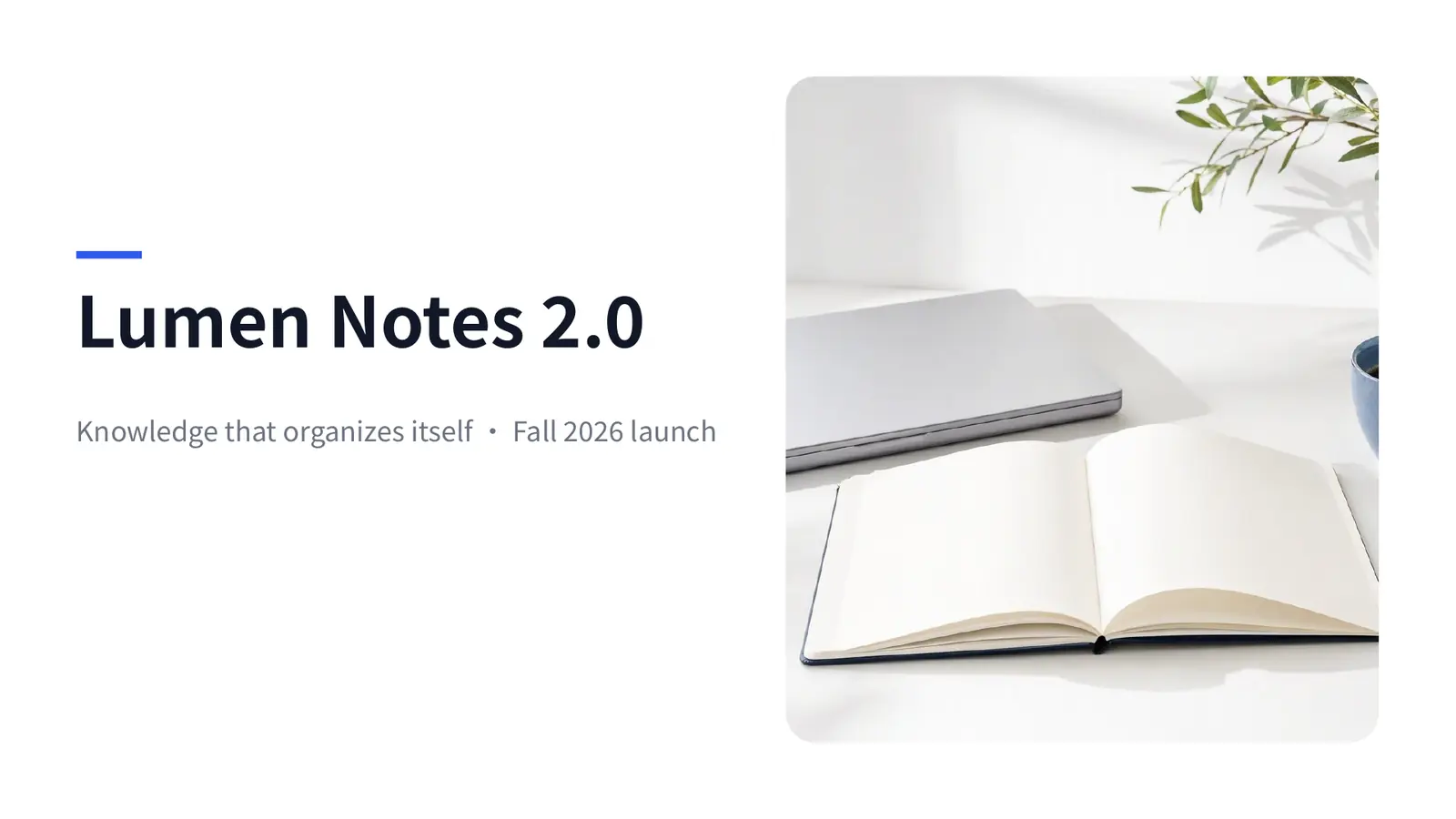
Paper
Black on white with a single cobalt-blue accent, plenty of white space and clear hierarchy. Works for product introductions and everyday presentations.
- Template
- Ofox Chat template
- Source
- Ofox
Use cases
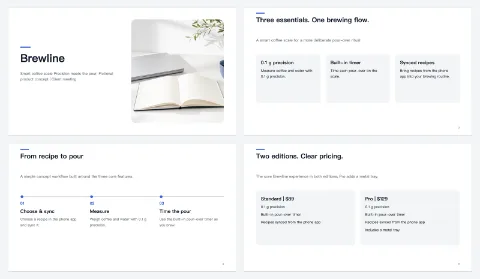
Product introductions
Write down the product's features, target users and pricing points to get a clearly structured product deck for client meetings or internal sharing.
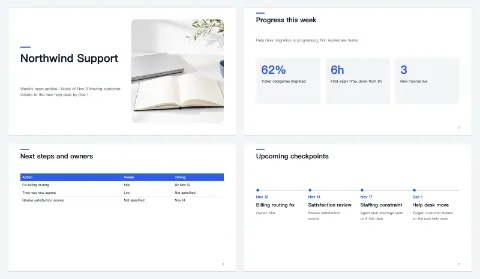
Everyday updates
Turn meeting notes, a weekly report or a data sheet into an update deck with background, progress, issues and next steps laid out page by page.
How it works
- 01
Write your topic
Tell Ofox Chat what the deck is about, and attach material if you have it.
- 02
Start
Hit the generate button and continue in Ofox Chat.
- 03
Keep refining
Not quite right? Say what to change and Ofox Chat keeps going.
FAQ
How do I make a PPT with AI?
At the top of the page, write the topic, who the deck is for and the points you want to make, or upload material you already have, then start. Ofox Chat turns it into a full set of slides. To change anything, say so in the same conversation, for example “split slide 3 into two slides.”
What files can I upload?
PDF, Word (.docx), TXT, Markdown and similar files, up to 10 at a time and 8 MB each. Save old .doc files as .docx first.
Can I edit the generated deck?
Yes. You get a .pptx file that you can open in PowerPoint to change text, add images and adjust slides, or import into other apps that support .pptx.
What style is this, and what if I want a different one?
This page uses the Paper style: black on white with a single cobalt-blue accent and plenty of white space, suited to product introductions and everyday presentations. For a specific scenario, use the matching tool page, such as AI Proposal Presentation Maker for client proposals, AI Work Report Presentation Maker for status reports or AI Thesis Defense PPT Maker for a defense.
Is the content accurate?
The AI organizes content from the topic and material you give it. Check numbers, dates, names and quotes before you present; if something isn't in your material, add it in the conversation rather than letting the AI guess.
How much does it cost?
You need to sign up first, then you pay only for what you use.
About AI PPT Maker
The AI PPT maker is for people who have the content but don't want to start from a blank slide: product introductions, team updates, project reviews or training material. Write your topic and key points, or upload Word, PDF or Markdown files, and Ofox Chat turns them into a clean deck in black on white with a cobalt-blue accent, delivered as an editable .pptx.
The more specific you are, the closer the first draft is to usable. Say who the deck is for (a client, your manager or your team), which points it must cover and roughly how long you'll present. Uploading an existing report, proposal or data sheet is more accurate than retyping it.
After it's generated, keep editing in the same conversation: “cut slide 2 down to three bullet points,” “add a slide on how we differ from competitors,” “end with next steps and owners.” When you're happy, download the .pptx and make final tweaks in PowerPoint.
Check numbers, dates, names and quotes before you use the deck. The AI works from the material you provide, so anything that isn't there may be summarized or left out; take extra care with anything you'll publish or send to a client.
The Paper style is clean and general-purpose. If your scenario is specific, such as a client proposal, a work report or a thesis defense, the matching scenario tool page is a better fit, with structure and colors designed for that use.