Gemini CLI Setup
Gemini CLI is Google’s command-line tool for Gemini models. With OfoxAI, you can use the Gemini protocol while gaining access to a broader model selection.
Set up faster with Ofox Desktop. On an Apple silicon Mac, Desktop can detect this tool, back up its current configuration, and apply an Ofox API key and compatible model. Open Ofox Desktop .
Setup Steps
1. Install Gemini CLI
npm install -g @google/gemini-cli
2. Configure OfoxAI
Gemini CLI uses the Gemini native protocol. Point it to OfoxAI via the configuration file:
{
  "apiKey": "<your OFOXAI_API_KEY>",
  "baseUrl": "https://api.ofox.ai/gemini"
}
Or use environment variables:
export GEMINI_API_KEY=<your OFOXAI_API_KEY>The base URL configuration method for Gemini CLI may change with version updates. If the above method doesn’t work, refer to the latest Gemini CLI documentation.
3. Verify
gemini "Hello, tell me about yourself"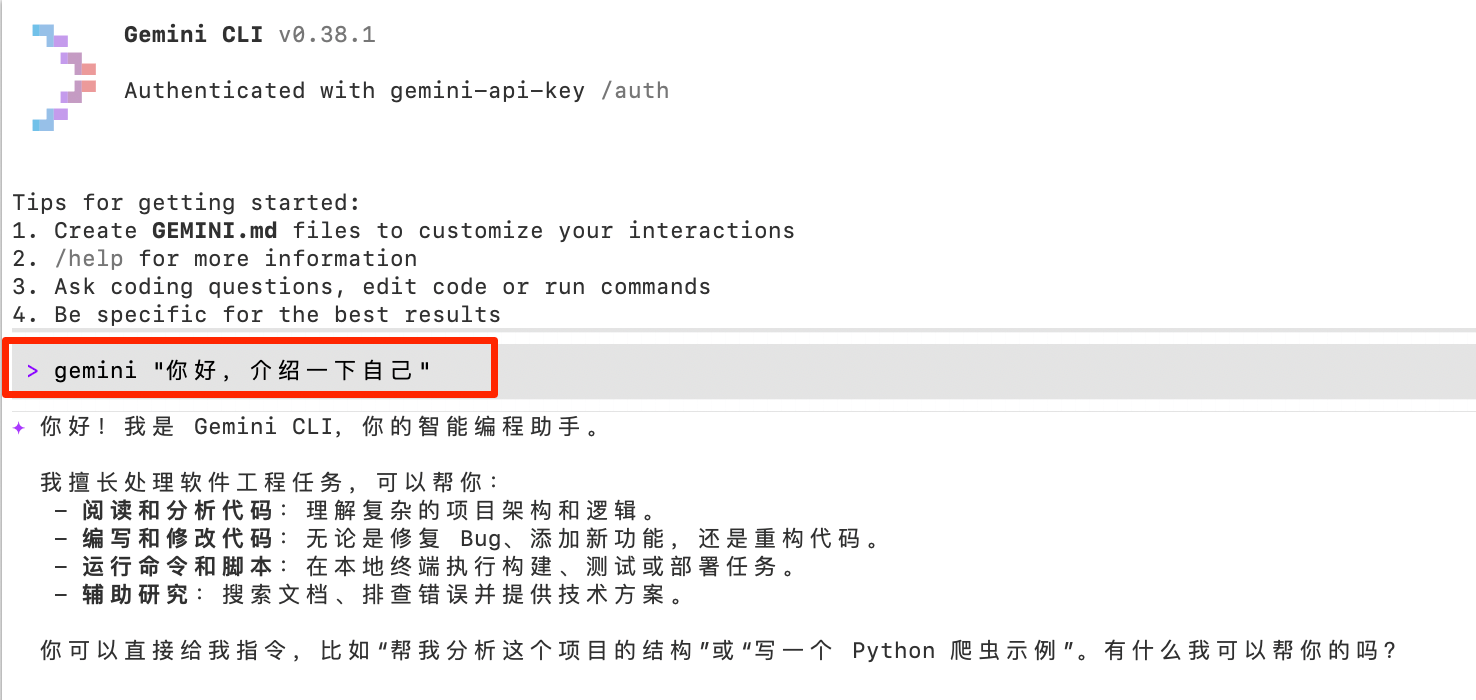
Available Models
For recommended models, see the OfoxAI Model Marketplace .
Use Cases
- Code generation and review — Gemini models excel at code understanding
- Long file analysis — Leverage the 1M token context window
- Multimodal tasks — Analyze images, PDFs, and other files
Using Gemini CLI through OfoxAI also gives you the benefits of fallback and routing optimization. See Advanced for details.