OpenCode Configuration
OpenCode is an open-source AI coding agent with a terminal TUI, a desktop app and IDE extensions. Ofox is built into OpenCode’s provider catalog (sourced from models.dev ), so there is no custom Base URL to set up — select Ofox, paste your API key, and you can code with GPT, Claude, Gemini, DeepSeek and more.
Prerequisites
- An OfoxAI account and API key (get one here )
- OpenCode installed:
# Pick one
curl -fsSL https://opencode.ai/install | bash
npm i -g opencode-ai@latest
brew install anomalyco/tap/opencode
The desktop app is available at opencode.ai/download .
Option 1: Desktop App
1. Open provider settings
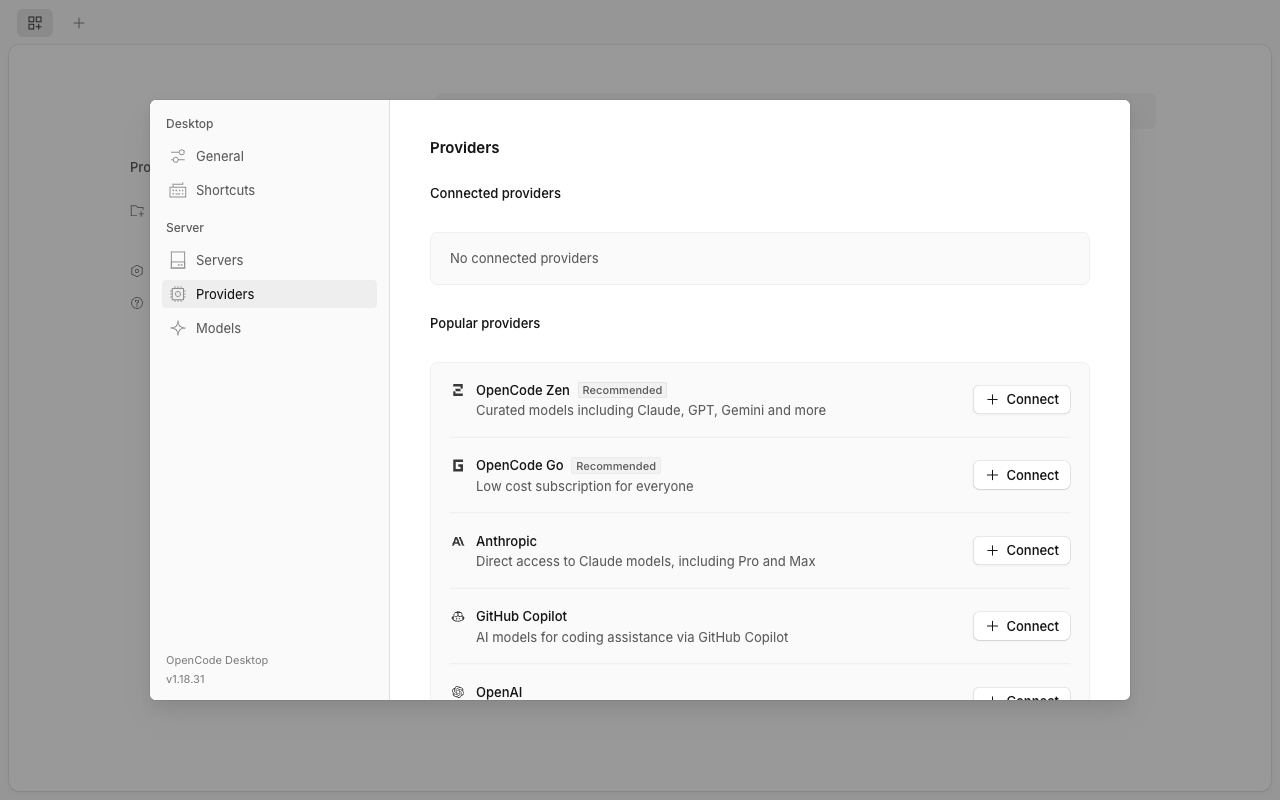
Open OpenCode, click Settings → Providers in the left sidebar, then click Show more providers at the bottom of the “Popular providers” list.
2. Search for and select Ofox
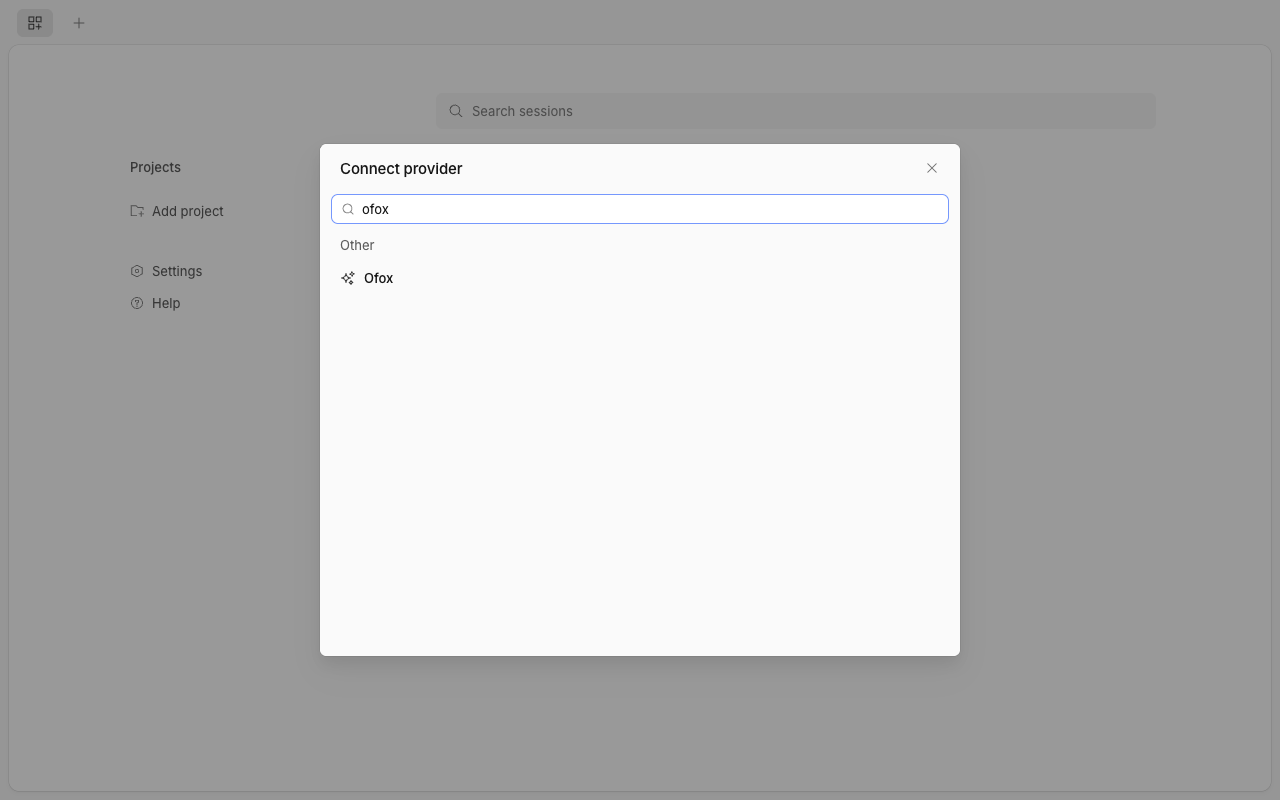
Type ofox in the search box and click Ofox.
3. Enter your API key
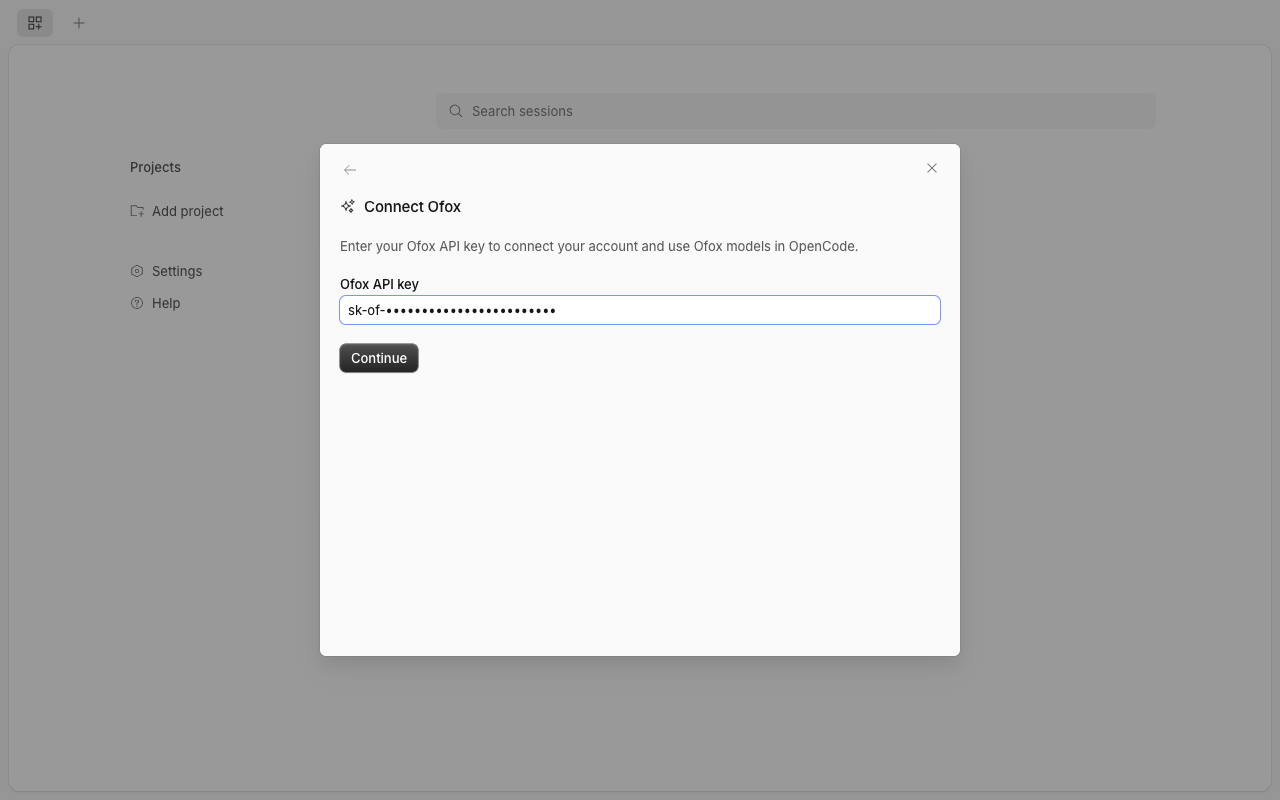
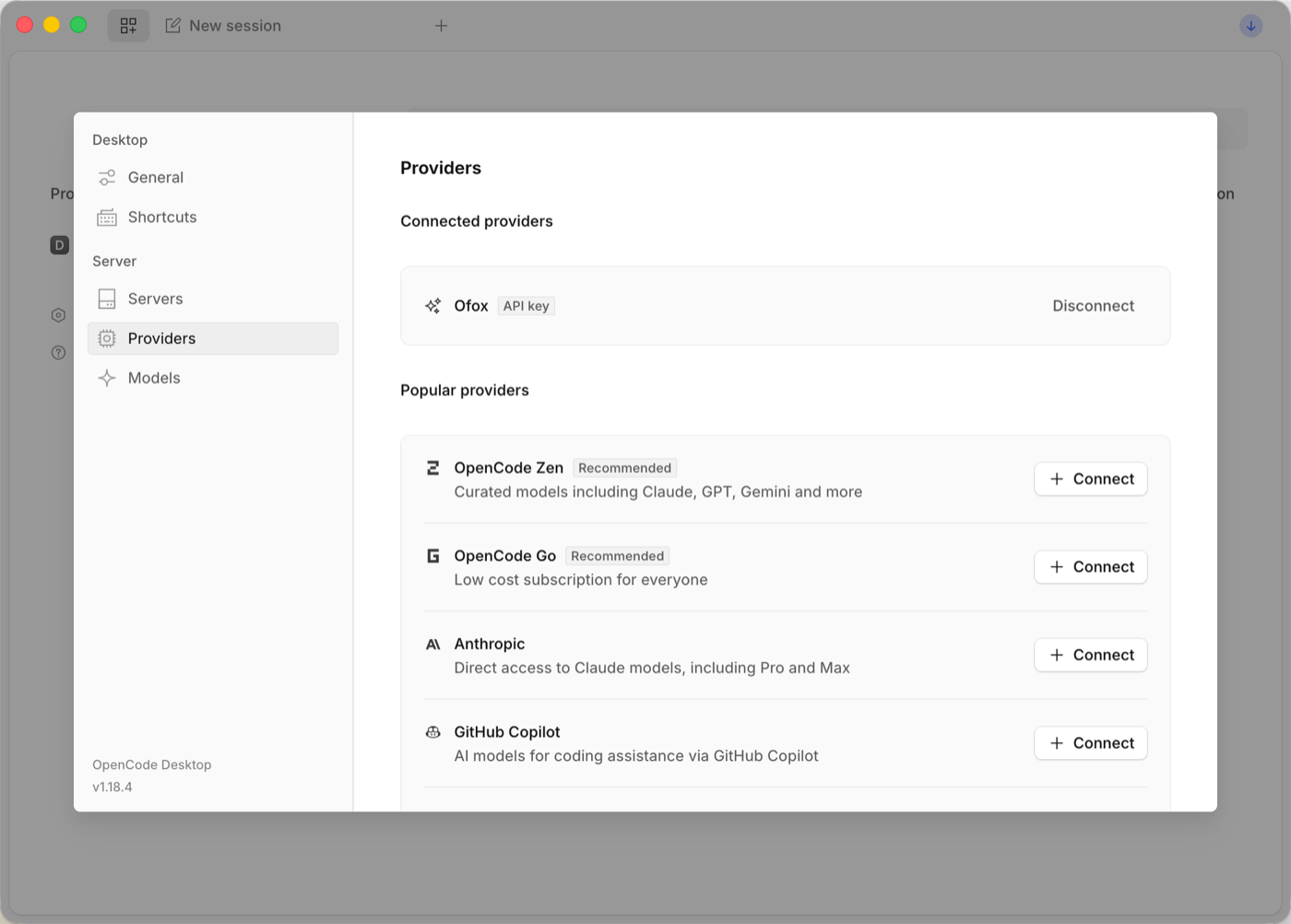
Paste your OfoxAI API key and click Continue. Once connected, Ofox appears under “Connected providers”.
4. Enable Ofox models
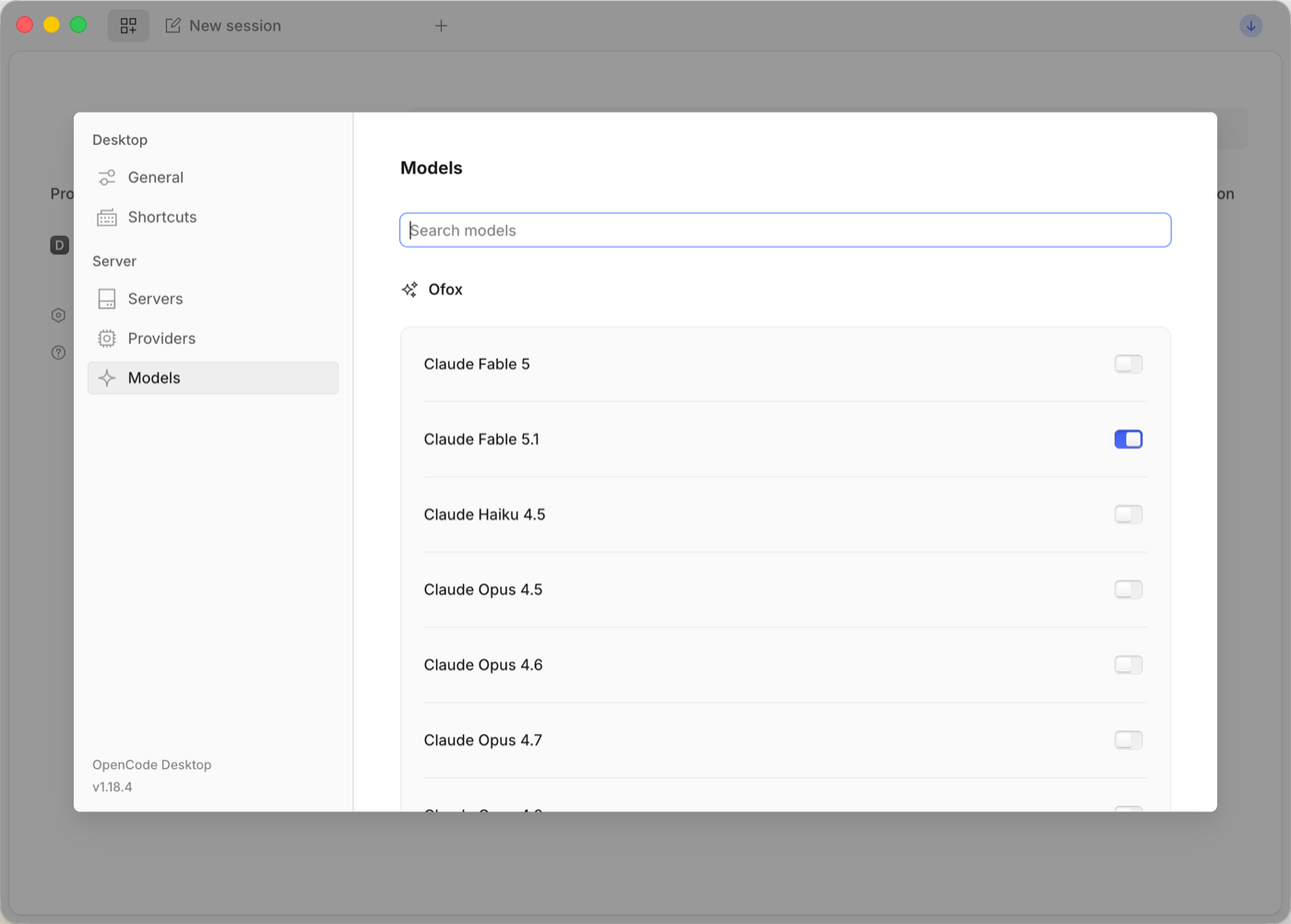
Go to Settings → Models, search for ofox and switch on the models you want to use. Only enabled models show up in the session model picker.
5. Pick a model and start chatting
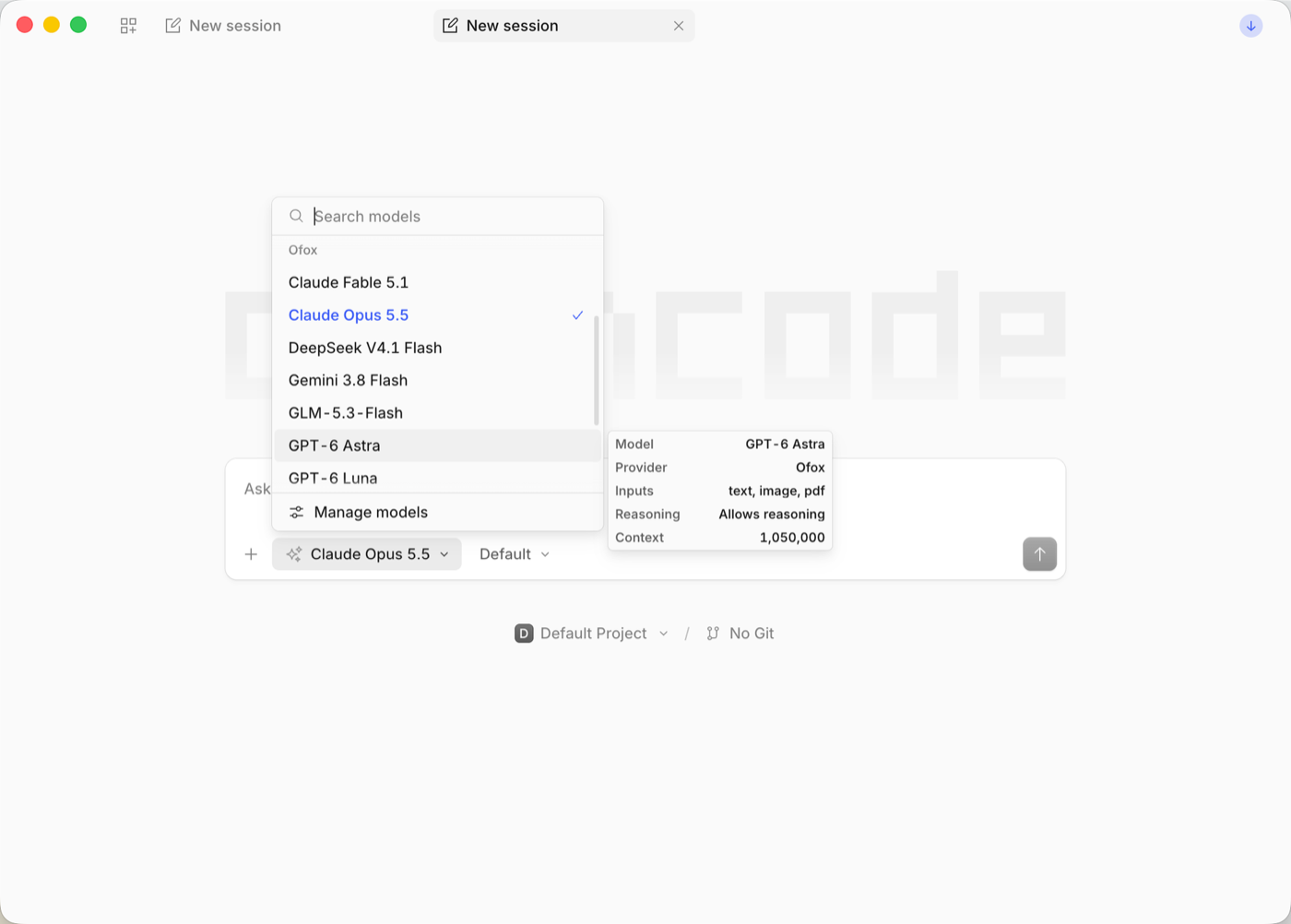
Create a new session, open the model picker below the input box and choose a model under the Ofox group. Click Manage models at the bottom to go back to step 4 at any time.
Option 2: Terminal TUI
Start OpenCode in your project directory and type /connect:
opencode/connectSearch for Ofox in the provider list, press Enter and paste your API key. Then type /models and pick a model under Ofox.
Credentials are stored in ~/.local/share/opencode/auth.json and shared between the desktop app and the terminal, so you only need to set this up once.
You can also log in and verify entirely from the command line:
opencode auth login          # choose Ofox, paste your API key
opencode models ofox         # list the models available under Ofox
opencode run -m ofox/anthropic/claude-sonnet-4.6 "Hello, introduce yourself"
Optional: Environment Variable and Config File
OpenCode reads the OFOX_API_KEY environment variable automatically — handy for CI, or if you’d rather not store the key in a local file:
export OFOX_API_KEY=<your OFOXAI_API_KEY>To make an Ofox model the default, add it to opencode.json in your project root or in ~/.config/opencode/:
{
  "$schema": "https://opencode.ai/config.json",
  "model": "ofox/anthropic/claude-sonnet-4.6"
}
Model IDs follow the format ofox/<OfoxAI model ID>; see the Model Marketplace for the full list.
Protocols: Built-in Provider vs Custom Provider
With the built-in Ofox provider, each model uses its own native protocol by default — there is nothing to choose:
| Models | Protocol | Endpoint |
|---|---|---|
Claude (anthropic/*) | Anthropic native | https://api.ofox.ai/anthropic/v1 |
Gemini (google/*) | Gemini native | https://api.ofox.ai/gemini/v1beta |
GPT (openai/*) | OpenAI | https://api.ofox.ai/v1 |
| Everything else (DeepSeek, Qwen, GLM, …) | OpenAI-compatible | https://api.ofox.ai/v1 |
If you need to pick the protocol yourself — for example, calling Claude over the OpenAI protocol — the built-in provider can’t do that. Add a custom provider instead and set the Base URL, API key and models manually.
Add a custom provider in the desktop app
Go to Settings → Providers → Show more providers, choose Custom OpenAI-compatible provider, fill in the fields below and click Submit:
| Field | Value |
|---|---|
| Provider ID | Anything, e.g. ofox-openai (must not clash with the built-in ofox) |
| Display name | Anything, e.g. Ofox (OpenAI protocol) |
| Base URL | https://api.ofox.ai/v1 |
| API key | Your OfoxAI API key |
| Models | ID = the OfoxAI model ID (e.g. anthropic/claude-sonnet-4.6), name is up to you; click “Add model” to add more |
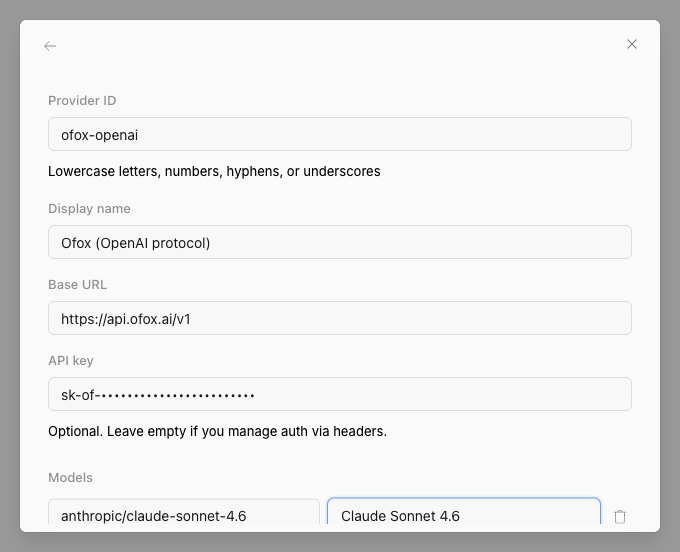
A new Ofox (OpenAI protocol) group then appears in the model picker; every model in it is called over the OpenAI-compatible protocol.
Or define it in opencode.json
{
  "$schema": "https://opencode.ai/config.json",
  "provider": {
    "ofox-openai": {
      "npm": "@ai-sdk/openai-compatible",
      "name": "Ofox (OpenAI protocol)",
      "options": {
        "baseURL": "https://api.ofox.ai/v1",
        "apiKey": "{env:OFOX_API_KEY}"
      },
      "models": {
        "anthropic/claude-sonnet-4.6": { "name": "Claude Sonnet 4.6" }
      }
    }
  }
}
Refer to the model as ofox-openai/anthropic/claude-sonnet-4.6.
Recommended Models
See the Model Marketplace for recommended models.