Images API
兩個端點:生成(文字 → 圖)、編輯(圖 + 文字 → 圖)。回應都是 OpenAI 標準結構 data[0].b64_json。
| 我要做什麼 | 端點 | 支援的模型 |
|---|---|---|
| 文字生成圖片 | POST /v1/images/generations | openai/gpt-image-2、google/gemini-3.1-flash-image、bailian/qwen-image-3.0-pro |
| 上傳圖片 + 指令改圖 | POST /v1/images/edits | 僅 OpenAI / Azure:openai/gpt-image-2、openai/gpt-image-1.5 |
兩個「圖生圖」的例外:Qwen 系列的圖生圖走 generations 端點的 input_images 欄位,不走 edits;Gemini 系列在本頁兩個端點都不能編輯,需走 Gemini 原生協定。
指定供應商
provider.type 用於將請求鎖定到指定供應商。它只對由多個供應商承載的模型有意義 —— 目前是 openai/gpt-image-2(azure_foundry 與 openai)。指定未承載該模型的供應商會回傳 400 provider_type_unavailable。
| 供應商 | 說明 | 內容審核 |
|---|---|---|
azure_foundry | 微軟雲託管 | 較嚴格 |
openai | OpenAI 官方 API | 相對寬鬆 |
openai/gpt-image-2 的兩個供應商審核尺度不同:azure_foundry 較嚴格,openai 相對寬鬆。提示詞反覆被拒時,明確指定 provider.type: "openai" —— 未指定時會被加權分流,可能落到 azure_foundry。
完整參考見 API · 供應商路由。
文生圖 /v1/images/generations
/v1/images/generations 是 JSON 請求主體,請求主體欄位與請求標頭兩種寫法均可。
Python
resp = client.images.generate(
    model="openai/gpt-image-2",
    prompt="A simple red apple on a white table",
    size="1024x1024",
    extra_body={"extra_body": {"provider": {"type": "openai"}}},
)使用官方 OpenAI SDK 時,extra_body 需作為請求主體中的字面量鍵存在。TypeScript SDK 在參數物件中直接書寫 extra_body 即可;Python SDK 的 extra_body= 參數會將其內容合併至請求主體最上層,因此需額外巢狀一層,或改用請求標頭傳遞。
圖生圖 /v1/images/edits
/v1/images/edits 是 multipart 上傳,沒有 JSON 請求主體可供巢狀 extra_body,因此此處只能使用請求標頭。把 extra_body 當作表單欄位傳會被忽略,請求將在無約束的情況下繼續執行。
curl https://api.ofox.ai/v1/images/edits \
  -H "Authorization: Bearer $OFOX_API_KEY" \
  -H "X-OfoxAI-Provider-Type: openai" \
  -F "model=openai/gpt-image-2" \
  -F "prompt=..." \
  -F "image=@input.png"
在 /v1/images/edits 上,作為表單欄位傳遞的 extra_body 會被靜默忽略 —— 圖片照常產生,但約束不生效。請改用 X-OfoxAI-Provider-Type。
生成圖像
POST https://api.ofox.ai/v1/images/generations參數
| 參數 | 類型 | 必填 | 說明 |
|---|---|---|---|
model | string | ✅ | openai/gpt-image-2、google/gemini-3.1-flash-image, bailian/qwen-image-3.0-pro |
prompt | string | ✅ | 自然語言描述 |
quality | string | ✅ | auto / low / medium / high / standard / hd |
n | number | — | 1–10,預設 1。Gemini 模型不支援 |
size | string | — | auto / 1024x1024 / 1536x1024 / 1024x1536 / 256x256 / 512x512 / 1792x1024 / 1024x1792 |
input_images | string[] | — | 參考圖陣列(URL 或 base64),Qwen 系列圖像模型支援,1–3 張;生效時回應含 usage.num_input_images |
output_format | string | — | png / jpeg / webp |
background | string | — | transparent / opaque / auto |
stream | boolean | — | 預設 false |
extra_body.provider.type | string | — | 指定供應商,僅對多供應商承載的模型有意義(本端點目前為 openai/gpt-image-2);等價請求標頭 X-OfoxAI-Provider-Type |
回應
{
  "created": 1777385517,
  "data": [
    { "b64_json": "<圖片 Base64>", "index": 0 }
  ],
  "model": "openai/gpt-image-2",
  "size": "1024x1024",
  "quality": "low",
  "usage": {
    "input_tokens": 14,
    "input_tokens_details": { "text_tokens": 14 },
    "output_tokens": 208,
    "total_tokens": 222
  }
}
圖片在 data[0].b64_json,自行 base64 解碼後儲存。
OpenAI 系列生圖(gpt-image-2)
Python
import base64
from openai import OpenAI

client = OpenAI(api_key="YOUR_OFOX_API_KEY", base_url="https://api.ofox.ai/v1")

resp = client.images.generate(
    model="openai/gpt-image-2",
    prompt="A simple red apple on a white table",
    size="1024x1024",
    quality="low",
    output_format="png",
    # 選填:指定供應商;不傳則由平台自動分流
    # extra_body={"extra_body": {"provider": {"type": "openai"}}},
)

with open("output.png", "wb") as f:
f.write(base64.b64decode(resp.data[0].b64_json))實測輸出:

Gemini 系列生圖(gemini-3.1-flash-image)
同一端點也接受 Gemini 圖像模型。不要傳 n——閘道會把 n 錯誤對應為 numberOfImages 欄位並回報 400,每次固定生成 1 張。
Python
import base64
from openai import OpenAI

client = OpenAI(api_key="YOUR_OFOX_API_KEY", base_url="https://api.ofox.ai/v1")

resp = client.images.generate(
    model="google/gemini-3.1-flash-image",
    prompt="A simple red apple on a white table, photorealistic",
    size="1024x1024",
    quality="low",
    output_format="png",
)

with open("output.png", "wb") as f:
f.write(base64.b64decode(resp.data[0].b64_json))實測輸出:

Qwen 系列生圖(qwen-image-3.0-pro)
bailian/qwen-image-3.0-pro 等 Qwen 圖像模型支援在本端點直接傳參考圖做圖生圖 / 圖像編輯(1–3 張),欄位為 input_images(元素是圖片 URL 或 base64):
curl -X POST 'https://api.ofox.ai/v1/images/generations' \
  -H 'Authorization: Bearer YOUR_OFOX_API_KEY' \
  -H 'Content-Type: application/json' \
  -d '{
    "model": "bailian/qwen-image-3.0-pro",
    "prompt": "把蘋果改成藍色,其餘保持不變",
    "size": "1024x1024",
    "input_images": ["https://example.com/ref-apple.png"]
  }'
參考圖生效時,回應 usage 會包含 num_input_images(輸入圖片張數)——可用它程式化確認參考圖已被模型讀取。
欄位名必須是 input_images。image_urls、image、images 等其他寫法會被靜默忽略,請求會退化為純文生圖(HTTP 仍回傳 200)。
編輯圖像
POST https://api.ofox.ai/v1/images/editsmultipart/form-data,需上傳圖片檔案。
此端點僅支援 OpenAI / Azure OpenAI 模型。google/gemini-3.1-flash-image 呼叫會回傳 Image editing is not supported for model——改走 Gemini 原生協定編輯圖像。
參數
| 參數 | 類型 | 必填 | 說明 |
|---|---|---|---|
model | string | ✅ | 推薦 openai/gpt-image-2 |
image | file | ✅ | PNG / JPEG 檔案,單張最大 15 MB,請求主體總量 50 MB;張數閘道不額外設限,以上游為準,建議不超過 16 張。建議單張控制在 5 MB 以內:上游會把輸入圖縮到約 1024 像素級畫布,超大圖只是更慢 |
prompt | string | ✅ | 編輯指令 |
quality | string | ✅ | low / medium / high |
n | number | — | 預設 1 |
size | string | — | auto 表示與原圖一致 |
X-OfoxAI-Provider-Type | 請求標頭 | — | 指定供應商。本端點為 multipart 上傳,只能用請求標頭,表單欄位 extra_body 會被靜默忽略 |
回應
與生成一致:
{
  "created": 1777385669,
  "data": [
    { "b64_json": "<編輯後圖片 Base64>", "index": 0 }
  ],
  "model": "openai/gpt-image-2",
  "size": "auto",
  "quality": "low",
  "usage": {
    "input_tokens": 1041,
    "input_tokens_details": { "image_tokens": 1024, "text_tokens": 17 },
    "num_input_images": 1,
    "output_tokens": 358,
    "total_tokens": 1399
  }
}
usage.input_tokens_details.image_tokens 是輸入圖片消耗的 token,num_input_images 是輸入圖片張數。
支援的模型與價格見 模型目錄 。
呼叫
Python
import base64
from openai import OpenAI

client = OpenAI(api_key="YOUR_OFOX_API_KEY", base_url="https://api.ofox.ai/v1")

with open("apple.png", "rb") as f:
    resp = client.images.edit(
        model="openai/gpt-image-2",
        image=f,
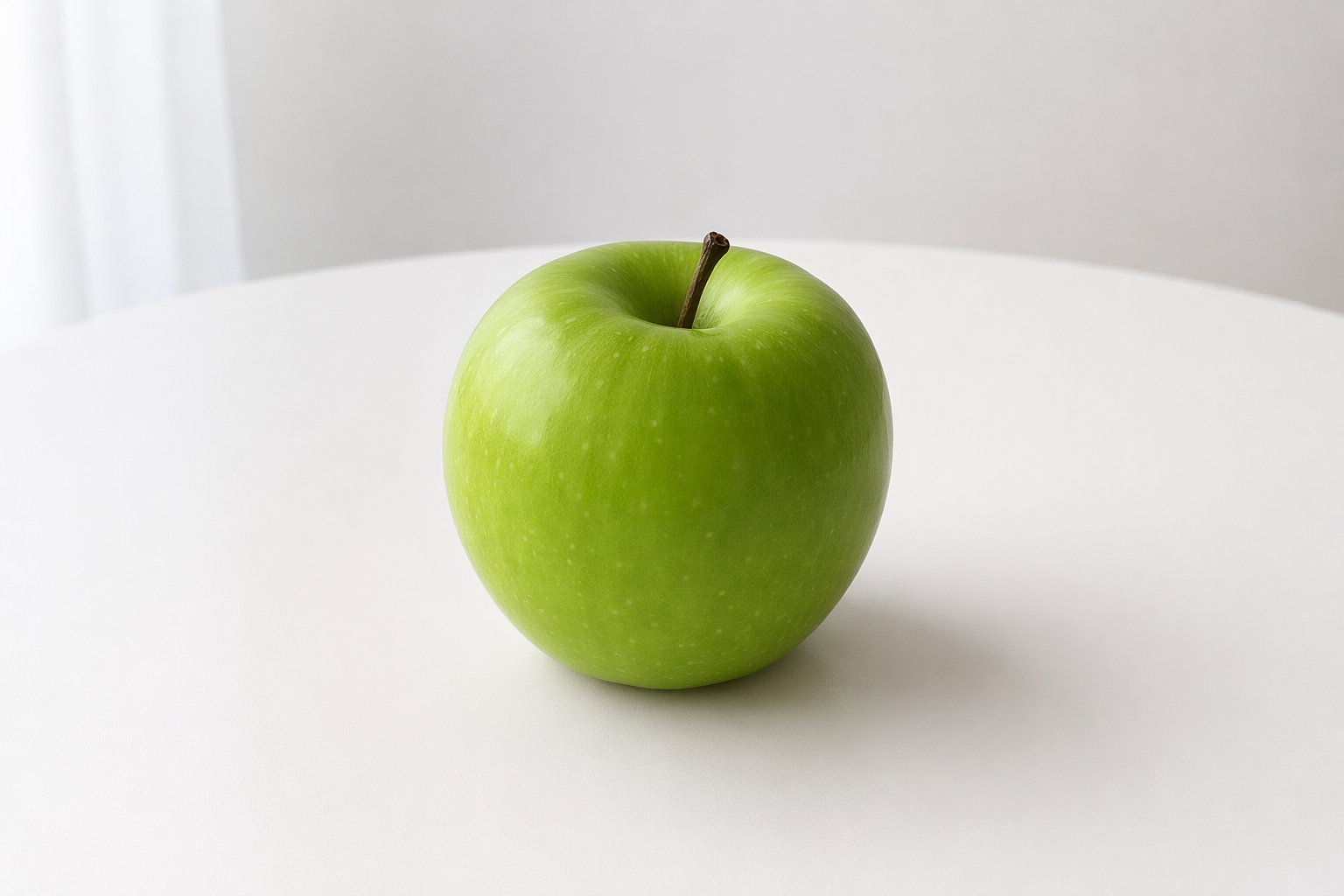
        prompt="把蘋果改成綠色,其他保持不變",
        size="auto",
        quality="low",
        # 選填:指定供應商;本端點為 multipart,只能用請求標頭
        # extra_headers={"X-OfoxAI-Provider-Type": "openai"},
    )

with open("apple_edited.png", "wb") as out:
out.write(base64.b64decode(resp.data[0].b64_json))image 欄位傳本機檔案路徑(cURL 用 @ 前綴),不是 URL。
實測對比:
| 原圖 | 編輯後 |
|---|---|
|  |