Compare AI office agents by the Excel, PDF, report or PowerPoint you need
Choose an AI office workflow by its final deliverable. Compare documented capabilities, inspect real exported files, and use four practical acceptance briefs.
 Ofox

Choose an AI office agent by the file and revision your colleague needs next. For Excel work that stays in Excel, start with Copilot; for a combined research-and-document workspace, investigate Genspark or Manus; for general file creation, compare Claude and Ofox Chat. For source-focused reading or presentations, a specialist such as NotebookLM, ChatPDF or Gamma may be the better fit. None is the universal winner across these tasks.
This guide connects four decisions: spreadsheet analysis, multi-PDF comparison, sourced research and editable presentations. It is a task-based selection guide, not a claim to test every agent on the internet. Ofox publishes it and is included in the comparison. Official capabilities were checked on November 11, 2026. The concrete Gamma and Ofox export findings are from our November 5 synthetic task, whose files we re-inspected for this guide; other products are documented candidates, not tested winners.
For a broader introduction spanning creative and general agents, use our 12-agent overview. For coding environments, use the separate coding-agent harness comparison. A coding benchmark does not tell you whether an office agent will preserve a workbook formula or deliver editable chart data.
Start with the handoff
| What you need to hand over | Candidates to investigate | The deciding check | Detailed guide |
|---|---|---|---|
| A workbook someone will update next month | Copilot in Excel, Genspark AI Sheets, Claude, Ofox Chat | Formulas and units survive; changed inputs recalculate correctly | Copilot Excel alternatives |
| A comparison of several source PDFs | NotebookLM, ChatPDF, Claude, Ofox Chat | Every included file is accounted for; claims have source locations | Multi-PDF alternatives |
| A sourced decision report with unresolved questions | Perplexity Projects, Manus, Genspark, Claude, Ofox Chat | Links support claims; the report separates evidence from inference | Research-report alternatives |
| A deck with charts your colleague must edit in PowerPoint | Gamma, Plus AI, Genspark, Claude, Ofox Chat | Native text, table and chart objects—not just a PPTX extension | Editable PowerPoint alternatives |
The candidates are not equivalent product categories. Copilot works within an established office application; Gamma centers on presentation authoring; NotebookLM and ChatPDF emphasize source interaction. Broader agents can coordinate more steps, but breadth does not establish better results on the one task you need. A dedicated editor can be preferable when a human must keep refining the output.
What the products actually document
| Product or workflow | Relevant documented capability | What remains to verify for your task |
|---|---|---|
| Manus | Research, slides, browser operation and connected workflows | Exact export objects, source coverage and behavior after interruption |
| Genspark | Separate Sheets, Slides and Docs workflows with import/export boundaries | Which editor and export mode retain the required objects |
| Claude file creation | Downloadable Excel, PowerPoint, Word and PDF generation | Your workspace settings, formulas, chart objects and revision fidelity |
| Ofox Chat | File delivery demonstrated in our linked synthetic examples | Your own input complexity, output requirements and follow-up changes |
| Copilot in Excel | Assistance inside the Excel workflow | Account eligibility, supported workbook state and recalculation |
| NotebookLM / Gemini Notebook | Answers grounded in imported sources | Source completeness and whether the final handoff format fits |
| ChatPDF | PDF citations and multi-file conversations | Coverage of every file and a usable exported comparison |
| Perplexity Projects | Persistent project files, context and coordinated work in Computer | Source quality, claim-level attribution and report revisions |
| Gamma | Presentation creation and PPTX export, including editable tables | The exported form of each chart and complex object |
| Plus AI | Presentation work in PowerPoint or Google Slides | Template preservation and behavior on difficult imported slides |
These are shortlist reasons, not verified pass marks. The evidence sources are the Manus feature directory, Genspark Sheets documentation, its Slides and Docs guides, Claude file guide, Microsoft’s Copilot Excel FAQ, Google’s notebook source guide, ChatPDF’s product page, Perplexity Projects, Gamma export help and Plus AI’s PowerPoint workflow. Google’s current help uses the Gemini Notebook name; readers may still search for NotebookLM.
A useful shortlist is two candidates plus your existing workflow. Including the incumbent prevents a migration project whose only advantage is a more impressive first response. Avoid moving all documents and connections before testing the one export that currently causes rework.
Excel: decide whether you need a snapshot or a working model
A static report can correctly summarize last month’s numbers. A working workbook must also respond correctly when someone changes a value. Ask for the intended behavior explicitly. “Analyze this spreadsheet” leaves the agent free to return prose, an image or hard-coded totals that may not fit the handoff.
Use this small synthetic acceptance brief before uploading a larger permitted workbook:
Create an XLSX workbook from these completed-order counts:
April 120, May 150, June 135. Preserve the source values.
Include a total calculated by a formula, a clearly labeled chart,
and a short explanation of the month-to-month changes.
Keep July unknown; do not invent a forecast or target.
Then return a second version with May changed to 160.
The total must update from 405 to 415. Preserve the other inputs.
State whether the chart is linked to cells or is a static image.
Open both outputs in the application your colleague uses. Check the formula, chart range, labels and changed total. A chart that looks right today may still be a screenshot. A workbook with formulas can still fail to recalculate correctly in the recipient’s environment. Neither a successful download nor the agent’s explanation settles those questions.
Start with Copilot when retaining the existing Excel environment is central. Consider Genspark when a separate conversational spreadsheet workspace is acceptable. Consider Claude or Ofox when the task begins with instructions and ends with a new file. These are workflow choices; we have not run this exact brief across all four and do not rank their accuracy.
Multiple PDFs: require coverage, not just an elegant summary
Choose source-focused tools when the main job is reading and returning to evidence. Choose broader file-authoring workflows when the deliverable must include a structured report or comparison workbook. Those needs can coexist: a good research notebook can feed a separately authored decision document.
Use three permitted documents containing at least one disagreement and one missing field. Assign stable names such as A-policy.pdf, B-quote.pdf and C-amendment.pdf. The comparison should retain document identity and page locations rather than compress every statement into a single confident answer.
Compare all three attached PDFs. Start with a coverage table listing
each filename, readable pages and any pages that could not be read.
For each claim, include filename and page or section, a short evidence
excerpt, and whether it is agreed, conflicting or not stated.
Do not resolve disagreements by guessing. Keep proposed and approved
amounts separate. Return a report plus a table I can edit.
Verify one consequential claim from each file, every disagreement and every “not stated” item against the originals. This is not a statistical guarantee of complete accuracy; it is a practical first acceptance test. If scans or tables are important, include them in the trial. Success on pasted text is not proof of OCR performance.
If a long document produces missing sections, use the long-PDF chunking and source-check workflow to locate the coverage gap before comparing tools.
The NotebookLM report alternatives guide distinguishes source reading from report delivery. The ChatPDF comparison guide covers file coverage and conflicting evidence in more depth.
Research: compare evidence handling before report polish
A web-connected agent can find pages without establishing that they support its conclusion. For a market report, require a claim ledger with the original URL, publication date where available, relevant passage and evidence type. Separate vendor claims, first-person user accounts, independent measurements and your own inference.
Perplexity’s current Projects offering includes persistent files and context; it should not be dismissed as only a search box. Manus and Genspark also document research-oriented workflows. Claude and Ofox are candidates when research must become an editable document. The key decision is whether the workflow preserves evidence through the final revision—not which home page makes the broadest promise.
Investigate whether small agencies need automated monthly client
reports. Use accessible original sources and state the search period.
Separate first-person accounts, vendor claims and your inference.
For every recommendation, give supporting URLs and the specific claim
they support. Deduplicate reposts. Record inaccessible sources as
unverified candidates, not evidence. Deliver a report and claim ledger.
The useful follow-up is an amendment: remove one source or change one assumption and ask for a revised report and ledger. Check both files. If the old conclusion survives without its supporting evidence, the polished first report was not enough. Our sourced market-research tutorial provides the full workflow and limitations.
PowerPoint: inspect the objects after export
This is where our available evidence permits a concrete, narrow comparison. On November 5 we gave Gamma and Ofox the same three-slide synthetic brief: April 120, May 150 and June 135 orders, total 405, with July’s target unapproved. We inspected the downloaded PPTX packages again for this guide.
The complete initial presentation brief was:
Create a downloadable 3-slide PowerPoint in English using only this
synthetic data. Slide 1: Pilot review, decision pending. Slide 2: a native
editable table and native chart with April 120, May 150, June 135 completed
orders; total 405. Slide 3: risks and next action: July target not approved;
do not invent a target. Keep text editable and include the source label
Synthetic pilot brief on each slide. Do not browse the web.
For the revision, ask to replace only slide 3’s risk wording with “July target awaiting management approval,” preserving the next action, all numbers and slides 1–2. This tests a bounded change rather than a fresh deck.
| Check in those files | Gamma export | Ofox output |
|---|---|---|
| Three slides | Present | Present |
| Native table | One | One |
| Native chart package | Absent | Present |
| Embedded chart workbook | Absent | Present |
| Scoped revision of slide 3 | Earlier test preserved slides 1–2 | Earlier test preserved slides 1–2 |
Gamma’s chart was an image in this particular export. That does not mean every Gamma chart or export mode behaves this way. Its current documentation explicitly supports editable PowerPoint tables, and our file contains one. Ofox’s native chart result is likewise one successful small example, not a guarantee for every deck or template. Neither run is a broad visual-quality, speed or price benchmark.
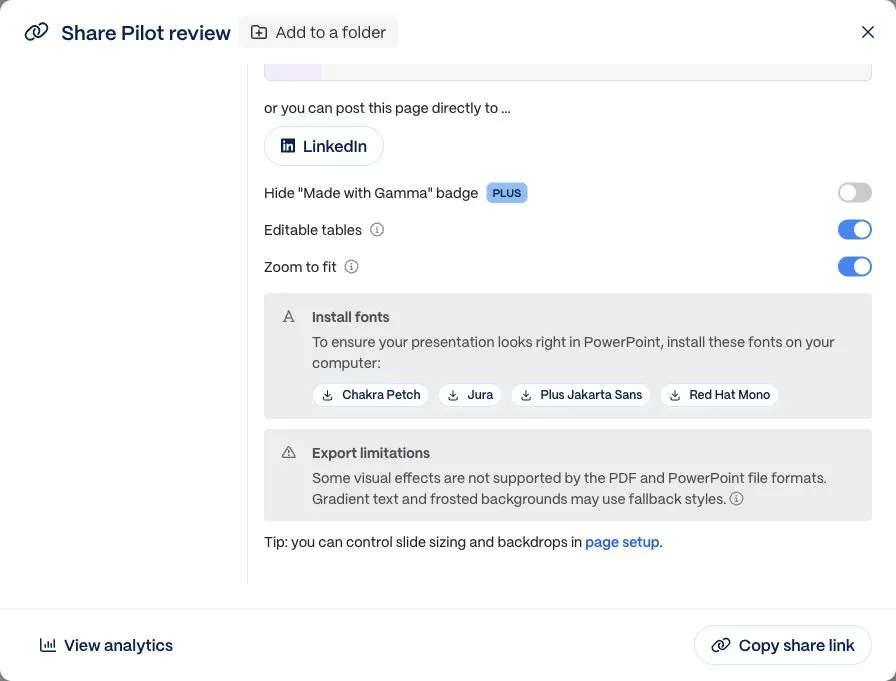
Real English-interface screenshot from the November 5 test, reused with its original date. It is not a new November 11 generation.
Download the Gamma PPTX and Ofox PPTX, then inspect the full same-brief comparison. Try changing a chart value in the destination application. Editable labels beside a chart image do not make the chart data editable.
For work that stays in PowerPoint or Google Slides, include Plus AI in the shortlist. For a broader research-and-slide workspace, investigate Genspark’s editor and export requirements. For generated office files, compare Claude and Ofox using your actual required objects. Keep Gamma if its editor and export already meet the team’s needs.
Run a bounded trial and keep the evidence
Use the downloadable evaluation pack to record task, input, account/mode, date, output link, required object, observed result and revision result. It includes the four briefs above and a blank CSV. Empty cells mean untested, not unsupported. The pack is an evaluation aid, not a completed leaderboard.
Set a spending cap and a stopping condition before trying paid tools. Measure the cost of an accepted deliverable only when you have an actual charge and a consistent task. A vendor’s subscription price, available credits and one generation’s token cost are different quantities; this guide does not combine them into a misleading cheapest-agent ranking.
Check file access and organizational policy before submitting workplace material. Begin with synthetic inputs, then move to a permitted representative file. Keep originals and name revisions separately. An agent that can create a report may also have connected tools capable of external actions; creation and sending should remain distinct instructions.
For the Ofox candidate, start in Chat with one acceptance brief and a concrete requested file. For a fuller migration decision, use the Manus alternatives guide or Genspark alternatives guide. Switch only the part of the workflow the trial shows you need to replace.