CCometixLine Status Bar Plugin
CCometixLine is a Claude Code status bar enhancement tool that displays Git branch status, current model, and context window usage in real time, giving you instant visibility into key information while coding.
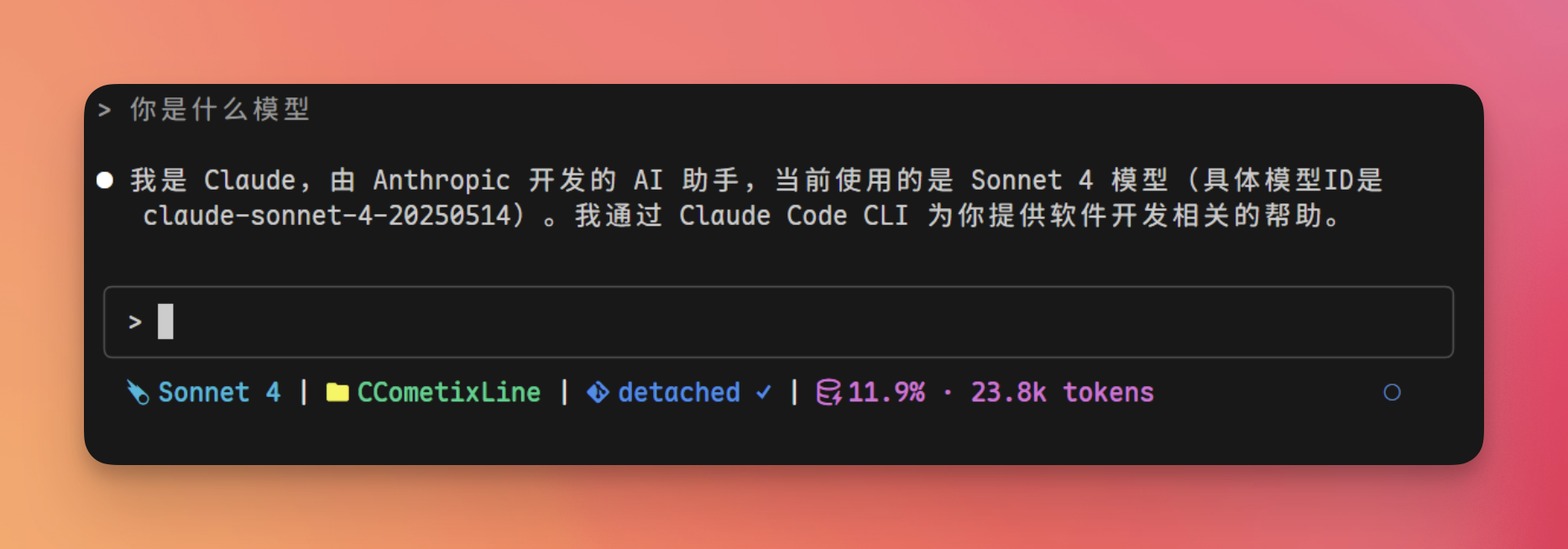
Key Features:
- Git Status — Branch name, clean / dirty / conflict state, remote tracking info
- Model Display — Simplified model name (e.g.,
Sonnet 4instead of the full identifier) - Context Usage — Real-time token consumption percentage
- Theme System — Multiple built-in themes (cometix, minimal, gruvbox, nord, powerline-dark) with custom theme support
Installation
A Nerd Font must be installed in your terminal for icons to display correctly.
Install via Claude Code (Recommended)
Send the following message in the Claude Code chat, and Claude will automatically complete the installation and configuration:
Install this for me: https://github.com/Haleclipse/CCometixLine
and configure it in Claude Code global settings to enable it
Claude Code will automatically:
- Clone the repository and build/install CCometixLine
- Write the status bar configuration to
~/.claude/settings.json - Take effect after restart
Manual Installation
Install globally via npm and configure manually:
npm install -g cclineAdd the following configuration to ~/.claude/settings.json:
{
  "env": {
    "CLAUDE_CODE_STATUSLINE": "ccline"
  }
}
Restart Claude Code for changes to take effect.
Customization
CCometixLine provides an interactive TUI configuration panel. Run the following command to open it:
ccline configIn the configuration panel, you can preview and adjust in real time:
- Status bar layout and display items
- Theme switching and custom color schemes
- Git information display granularity
For more details, see the GitHub repository .