Immersive Translate Setup
Immersive Translate is a popular browser translation extension supporting bilingual side-by-side display, capable of translating web pages, PDFs, subtitles, and input fields across Chrome, Firefox, and Safari.
By configuring OfoxAI as your translation service, you can use GPT, Claude, Gemini, DeepSeek, and 100+ models with a single API Key.
Prerequisites
- An OfoxAI account with an API Key (Get one here )
- Immersive Translate installed (Download )
Supported Protocols
Immersive Translate supports three protocols with OfoxAI:
The built-in Gemini provider in Immersive Translate uses x-goog-api-key authentication, which is incompatible with OfoxAI’s Authorization: Bearer method. To use Gemini models, use the OpenAI Chat custom service and enter the Gemini model name in the custom model field (e.g. google/gemini-3.8-flash, google/gemini-3.1-pro-preview, etc.).
Setup Steps
Step 1: Open Translation Service Settings
Click the Immersive Translate icon in your browser toolbar, go to Settings, then click the Translation Service tab at the top.
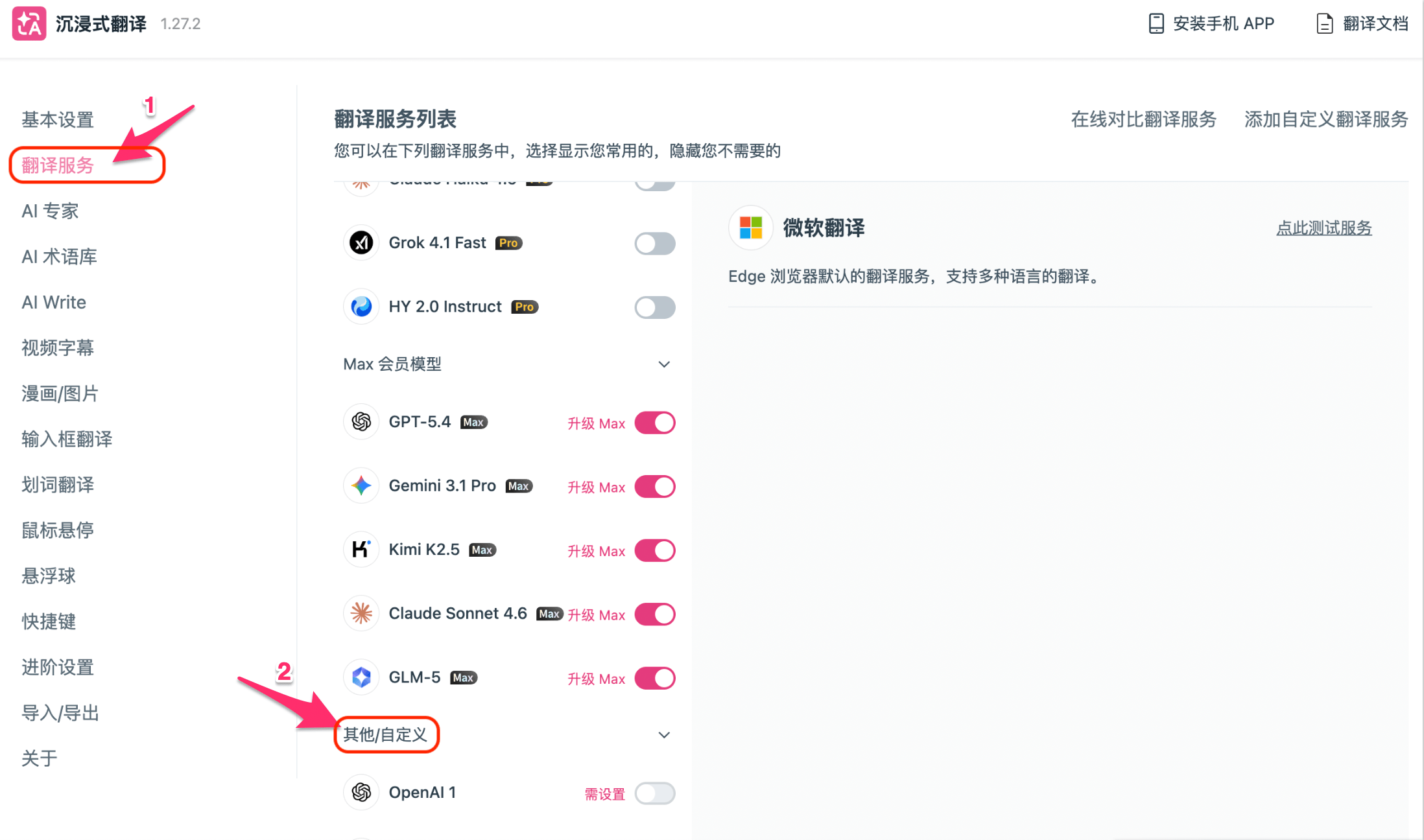
Step 2: Find the Custom Service Entry
Scroll down to the Other/Custom section on the Translation Service page.
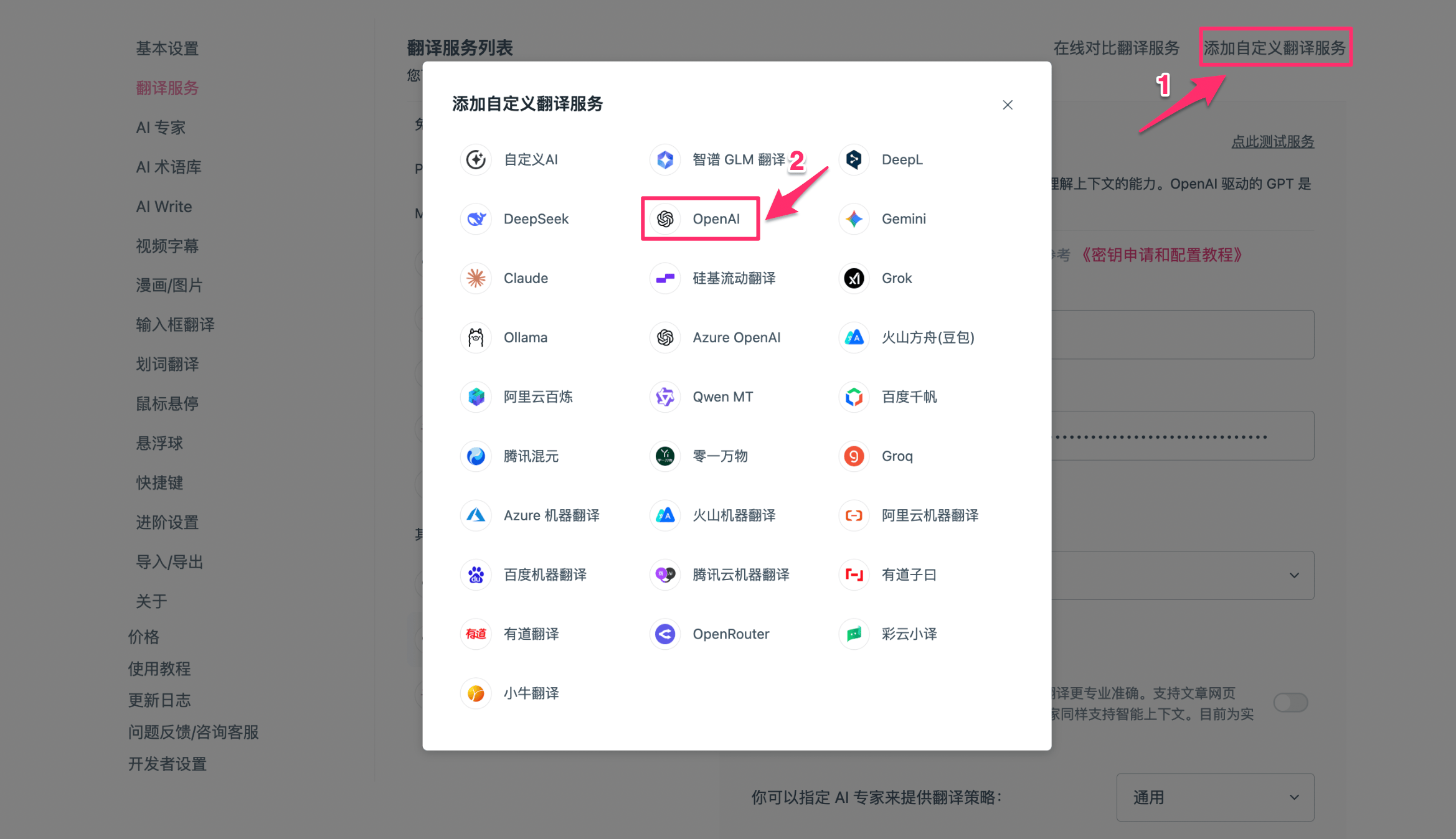
Click the Add Custom Translation Service button in the top right.
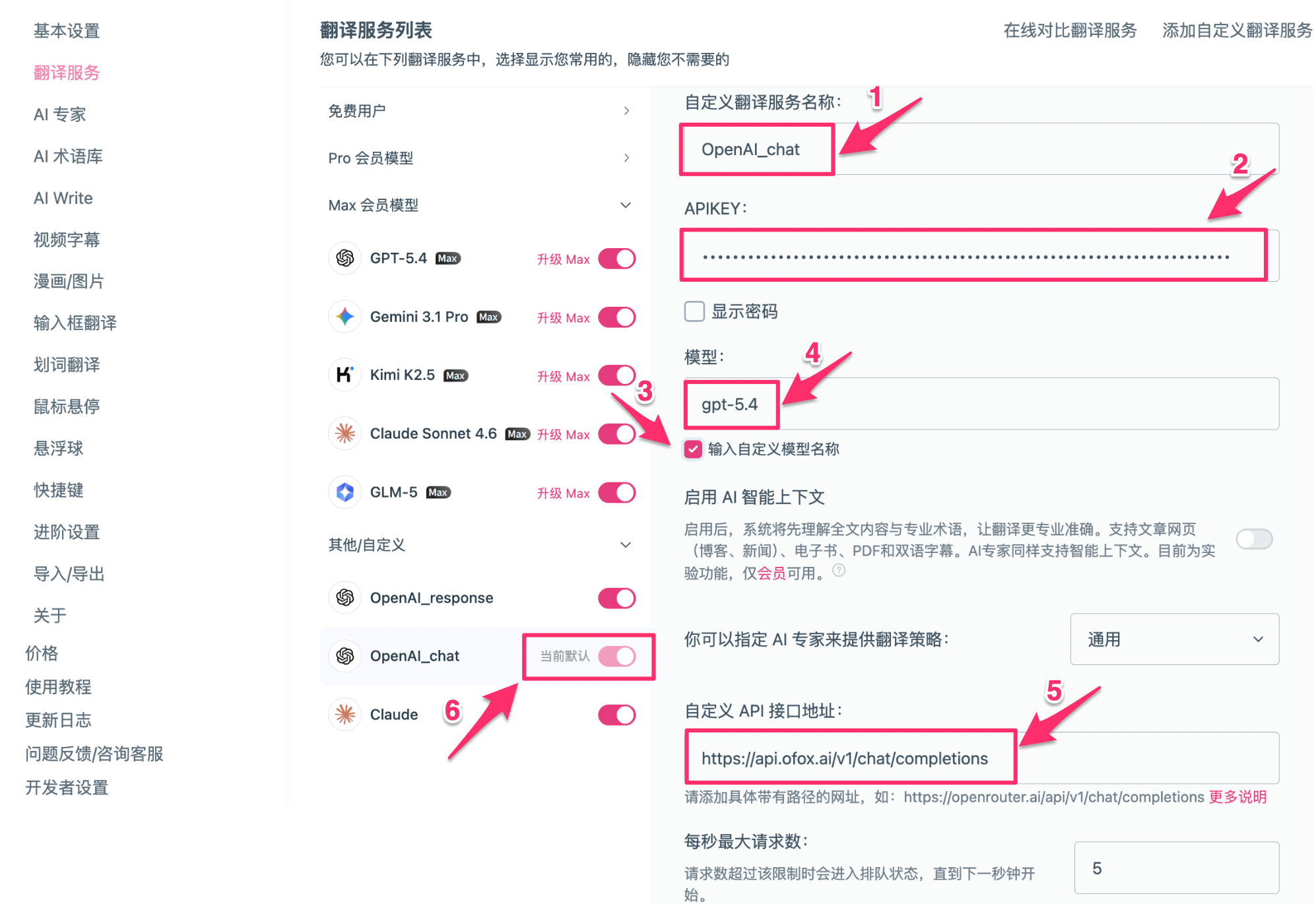
Step 3: Fill in the Configuration
Fill in the details based on your chosen protocol:
OpenAI Chat (supports all models including Gemini)
OpenAI Response
Claude (Anthropic native protocol)
Use the built-in Claude provider — no need to add a custom service:
Click Test Service, and once it passes click Save.
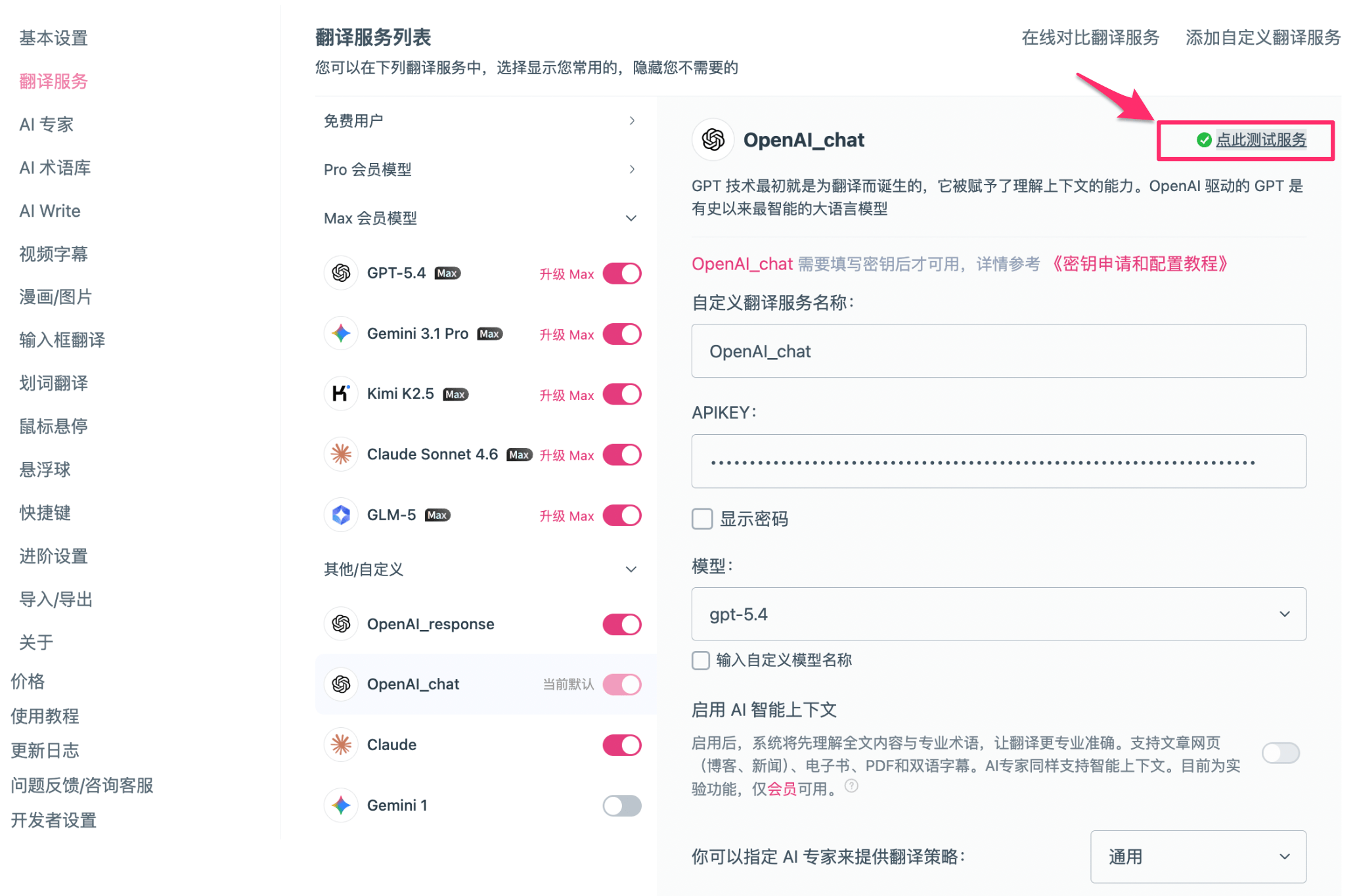
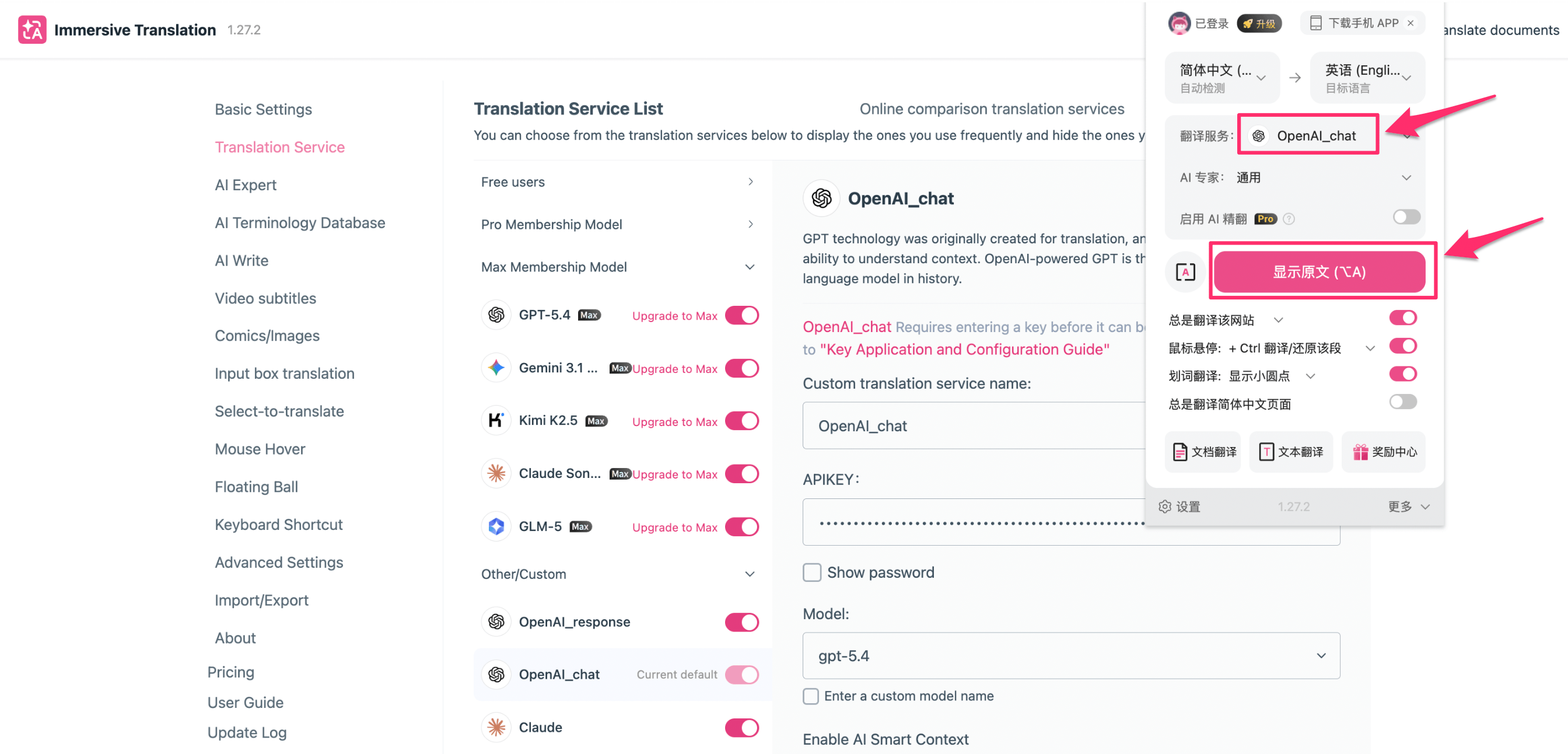
Step 4: Set as Default and Start Translating
In the translation service list, toggle the switch next to your configured service to set it as current default. Then open any webpage and press Alt + A (Mac: Option + A) to translate.
Translation Result
After setup, pages display original and translated text side by side.
Available Model Examples
For recommended models, see the OfoxAI Model Marketplace .
Troubleshooting
Q: Error String contains non ISO-8859-1 code point during test
Your API Key contains non-ASCII characters (e.g. full-width spaces). Re-copy the API Key from the OfoxAI Console and make sure there are no extra characters.
Q: Can the built-in Gemini provider connect to OfoxAI?
No. The built-in Gemini provider uses x-goog-api-key authentication, incompatible with OfoxAI’s Authorization: Bearer. Use the OpenAI Chat custom service and enter the Gemini model name in the custom model field (e.g. google/gemini-3.8-flash, google/gemini-3.1-pro-preview, etc.).
Q: How do I switch between translation services?
On the Translation Service page, toggle the switch next to the service you want to use as the current default.