

Ofox Blog
All articles
Articles: 426
ChatPDF alternatives for comparing PDFs and delivering an Excel file
Compare Ofox, Claude, Gemini Notebook and Acrobat by citation checks and file handoff. Inspect real quote PDFs, an editable workbook and a revised-source test.

Copilot Excel alternatives: merge workbooks and keep formulas usable
Compare four alternatives by where you edit and what you hand over. Inspect a real workbook merge, a tax-rate revision and the checks that caught stale explanations.

GPT Image 2.6 markup edits: circle an object and check the result
Make a transparent annotation, send a tested Ofox image-edit request and inspect what changed. Includes two real outputs, source files and validation scripts.

GPT Image 2.6 repeated edits: use the original or the last version?
Compare two real product-illustration revisions, reproduce the requests and track image versions. Learn when to restart from the original and what to verify.

Perplexity alternatives for research reports you can actually verify
Choose a research workflow by sources, files and revision needs. Inspect an Ofox web-research report, the factual errors its review caught, and the corrected evidence ledger.

Video tools by use case: a guide to 24 options
Compare 24 video tools for ads, product demos, avatars, interviews, clips and localization. Choose by input, editing needs, export and a reusable test brief.

Gamma alternatives for PowerPoint: what stays editable?
Compare Gamma, Plus AI, Ofox, Claude and Genspark for PowerPoint handoffs. Inspect real exports, native tables, chart data and a slide-only revision test.

Genspark alternatives for reports, spreadsheets and slides
Choose a Genspark alternative by the work you need to hand over. Compare editing and export boundaries, inspect real files, and use a practical migration plan.
GPT Image 2.6 API pricing: image costs and GIF/SVG billing
Compare official Flare and Sunburst token rates, calculate an image budget, and understand why GIF and SVG jobs need more than a per-image price.
GPT Image 2.6 GIF tutorial: prompts, tools and troubleshooting
Make GIFs with ChatGPT, the Image 2.6 API or sprite sheets. Copy motion prompts, compare GitHub tools, and follow a verified conversion and export example.
GPT Image 2.6 errors: 'No supported sheet fits GIF frames' and svg.model fixes
Fix GPT Image 2.6 errors for GIF and SVG output: the GIF sheet size limit, invalid frame_count and frame_duration_ms, the missing svg.model and n=1 for SVG. Covers complexity and the other new parameters.

Generate SVG with GPT Image 2.6 and verify it is editable
Request SVG output, decode the file, inspect vector elements and test a small edit. Includes endpoint limits, cost caveats and downloadable checks.
NotebookLM alternatives for reports that keep their sources
Compare NotebookLM, Claude, Ofox and Perplexity Projects for work reports. Follow a real Word-and-Excel example that preserves citations and approval status.

Merge multiple Excel files with AI without losing rows or leading zeros
A worked three-file Excel merge: map different headers, remove exact duplicates, isolate conflicting amounts and reconcile every row. Includes sample XLSX files.
Turn a PDF report into editable PowerPoint slides with AI
Upload a three-page PDF, create a sourced four-slide PPTX, revise specific text and check native chart data. Includes the source PDF and actual generated files.
Fix “Codex could not start” in VS Code by downgrading OpenAI.chatgpt
Fix the VS Code “Codex could not start” and service-worker errors by installing OpenAI.chatgpt 26.1007.21434 and pinning it so the Codex sidebar loads again.

Manus Alternatives for Office Work: Which Tool Fits Your Task?
Compare Ofox Chat, Claude, Genspark and Skywork as Manus alternatives for reports, spreadsheets and slides. See the evidence, switching trade-offs and a shared task check.

Ofox Chat vs Manus: Comparing the Same Vendor Briefs
We gave Ofox Chat and Manus identical fictional vendor briefs, then changed the conditions. Compare their calculations, missing-fact handling and revised recommendations.
How to create a work presentation with AI: draft, edit and export
Turn a checked sales brief into six slides in Ofox Chat, revise one slide, and verify the downloaded PPTX. Includes sample files, prompts and export checks.
How to analyze Excel with AI: clean the data, check totals, and build a report
Follow a downloadable 12-row Excel example in Ofox Chat. Find duplicates and missing values, verify the denominator, and check the generated chart and report.

How to do market research with AI and write a report with verifiable sources
Research with Ofox Chat: define a question, classify sources, check claims and export a report. Includes a real example with inconclusive evidence.
How to summarize multiple PDFs with AI and check every source
Use three downloadable PDFs to build a source-linked summary in Ofox Chat. Check file coverage, page numbers, conflicting dates, budgets and missing decisions.
Fix Codex helper_unknown_error: setup refresh had errors on Windows
Fix Codex helper_unknown_error: setup refresh had errors on Windows by confirming os error 32 in sandbox logs and switching to unelevated sandbox.

ChatGPT Photo Edits Change Your Face? How to Preserve Facial Details
Use focused background and clothing edits, preserve the original, compare facial details, and know when layer compositing is safer than another AI retry.
Codex Cannot Serialize Value: What to Check When a New Chat Fails
Diagnose Codex's couldn't stringify value error: check reported fixed versions, compare Local and Worktree, preserve your work, and verify recovery.
Gemini 4 Argon API Errors: Fix 403, 404, 429 and Empty Replies
Diagnose Gemini 4 Argon API errors by endpoint, response code and execution status. Includes a minimal request, retry limits and an incident checklist.
Cheapest LLM That Still Gets It Right: 86 Billed API Calls
We ran seven models on the same tasks and compared what a correct result actually cost on the bill. Includes empty-reply traps and a test-then-escalate script.
DeepSeek DeepInfer Explained: Self-Hosting Requirements vs API Access
Understand what DeepInfer includes, which hardware it supports, what a complete service still needs, and how to compare self-hosting with API costs.
12 AI Agents Worth Trying in Late 2026: From Manus to Lovart
Choose an AI agent for research, writing, slides, visuals or operations. Five hands-on workflows, real screenshots and seven clearly labeled documentation reviews.
Codex network permission was revoked: diagnose a task that will not start
Separate a Codex startup failure from website approval problems, compare new and existing tasks, and collect useful evidence without resetting your workspace.
Codex permission mode is unavailable: what to check when Send fails
Diagnose Codex's permission-mode error before changing access: distinguish an unsent message, local configuration loading and an actual tool permission denial.

Transcription API cost per hour: build a usable audio budget
Calculate transcription API costs for 1 to 1,000 hours using current Ofox GPT Transcribe and Scribe rates, with retry scenarios and a free offline estimator.

Connect n8n to a third-party API with your own key
Import an n8n workflow, connect Ofox with an OpenAI credential, and verify a read-only tool call and JSON result. Includes setup, billing boundaries and failure checks.
DeepSeek API Errors: Diagnose Failures and Switch to a Backup Model
Diagnose DeepSeek 401, 402, 429, 503 and timeout errors. Use bounded retries, verify an independent backup route, and test fallback without replaying tools.
DeepSeek V4.1 Flash 1017: What Changed and What to Check Before Upgrading
Compare DeepSeek V4.1 Flash 1017 with the September release, distinguish model pricing from Search/Fetch charges, and verify your API route before switching.
Codex Can Read a Windows App but Cannot Capture It: Diagnose the Failure Stage
Separate window discovery, text access, screenshot capture and pointer geometry when Codex Computer Use fails on Windows, using documented reports and a minimal test record.
Turn Messages into an Action Plan with Codex, Without Inventing Details
A reproducible file-based Codex workflow for turning dated messages into a plan, asset checklist and unsent reply, with source references and explicit unknowns.

Verify a PDF Produced by Codex Before You Deliver It
Check PDF page count, content markers, links and layout with a reproducible two-page fixture, including a missing-page test that must fail.
Codex Background Server Has Incompatible Feature Settings: What to Check
Diagnose Codex CLI and daemon feature mismatches. Compare versions and saved settings, choose a recovery path, and verify a fresh session after updating.
Codex Couldn't Load Workspace Settings: Diagnose the Desktop Error
Separate Codex desktop workspace-loading failures from broken local config. Check new chats, HTTP 403/432 and DeviceCheck errors, then verify recovery.
Haiku 5.5 Pricing: What Happens Above 100K Tokens?
Calculate Haiku 5.5 costs at 99,999, 100,000 and 100,001 input tokens, including cached inputs, Batch discounts, and a downloadable local calculator.
Claude Max and Team API Credits: Claiming and Billing
Check eligibility, link the correct Console organization, and distinguish monthly API credits from Claude Code subscription limits and paid API balances.

Muse Wonder and Full: Which Access Route Do You Need?
Find the official Muse Wonder API ID, distinguish Wonder Full subscription access, and check account, region, billing and first-request requirements.
Step 5 Preview: Official Weights or API Access?
Verify the official Step 5 Preview checkpoint, understand 28 files versus 26 indexed shards, and choose between hosted access and deployment evaluation.
Gemini 4 Argon Access: Pro, Ultra, API and Antigravity
Find the right Gemini 4 Argon entry point, distinguish App and API access, and diagnose missing models without assuming a subscription unlocks every product.
Gemini 4 Argon API Pricing: Tokens, Cache and December Rates
Calculate Gemini 4 Argon API costs by service tier, cached input and thinking tokens, with reproducible examples and the December 1 price change.
Gemini 4 Argon vs GPT-6 Astra and Claude Opus: Benchmark Guide
Compare Argon, GPT-6 Astra and Claude Opus 5.5 across coding, terminal and long-context benchmarks, with methodology limits and a reproducible pilot plan.
Use Nano Banana 2.1 through Ofox: generate, save, and edit an image
Call Nano Banana 2.1 through Ofox, save returned images and preserve editing history. Includes runnable Python and verified response-handling examples.

Create and Revise an Event Poster with Nano Banana 2.1
Create an event poster with Nano Banana 2.1, then change its headline and colors. Use complete prompts, real API outputs and a practical delivery checklist.
Nano Banana 2.1 pricing: what an image costs and how to estimate a job
Understand Nano Banana 2.1 token pricing, a measured 1K request and batch estimates. Separate image costs, thinking assumptions and unresolved 4K figures.
Nano Banana 2.1 returned no image? Inspect the response before retrying
Diagnose Nano Banana 2.1 responses with no image. Inspect image parts, finish reasons, HTTP errors and uncertain timeouts before making another request.
Nano Banana 2.1 vs Nano Banana 2: one poster, then two edits
Compare Nano Banana 2.1 and 2 on one poster and two edits each. Inspect six real images, timings, reported tokens and practical migration checks.
Nano Banana 2.1 vs GPT Image 2.5: which should you try for posters?
Compare Nano Banana 2.1 with GPT Image 2.5 Flare and Sunburst for poster creation and edits: nine real outputs, timings, cost estimates and API differences.

Build an AI fashion ad and lookbook with an OfoxAI template
Rebuild a fictional cardigan creative kit: a 15-second ad, five images, a lookbook and horizontal or vertical exports, with prompts and a downloadable template.
curl works but Claude Code cannot connect: test the same protocol first
Diagnose why curl succeeds while Claude Code fails. Compare actual protocol probes, authentication, base URLs and a minimal client test through Ofox.
Claude Haiku 5.5 vs 4.5 for classification, extraction and summaries
Compare Haiku 5.5 and 4.5 on real API classification, extraction and summary requests. Inspect JSON contracts, recorded usage and a safe migration workflow.
DeepSeek, Gemini or Qwen for multi-turn tools? A small reproducible test
Test DeepSeek, Gemini and Qwen on a complete tool loop with one injected failure. Compare actual outputs, retry behavior, token usage and JSON validation.

GPT Image local edits: check the mask and the supposedly unchanged pixels
Edit a product image in Ofox Agent without code, inspect the actual result, and use the original GPT Image API mask experiment for pixel-level checks.

One product, three scenes: does a second reference preserve the bottle better?
Create three product scenes in Ofox Agent from one reference image. Follow the prompt, inspect real outputs, and compare the separate single-versus-two-reference API test.
ElevenLabs through Ofox: generate, save and verify your first API voiceover
Generate your first ElevenLabs voiceover through Ofox with Python or cURL. Verify real MP3 output, model and voice settings, errors and downloadable examples.
Gemini TTS vs ElevenLabs: compare a real video voiceover through Ofox
Compare Gemini TTS and ElevenLabs through Ofox using the same script, original audio files, measured durations and a practical voiceover acceptance workflow.

Turn an audio recording into SRT subtitles with Scribe and the Ofox API
Transcribe audio with Scribe through Ofox, inspect word timestamps, create SRT subtitles and add a selectable MP4 track using a real recording and scripts.
Scribe meeting transcription: extract action items with quotes and timestamps
Turn a recording into a Scribe transcript and proposed action items with exact quotes and timestamps. Follow a real API run using a fictional meeting sample.
Product Launch Decks Without a Designer: AI Visuals, Prompts & Layouts
Build a five-slide product launch deck with real screenshots, AI image prompts, editable layouts and an export checklist, without hiring a designer.
Create English, Japanese and Korean video voiceovers with Gemini TTS
Turn one product demo into three narrated videos with Ofox Gemini TTS. Localize the script, measure real WAV files and rebuild a separate timeline for each language.
Grok Bot Computer Unreachable or Stuck: Recovery Steps and Data-Loss Precautions
Follow documented Grok Bot recovery steps for an unreachable computer or stuck task. Distinguish Retry, Recover, Update and Reset, including data-loss risks.

Connect Apps in Grok Bot: Plugins, Browser Logins and Authentication Errors
Connect apps in Grok Bot and diagnose access failures. Separate plugin installation, connector authorization, browser login, file permissions and event triggers.
How to Set Up Grok Bot and Hand Off Your First Complete Task
Set up Grok Bot with the right account and desktop client, define a first task, handle approvals and verify saved files before adding routines.
Grok Bot Routine Not Running? Check the Trigger, Owner and Run Record
Diagnose a Grok Bot routine that produces no result: registration, owner, time zone, event integration, manual tests and actual execution records.
Grok Bot vs OpenAI Dots: Which Fits Your Recurring Work?
Compare Grok Bot and OpenAI Dots for recurring work: shared computers, ChatGPT memory, app access, scheduling and usage limits, with a reusable acceptance prompt.
Grok Bot Usage Limits: Weekly Allowance, On-Demand Spending and Account Linking
Understand Grok Bot weekly allowance, monthly on-demand limits, account linking and trial rules, with hypothetical calculations that keep billing units separate.
Add Gemini TTS narration to an Opus video with the Ofox API
Generate real scene audio through Ofox, measure each WAV, fix timing overruns and export a narrated MP4. Includes Python code, audio files and a working demo.
Sonnet 5.5 refactoring prompts: keep multi-file changes within scope
Use a complete CLAUDE.md and task prompt to refactor a Python report across three files, preserve behavior, and verify the result with a downloadable exercise.
Jev vs OpenAI Decisions API: compare ticket routing before you migrate
Compare Jev and GPT-6 Luna Decisions request formats, refusal handling and input costs. Run a downloadable ticket-routing kit before testing real traffic.
Use Opus 5.5 to turn CSV data into a chart video
Build a CSV-to-video workflow with an Opus 5.5 prompt, validated sample data and a downloadable Python project. Check the numbers before exporting MP4.
Make a 60-second explainer with Opus 5.5: sources, scenes and MP4 checks
Build a source-checked educational video with an Opus 5.5 editing brief, a real 60-second reference MP4, editable code, narration and verification steps.

Make a FLUX 3 Image poster with bounding boxes and targeted text edits
Plan a product poster, convert its layout to FLUX 3 bounding boxes, prepare the API request and check text, placement and one-area edits before publishing.

6 Halloween photo prompts: portraits, couples, kids and pets
Try six Halloween photo prompts with actual Ofox examples. Learn how to choose a theme, open its settings, adjust the scene and fix common image problems.
Mistral Large 4 API tutorial: from your first Python request to validated JSON
Call Mistral Large 4, extract a supplier note into a JSON schema and verify missing values, evidence and incomplete responses with a downloadable Python example.
Use the OpenAI Decisions API to classify feedback and export a reviewable CSV
Build a GPT-6 Luna Decisions API client with fixed categories, refusal handling, validated probabilities and CSV export. Includes code and offline fixtures.
Jev benchmarks: what the results actually tell you
Read Jev's independent benchmark evidence, separate classification from agent performance, and use a practical evaluation worksheet before choosing a model.

How to set Jev confidence thresholds with your own data
Evaluate Jev confidence using a runnable Python script. Measure accepted errors, coverage and fallback before choosing a threshold for your application.
When does Jev routing actually reduce LLM costs?
Calculate Jev routing break-even with fallback, retries and cache effects. Use a tested offline calculator and compare full task costs, not token prices alone.
Classify customer feedback with AI without double-counting requests
Build a reusable feedback taxonomy with a complete sample, multi-label prompt, duplicate rules, reviewed answer and checks before counting themes.
Turn AI meeting notes into action items with owners and deadlines
A complete meeting-to-action workflow with a copyable prompt, annotated transcript, reviewed output, missing-owner rules and a checklist before task import.

Write an AI weekly report from work notes without inventing results
Turn dated work notes into a reviewable weekly update with a complete prompt, source-backed example, metric calculations and checks for unfinished work.
GPT-6.1 Sol API pricing: calculate cache and long-context costs
Calculate GPT-6.1 Sol API costs with separate token buckets, long-context thresholds, processing modes, worked examples, and a downloadable offline calculator.
Use GPT-6.1 Sol in Codex: setup and missing-model checks
Select GPT-6.1 Sol in Codex, configure the CLI, distinguish ChatGPT sign-in from API billing, and diagnose missing models, overrides, and permissions.
Fix GPT-6.1 Sol tool calls: migrate a complete loop to Responses
Move GPT-6.1 Sol tool calls to Responses with a complete read-only example, argument validation, call ID handling, bounded execution, and local tests.
GPT-6.1 Sol: what changes, what it costs, and how to migrate
Compare GPT-6.1 Sol with GPT-6 Sol, calculate API costs, update reasoning and tool calls, and use a practical checklist to decide whether to migrate.
GPT-6.1 Sol vs Claude Sonnet 5.5: coding workflows and API costs
Compare Sol and Sonnet 5.5 using documented interfaces, cache and long-context prices, task constraints, and reproducible selection criteria—not invented benchmarks.
GPT-6.1 Sol vs GPT-6 Astra: when is the higher price worth it?
Compare Sol and Astra specifications, cache and long-context costs, escalation math, and acceptance gates for coding, research, and document workflows.
Make a product demo from real screenshots with Opus 5.5
Build a 30-second product demo with Opus 5.5 and Remotion. Download the tested project, real screenshots and MP4, then adapt the storyboard to your product.
Turn an Opus 5.5 product video into a readable vertical edit
Rebuild a 16:9 Remotion video as 9:16 with Opus 5.5: real screenshot crops, stacked layout, subtitle space and downloadable landscape and portrait examples.
Add voiceover and subtitles to an Opus 5.5 video project
Align narration and sentence captions in an Opus 5.5 Remotion project. Get the working MP4, WAV, SRT and source, with timing checks and fixes for drift.
Fix Sonnet 5.5 API 400 errors after upgrading
Migrate to Sonnet 5.5 with a checklist for disabled thinking, forced tool use, conversation history and computer-use changes, plus a minimal request body.
Sonnet 5.5 API pricing: calculate cache and task costs
Calculate Claude Sonnet 5.5 API costs for input, output, caching and Batch jobs, with worked examples that separate token prices from completed-task costs.
Use Sonnet 5.5 in Claude Code: model, effort and access
Select Sonnet 5.5 in Claude Code, check the client version and provider mapping, and distinguish model availability from subscription and API permissions.
Sonnet 5.5 prompts for documents, slides and spreadsheets
Use three original Sonnet 5.5 prompt templates for a brief, slide outline and spreadsheet review, with source checks and acceptance criteria for each deliverable.
Sonnet 5.5 effort: when to use medium, high or max
Choose Sonnet 5.5 effort using acceptance tests, latency and task cost. Learn why API and Claude Code defaults differ and when higher effort is worth testing.
Sonnet 5.5 vs GPT-6 Sol: choose by coding task and cost
Compare Sonnet 5.5 and GPT-6 Sol for coding using task scope, effort, API integration and accepted-task cost, with a repeatable evaluation worksheet.
Sonnet 5.5 vs Opus 5.5: which coding tasks need Opus?
Choose Sonnet 5.5 or Opus 5.5 for bug fixes, code review and complex changes. Compare task scope, effort, cache costs and the evidence behind the decision.
Sonnet 5 vs 5.5: should you upgrade your application?
Evaluate a Sonnet 5.5 upgrade from Sonnet 5 with a checklist for unchanged prices, behavior changes, API compatibility, testing and rollback.
Test a Computer Use API Controller Before Connecting a Model
Run 19 offline tests for computer-action validation, screenshot call IDs and form completion. Includes Python source and an unvalidated live adapter.
Build a Source-Checked Competitor Table: A Computer Use Template
Build a traceable competitor research CSV with field-level sources, plan conditions and explicit unknowns. Includes a five-product template and partial worked example.
Practice Landing-Page QA with Codex Computer Use
Use a downloadable local lab to check links, form submissions and narrow layouts. Includes flawed and corrected pages, a checklist and offline-tested source.
Make videos with Opus 5.5: prompts and MP4 export
Use Opus 5.5 video prompts for motion graphics, understand the rendering workflow, and try an editable Remotion starter with an MP4 export guide.

Translate image text without losing the layout
Localize a poster or product graphic with checked translations, an AI editing prompt, editable text layers, downloadable examples and export checks.
Claude Code returns 400 on a custom API? Check the Artifact schema
Identify the Claude Code Artifact input_schema regression on third-party endpoints, check the client version, and separate it from other HTTP 400 errors.

Gemini 2.5 Pro missing in AI Studio? Check the access change
Gemini 2.5 access is restricted to previous active users, not universally discontinued. Separate AI Studio visibility, API access and migration decisions.
Gemini 3.8 TTS reads your instructions aloud? Move delivery into metadata
Migrate to Gemini 3.8 Flash TTS with literal transcript text, speech_metadata and the Interactions API. Check audio output without mixing older request formats.
GPT-6 Sol and Luna vision fix: what to retest after September 25
OpenAI fixed an image-encoding bug in GPT-6 Sol and Luna. Use a controlled screenshot, OCR and chart checklist before trusting older vision results.
n8n credentials pass but the workflow returns 404: check the endpoint
A successful n8n credential test does not verify the generation route. Separate /models, Chat Completions and Responses with version-specific checks.
CC Switch vs Ofox Desktop: Which Should You Use?
Compare CC Switch and Ofox Desktop for Claude Code and Codex: supported platforms, provider switching, Ofox setup, billing, and checks before changing tools.
GPT-6 Luna vs Gemini 3.5 Flash-Lite for Text Extraction
Compare Luna and Gemini 3.5 Flash-Lite on text extraction pricing, input support and validation. Calculate sample costs without treating valid JSON as correct data.
GPT-6 Sol: Codex Subscription Limits vs API Billing
Understand Sol subscription allowances, Codex credits and API charges. Compare cache accounting and use a billing worksheet without inventing fixed message quotas.
GPT-6 Sol High vs XHigh: When Is Extra Reasoning Worth It?
Choose GPT-6 Sol high or xhigh using task acceptance, latency and total usage. See API settings, a transparent cost example and a repeatable evaluation plan.
Grok 4.7 vs MiMo 2.6 Pro: Coding Costs and API Fit
Compare Grok 4.7 with MiMo 2.6 Pro using official API rates, context thresholds and agent integration differences, with clearly labeled coding cost examples.
MiMo 2.6 vs DeepSeek V4.1 Flash: Which Coding API Fits?
Compare MiMo 2.6 Pro and Flash with DeepSeek V4.1 Flash. See exact API IDs, peak and off-peak pricing, cache examples and coding-agent integration checks.
Opus 5.5 Code Review: Require Reproducible Findings
Build an evidence-led Opus 5.5 review workflow with a synthetic Python fixture, failing tests and a findings ledger. Separate confirmed bugs from hypotheses.
Claude Opus 5.5 vs GPT-6 Astra: Which Fits Your Coding Work?
Compare Opus 5.5 and GPT-6 Astra for complex coding: official API prices, long-context costs, tool compatibility and a practical way to choose.

Route GPT-6 Luna to Sol: Check Errors and Total Cost
Design explicit Luna-to-Sol escalation rules, audit accepted mistakes and compare complete task costs. Includes an offline routing fixture and an authored cost counterexample.
GPT-6 Luna Structured Outputs: Extract JSON You Can Check
Build a GPT-6 Luna extraction request, validate evidence and handle incomplete responses. Download synthetic tickets, a schema and an offline Python lab.
Use Sol, Luna and Opus 5.5 to Build a Checkable Creative Brief
Turn a source pack into a cited creative brief and timed shot list. Download a fictional example and validator; keep product claims and asset rights explicit.
Use Opus 5.5 in Claude Code: model selection and limits
Select Opus 5.5 in Claude Code, check provider and usage settings, and distinguish a conversation reset from a subscription limit reset.
Claude Opus 5.5 pricing: what the 40% cost reduction means
Separate Opus 5.5 token-price cuts from Anthropic’s task-cost claim, compare cache and Fast rates, and calculate a transparent example.
GPT-6 Luna API pricing: batch costs and cache accounting
Estimate GPT-6 Luna batch and Standard costs, include cache writes and retries, and avoid confusing desktop access with a free API tier.

GPT-6 Sol API pricing: calculate cache and task costs
Calculate GPT-6 Sol input, output and cache charges, check the 272K long-context threshold, and download a worksheet for your own usage.

Use GPT-6 Sol and Luna in Codex, ChatGPT Work and the API
Find the right GPT-6 Sol or Luna entry point, distinguish subscription access from API billing, and check model names before troubleshooting.
GPT-6 Sol/Luna tool calling: fix the request before migrating
Check Responses versus Chat Completions, reasoning settings and unsupported parameters for GPT-6 Sol and Luna. Includes a local request checker.
GPT-6 Sol vs Claude Opus 5.5 for coding and API cost
Compare Sol and Opus 5.5 under explicit API pricing assumptions, account for caching, and use a repeatable coding evaluation instead of a universal ranking.
GPT-6 Sol vs Luna vs Astra: choose a model for your task
Compare GPT-6 model roles and direct API costs, then use an acceptance checklist to choose Luna, Sol or Astra without assuming a universal winner.

Where Can You Use Grok 4.7? Cursor, Grok Build and API Access
Find the confirmed Grok 4.7 entry points, understand Fast and free-tier differences, and check why the model may not appear in your client.
Connect Grok 4.7 to Your App and Preserve Multi-Turn Reasoning
Use the correct Grok 4.7 API model ID, make a minimal Responses request, and keep encrypted reasoning intact when your conversation continues.
Grok 4.7 Pricing vs 4.6: What Changes Your Task Cost?
Check Grok 4.7 input, output and cache rates, long-context pricing and Fast charges, then calculate the complete cost of an agent task.
Jev AI Explained: Pricing, API Setup and What It Can Actually Do
Understand TypeSafe AI’s Jev, its pricing and API, the Reddit debate, and where typed decisions help agents—without mistaking confidence for correctness.
Connect MiMo 2.6 with Python and Keep Tool-Call History Intact
Configure the correct MiMo 2.6 key, endpoint and model ID, then understand thinking fields and the differences between Chat Completions and Responses.
Run MiMo 2.6 Distill 9B on a Mac: Setup and a Real Code Check
We loaded a community MiMo 2.6 9B Q3 GGUF on an 18GB M3 Pro Mac. See the exact setup, memory-measurement limits and a coding test that failed.
MiMo 2.6 Pricing: Choose Between Pro, Flash and UltraSpeed
Compare Xiaomi MiMo 2.6 API rates by model, currency and cache status, and understand how Batch and Token Plan differ from ordinary billing.

How to Use MiMo 2.6: OpenCode Free Access, Desktop and API
Choose the right Xiaomi MiMo 2.6 entry point, distinguish free Flash from Pro, and check model names, subscriptions and data-use conditions.

How to make AI product video ads with OfoxAI
Turn product photos into AI video ads with OfoxAI. Use a 12-second coffee maker demo, reference images, prompts, continuity checks and feed-ad preparation.
Codex Computer Use Not Working After Permission Is Granted
Diagnose Codex Computer Use failures after Always allow: check session state, browser connections, macOS permissions and Windows helper errors before resetting.
Image API Errors: Diagnose GPT Image, Gemini and Qwen
Match image API errors to the failed layer: request, model access, quota, safety, timeout or response parsing. Includes GPT Image, Gemini and Qwen checks.

Change a product photo background with AI: check shape, color and labels
A reference-image workflow for product backgrounds: write the prompt, check shape and labels, and choose compositing when original pixels must stay intact.
Make a YouTube thumbnail with an AI background and editable text
Generate a background with room for a title, add editable text in an image editor, and check legibility before exporting your YouTube thumbnail.

Extract text into JSON, validate it, then export CSV
A Python workflow for LLM extraction with strict JSON validation, missing dates and leading-zero IDs. Includes downloadable helpers and offline tests.

Turn a landscape photo into a portrait layout: crop, pad or regenerate
Choose between cropping, adding space and AI reference-based generation for a portrait layout, with a worked sizing example and checks for subject distortion.
Turn a product photo into a short video: plan three separate shots
Build a three-shot product storyboard, use restrained image-to-video prompts, inspect changing product details, and assemble accepted clips in an external editor.
Translate a CSV with an LLM: preserve SKUs and check numbers
Translate description fields only, keep identifiers local, validate numbers and terminology, and resume from saved results. Python helpers and offline tests included.

Ofox Desktop setup: connect your AI tools and agents
Set up Ofox Desktop on an Apple Silicon Mac, find supported coding tools, connect your account and check a first request before adding more clients.

Turn One Webinar into a Blog, Email and Social Posts with AI
Repurpose a webinar with AI using an evidence brief, distinct channel angles, four worked examples, and checks that keep numbers and claims accurate.
Codex keeps testing but never finishes: what to change
Give Codex a clear stopping condition, inspect repeated test failures and preserve useful work. Compare completed tasks rather than token counts alone.
Use GPT Image 2.5 for UI mockups with consistent text
Create a UI image brief, preserve layout during edits and check exact copy with GPT Image 2.5. Separate a visual mockup from a working interface.
OpenRouter requests time out: find where the request stops
Separate connection failures, HTTP errors and interrupted streams before retrying an OpenRouter request. Keep request evidence and avoid duplicate work.
How to check an LLM API provider before you trust it
Check model IDs, provider routing, usage records and billed costs before choosing an LLM API gateway. Learn what a response can and cannot prove.
Claude Invalid Signature in Thinking Block: What to Check
Fix Claude thinking-signature errors by preserving complete content blocks, checking streaming assembly and distinguishing conversation-binding failures.
Claude 400: Fix tool_use Without a Matching tool_result
Diagnose Claude and OpenCode tool_result errors by checking call IDs, message order, parallel results and interrupted sessions before retrying.
Codex stream disconnected before completion: Diagnose the Cause
Trace Codex stream disconnects using the full error, response events, session history and network path without blindly retrying unfinished tool actions.
Why DeepSeek V4.1 Flash Gives Different Results Across Clients
Compare DeepSeek V4.1 Flash requests across coding clients: model routing, reasoning settings, context, tool results and a repeatable diagnostic checklist.
DeepSeek V4.1 Flash Parameters: Total, Active and Weight Size
Understand DeepSeek V4.1 Flash backbone parameters, Engram memory, active computation and weight-file size without confusing them with VRAM requirements.
Gemini missing thought_signature After a Tool Call: How to Fix It
Preserve Gemini thought signatures through function calls, parallel results and SDK adapters; distinguish native REST fields from Python and compatibility APIs.
K2 Horizon 36B-A4B Local Deployment: Check Memory and Runtime Support
Check K2 Horizon MoVA 36B-A4B weights, BF16 GGUF size and runtime support before choosing hardware or comparing it with Qwen3.6-35B-A3B.
OpenAI Agents API: Codex's harness becomes a managed service
OpenAI launches Agents API beta with the Codex harness and hosted sandboxes. What it handles, what developers still own, and why no extra fee is not free.
DeepSeek V4.1 Flash API: pricing, providers and setup
Choose a DeepSeek V4.1 Flash API provider, estimate token costs, configure your key and make a Python or curl request. Includes client setup and error checks.
Use DeepSeek V4.1 Flash in Claude Code: setup guide
Set up Claude Code with DeepSeek's Anthropic endpoint, deepseek-flash[1m] for the main model and deepseek-flash for subagents. Verify the route and billing.
Connect Codex to DeepSeek V4.1 Flash: setup and checks
Connect Codex to deepseek-flash using DeepSeek's Responses API, complete model catalog and official setup script. Check configuration before running paid tasks.
DeepSeek V4.1 Flash vs Gemini 3.8 Flash vs Qwen3.8 Flash
Compare three fast models from DeepSeek, Google and Alibaba on price, context, multimodal input, API compatibility, tools and deployment fit.
DeepSeek V4 Pro to V4.1 Flash: September 14 migration guide
DeepSeek will route V4 Pro requests to V4.1 Flash from September 14 at 12:00 Beijing time. Check model IDs, regression tests and billing before the change.
DeepSeek V4.1 Flash is live: API access and Pro migration
DeepSeek V4.1 Flash is live as deepseek-flash. Check the official API changes, new pricing, vision support and September 14 V4 Pro migration.
Use GPT Image 2.5 in Dify: check the plugin and model
Find the Dify OpenAI image tool, check Flare and Sunburst support, and stop a workflow from silently keeping GPT Image 2 as its selected default model.
Gemini image API 429: check a free-tier limit of 0
Diagnose Gemini image RESOURCE_EXHAUSTED errors by checking the quota metric, API key project and billing tier before retrying a free-tier limit of zero.
Get GPT Image 2.5 API access and generate your first image
Choose OpenAI or Ofox API access, create a key, use the correct model ID, and follow Python examples for image generation and reference-image editing.

GPT Image 2.5 API pricing: estimate your image budget
Estimate a GPT Image 2.5 budget for 100 or 1,000 accepted images, compare billing categories, and choose the next step before funding an API account.
GPT Image 2.5 Flare vs Sunburst: which should you use?
Choose GPT Image 2.5 Flare or Sunburst using official guidance, editing requirements and quality settings, then compare latency and cost on your own workload.
GPT Image 2.5 Node SDK: fix install and type errors
Check the OpenAI Node package version, resolve Image 2.5 model and quality type errors, and separate npm installation failures from API access problems.
GPT Image 2.5 sizes: fix invalid dimensions and request 4K
Validate GPT Image 2.5 dimensions before calling the API. Check 1080x1920, exact 9:16 alternatives, 4K limits and generation versus export sizes.
GPT Image 2.5 transparent PNG: fix opaque backgrounds
Check whether your GPT Image 2.5 PNG has transparent pixels or a painted checkerboard. Verify output settings, original downloads and alpha before exporting.
Moving from GPT Image 2 to GPT Image 2.5: what to test before switching
Choose Flare or Sunburst, preserve a GPT Image 2 baseline, check image settings, and compare the cost of accepted outputs before migrating.
Which API provider should you use with OpenCode?
Compare OpenCode Zen, Go, direct API accounts, OpenRouter and Ofox by billing, model access and setup before choosing where to buy coding API access.
Codex GPT-5.5 model not found: diagnose the 404
Codex says GPT-5.5 does not exist? Check your sign-in method, active model, provider and configuration overrides before changing accounts or API keys.
Does ChatGPT Plus Include GPT-6 Astra? Access and Troubleshooting
ChatGPT Plus includes GPT-6 Astra in Work and Codex, not GPT-6 Pro in Chat. Check missing-model errors, client updates and account access.
GPT-6 Pro and Codex Limits: Why a Reset May Not Help
Separate GPT-6 Pro Chat limits, shared Work/Codex usage and API billing. Learn why the September 7 reset added no banked reset and what to check next.
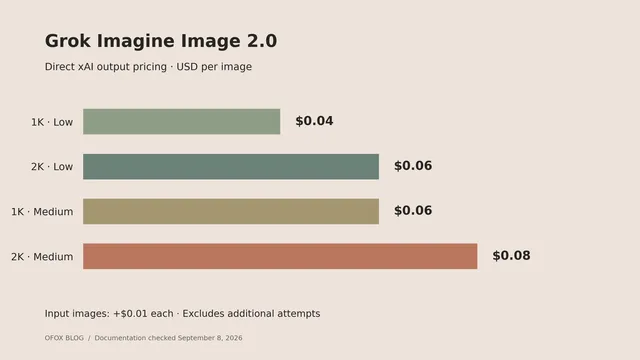
Grok Imagine Image 2.0 API Pricing by Quality
Compare Grok Imagine Image 2.0 API pricing across quality and resolution, calculate editing costs, and budget for 100 or 1,000 generated images with examples.
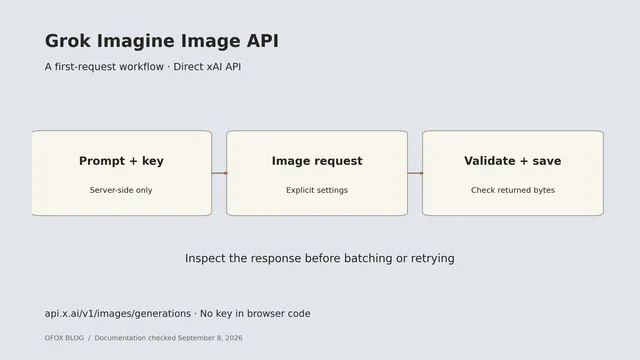
Grok Imagine Image API: Generate Your First Image
Use the Grok Imagine Image API with curl and Python. Set quality and resolution, save the returned image, and check common integration mistakes before scaling.
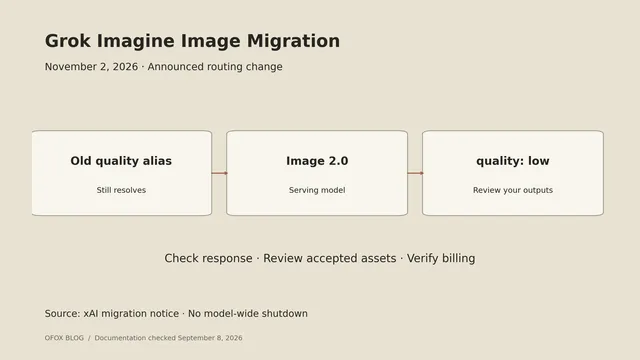
Grok Imagine Image Quality Retirement: What to Change
Prepare for Grok Imagine Image Quality retirement on November 2: check model routing, pin Image 2.0 quality, compare settings, and plan a controlled migration.
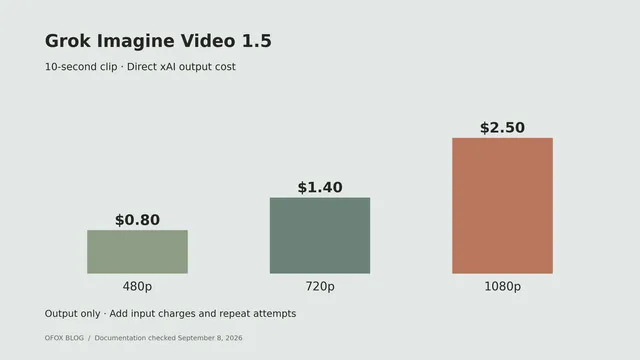
Grok Imagine Video API Pricing by Resolution
Calculate Grok Imagine Video API pricing for 5, 10, and 15 second clips. Compare base and 1.5 rates, input charges, and budgets for repeat generation attempts.

GPT Image 2 Slow? Check Quality, Size and Latency
GPT Image 2 slow? Compare recorded quality-tier timings and output costs, check the default response, and diagnose latency with explicit size and quality.
How Much Does Nano Banana 2 Image Generation Cost?
Check Nano Banana 2 image-token costs, thinking charges and a measured Ofox 512px size mismatch. Learn which response fields to inspect before scaling.
How to Fix ChatGPT DeviceCheck Registration Failed (403, 500, 503)
DeviceCheckError blocks ChatGPT login on iOS, Android and macOS. The date-and-time advice rarely works. What each code means, the browser-cache fix, and the macOS UCRT root cause.
GPT-6 Astra API: Troubleshoot model_not_found, 401 and Token Limits
Real error bodies from the GPT-6 Astra endpoint, plus a measured finding: Astra ignores max_tokens entirely. We asked for 16 and were billed 2,614.
MiniMax H3 API Pricing: Can You Save by Generating Low-Resolution Video First?
Ofox lists MiniMax H3 at $0.08/s for 768p and $0.13/s for 2K. Compare these output tiers with a dated analysis of MiniMax’s September 6 regeneration costs.
Qwen 3.8 Flash API Pricing: Why Can an Empty Answer Still Cost Money?
Qwen 3.8 Flash is the cheapest output rate in the Flash tier at $0.47 per million. It is also a reasoning model, and a short max_tokens returns empty content you still pay for.
GPT-6 Astra Setup: Codex, DSH and Client Support Checks
Configure GPT-6 Astra in Codex and DSH, check Cline and Cursor support, and verify model IDs, Responses transport and tool calls before switching.
GPT-6 Astra API Pricing: How to Calculate Input, Output and Cache Costs
Calculate GPT-6 Astra API costs with standard, cached and long-context examples. Compare Plus/Pro subscriptions, direct OpenAI access and Ofox API billing.
Is GPT-6 Astra Worth the Upgrade? A Review of Benchmarks and Agent Capabilities
Updated Astra review: September 9 independent results show gains over Sol. Compare benchmark scope, task costs, harness differences and migration checks.
GPT-6 Astra vs Claude Fable 5.1: Which Is the Better Fit for Your Agent?
GPT-6 Astra and Claude Fable 5.1 charge identical per-token rates. On Artificial Analysis, Fable 5.1 scores 66 and Astra 61. Where each one still wins.
GPT-6 Astra vs GPT-5.6 Sol: compare total task cost
Compare GPT-6 Astra and GPT-5.6 Sol using provider-specific prices, cache charges and accepted results. Check routing before deciding whether to switch.
Qwen3.8-Max-0902: Higher Input Token Counts in Our Ofox Tests
The 0902 snapshot bills the same $2/$6 per million as the August build, but we measured a fixed +38 prompt tokens on every call. What that costs, and when to pin.
Wan 3.0 API Errors: How to Troubleshoot Model, Parameter and API Key Problems
duration out of range [2, 30], aspect_ratio 21:9 not supported, model_not_found. The real error bodies from the Wan 3.0 video endpoint and what each one means.
Wan 3.0 API Pricing: How Alibaba and Ofox Charge for Video Generation
Wan 3.0 pricing by resolution on Ofox: 480p, 720p and 1080p rates, Prime costs, five-second estimates and what to check when comparing Alibaba Cloud.
Wan 3.0 vs Seedance 2.5: Which Fits Your Video Workflow and Budget?
Compare Wan 3.0 and Seedance 2.5 at the same resolution and input mode, including public list prices, supplier quotes, reference limits and API setup.
Wan 3.0 vs Wan 2.7: What Changes When You Upgrade?
Wan 3.0 extends the video duration limit, but costs more than Wan 2.7 at matched 720p and 1080p settings. Compare rates and migration checks.
Using the Claude Fable 5.1 API: How Thinking and Caching Affect Your Bill
The Fable 5.1 model ID, all five published rates, what effort really costs you, and the cache TTL decision that moves more money than the price cut itself.
Connect Codex CLI and Claude Code to Ofox with CC Switch
CC Switch sets up Codex CLI and Claude Code against Ofox from one place. The two need different base URLs and API formats — mixing them up is the usual failure.
Gemini 3.8 Flash API Pricing: How to Budget for Tokens and Caching
Gemini 3.8 Flash token and cache prices, a worked budget example, free-tier limits, and current Google and Ofox API access. Includes the scheduled 2027 rates.
Gemini 3.8 Flash vs DeepSeek V4 Flash: Which Fits Your Tasks and Budget?
Comparing Gemini 3.8 Flash with an older DeepSeek V4 Flash deployment? Check model aliases, current V4.1 options, billing and migration tests first.
Gemini 3.8 Flash vs 3.7 Flash: Why the Same Token Rates Can Mean a Higher Bill
Compare Gemini 3.8 and 3.7 Flash using the launch benchmark snapshot, current token prices, thinking levels and a practical migration checklist.
Fable 5.1 vs Fable 5 vs Opus 5: When Does Cheaper Caching Save You Money?
Claude Fable 5.1 keeps Fable 5's $10/$50 base price. The whole cut is cache reads, $1 to $0.25. When Anthropic’s estimated 25% saving applies, and when Opus 5 still wins.

Codex Errors: 15 Symptoms Mapped to a Tested Fix (2026)
Every Codex error we have reproduced, matched to its cause and fix: app-server os error 3, couldn't load its resources, 401, usage limit, sandbox.

LLM API Error Codes: 400 to 529 Across 5 Providers (2026)
What each status code means at OpenAI, Anthropic, Google, DeepSeek and OpenRouter, which are safe to retry, and why an empty balance is a 402 at three.

LLM API Pricing: 6 Costs the Rate Card Does Not Show
Cache asymmetry, peak-hour billing, context cliffs, uncounted reasoning tokens, platform fees, subscription math, and where each model's rate lives.

Seedance API: Every Tier, Price, and Failure Mode (2026)
Which Seedance model to call, what each resolution costs per second, the async contract that trips people up, and the failure modes on every tier.

GLM-5.3-Flash Has Three Parameter Counts. Only One Decides Your Bill.
320B total, 18B active, 45 layers. Each number answers a different question, and the loudest thread on r/LocalLLaMA argued about the wrong one.

GLM-5.3-Flash vs DeepSeek V4 Flash: Neither One Has a Single Price
DeepSeek's rate doubles for 21% of the week. GLM's discount has an expiry. The winner depends on your cache-hit rate and your clock.

Seedance 2.5 Pricing: Audit Any Provider With ByteDance's Own Formula
ByteDance publishes the token formula behind every Seedance 2.5 price. Divide a provider's rate by it and you get their markup: Replicate 1.00x, fal 2.05x.

AI Video API Cost in 2026: List Price vs Usable-Clip Cost
Per-second rates are the smallest term in a video bill. Attempts per usable clip went from 2-3 to 7-8 this year.

Faceless YouTube Channel Automation: $0.30 per Short, Start to Finish
One key, four steps: script model, three 5-second clips, ffmpeg concat. 15 seconds of vertical video for $0.3009 in 260 seconds, and 3 parts that break.

Seedance 2.5 Image-to-Video: First and Last Frame Control (2026)
Send both ends and Seedance 2.5 lands on them: closing-frame error 5.4 against 35.9 for 2.0 Mini. Setting aspect_ratio is a 400. Billed $0.11/s at 480p.

"Transparent Background Is Not Supported for This Model": 3 Fixes
gpt-image-2 returns this 400 while gpt-image-1.5 returns a real RGBA PNG. Five image models on one endpoint: one works, one errors, three return opaque.

Video Generation API Polling: 202, polling_url, Wait Times (2026)
POST returns 202 in 0.8s, then nothing for 83 to 253 seconds. Eight identical 5s jobs, a 3x spread. Cancel fails once it runs, and the URL dies in 24h.
DeepSeek V4 Flash Vision: Images Cap at 384 Tokens
DeepSeek's vision variant of V4 Flash costs the same as the text model. Images cap at 384 input tokens, and thinking mode adds 80 input tokens per call.

Discounted LLM APIs: 13 Models Below List, GPT-5.6 Sol at Half Price
Thirteen models across five series bill below list. Which cuts are the vendor's own promotion, and which are ofox's, including Sol at half OpenAI's list.
Gemini 3.7 Flash API: $0.75 Pricing, minimal Returns 400
Gemini 3.7 Flash bills $0.75 in / $3.75 out, same as 3.6 Flash. reasoning_effort minimal now returns 400, and the cheapest legal tier costs 8.4x more.

Opus 5 vs Grok 4.6 Cost: 3.6x the Bill for 1.75x the Code
One real task, measured: Opus 5 costs 3.6x Grok 4.6 and returns 1.75x as much code, in half the wall clock. Plus the usage field that hides the bill.

GLM 5.3 API: Pricing, Endpoints, and reasoning_effort
The GLM 5.3 API costs $1.4 in / $4.4 out, ships three base URLs, and defaults reasoning_effort to max.

Grok 4.6 API Pricing: The 200K Cliff and When 4.5 Wins
Grok 4.6 costs $2/$6 per 1M tokens until your prompt hits 200K, then every token doubles. Measured against Grok 4.5, including the per-request overhead.

Pi Coding Agent Custom Provider: Setup, Cost, and 3 Fixes
Pi reports $0 for every session on a custom provider, and reasoning models 500 on Anthropic routes. Both are config, not bugs. Tested on pi 0.84.1.

DeepSeek API Price Increase: Up to 12x, Peak Hours (2026)
DeepSeek's new API prices went live 2026-08-16 16:00 UTC. Cache hits jumped 12x on V4 Pro, output 4.7x on Flash. Peak hours, new rates, and the bill math.

DeepSeek Harness (dsh): Version, Updates, Stability (2026)
DeepSeek Harness (dsh) is on 0.1.1-rc.2. Development restarted 2026-08-24 and GitHub now tags releases npm has not published. Pin before you build.
Codex "Couldn't Load Its Resources": 5 Causes to Fix (2026)
Codex extension won't start? The 26.803.41515 regression broke 5 different ways. Fixed in 26.810.41047, but the error message still hides two of them.
Run Qwen 3.8 27B Locally: GGUF Downloads and Memory Requirements
Plan Qwen3.8-27B on a 16 GB GPU or RTX 5080: compare GGUF sizes, short-context setup, CPU offload and errors without confusing file size with VRAM.

DeepSeek Harness (dsh) Setup: Run Any Model in It (2026)
DeepSeek Harness runs as a web app, not a TUI. Install it, point it at any OpenAI-compatible gateway, and know what breaks first. Tested 2026-08-14.

DeepSeek V4 Pro 0813: Price, Open Weights, Benchmarks (2026)
V4 Pro 0813 scores 53 on Artificial Analysis at $0.06 per task, 5x under GLM-5.2. MIT weights are now public. Peak/off-peak pricing starts 2026-08-16.

GLM 5.3: Benchmarks, API Access, and Public Weights (2026)
The GLM 5.3 API is open at $1.4 in / $4.4 out, same price as 5.2. 1M context, 128K output, Terminal Bench 3.0 4.6 to 28.3, public weights checked September 9.

How to Use Seedance 2.5 (2026): Prompts, Timestamps, Cost
Seedance 2.5 takes 30-second clips, 50 reference assets, and integer-second timestamps. The official spec, three real API runs, and what each clip billed.

Seedance 2.5 vs 2.0: What Changed, and When 2.0 Still Wins
Seedance 2.5 doubles clips to 30s and takes 50 references, but caps at 720p until 2026-08-17 and costs 60% more per second.
Claude Opus 5 Alternatives: Pin 4.6 or Fix Your Prompt
Opus 5 says it's done when it isn't? Opus 4.5-4.8 are still live at the same $5/$25. Symptom-to-fix table, retirement dates, a measured 1.30x token gap.
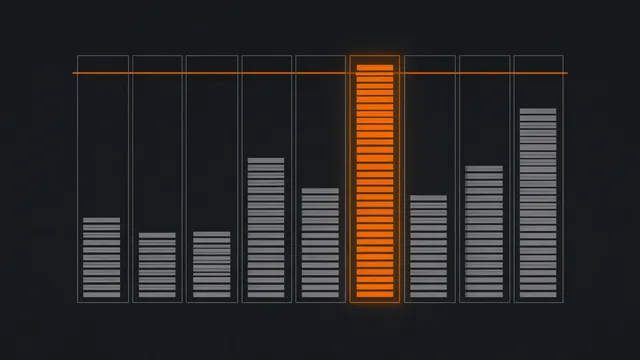
What Is a Context Window? Token Limits by Model (2026)
A context window is the token budget for one request, input plus output. One identical document measured across nine models: 614 to 957 tokens.
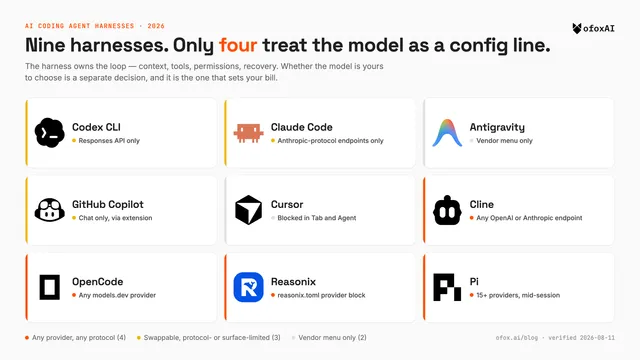
Best AI Coding Agent Harness (2026): 9 Tools + Model Pairing
Compare nine coding agent harnesses, their model and protocol choices, and a dated hands-on test. Includes October updates to usage data, Copilot BYOK and Pi MCP.
429 Too Many Requests: What It Means, When to Retry (2026)
A 429 is one status code for 5 different problems. Read retry-after first, back off 1s/2s/4s with jitter, and skip the retry entirely on billing 429s.

Is Seedance 2.0 Free? 6 Access Routes and Costs (2026)
No free Seedance 2.0 API tier exists. BytePlus wants $29.70 prepaid before your first call, a 4s test clip is $0.16, and 1 of 6 routes is genuinely free.

DeepSeek V4 Flash: 6 Ways to Pay Less as Prices Rise (2026)
DeepSeek API prices rise soon. Cache hits cost 50x less, host cache rates vary 28x, the obvious slug buys the old 0423 build. 6 fixes + break-even math.

How to Use Seedance 2.0 (2026): Prompts, 6 Fixes, and Cost
Seedance 2.0 clips drifting or sprouting subtitles? ByteDance's own prompt spec, 6 documented fixes, and 720p at $0.16/s through one ofox key.

Qwen 3.8 Max in Codex CLI 2026: Config, 258K Fix, Real Cost
Working Codex CLI config for Qwen 3.8 Max: 6 lines via ofox, $0.08 for 3 real coding tasks vs $0.54 on GPT-5.5, and the 258K context cap to fix first.

Qwen 3.8 Max vs DeepSeek V4 Flash 2026: 3 Points, 345x Bill
Qwen 3.8 Max scores 53 on AA vs DeepSeek V4 Flash's 50. On 3 measured tasks it cost 345x more and ran 6x slower. When those 3 points are worth it.
Qwen 3.7 Max vs Kimi K3 vs DeepSeek V4: 34x Cost Gap (2026)
Same eval suite, same methodology. Kimi K3 scores 57 for $2,437, DeepSeek V4 Flash scores 50 for $72, and Qwen 3.7 Max scores 46 for $1,604.

Qwen 3.8 Max: Price, API Access, and Open Weights (2026)
Qwen 3.8 Max pricing and API access, with a distinction between the hosted Max model and Qwen3.8-27B open weights. Check the dated 0902 update.

Best LLM API Providers 2026: 4 Types and What Each Costs
Compare four LLM API provider types using the August 2026 cost study, with September Ofox quotes and the distinction between list and supplier prices.

DeepSeek V4 Flash vs Gemini 3.6 Flash: Tied Score, 10x Price
Both score 50 on Artificial Analysis. DeepSeek lists at $0.14/M vs Gemini's $1.50/M, but spends 210M tokens to Gemini's 59M. Where the 10x gap goes.

Codex CLI 401 Unauthorized: 9 Tested Causes and Lookalikes
Codex CLI 0.146.0 auth fails nine ways, and not all of them are a literal 401. Read the message body, not the code: no key sent, key rejected, newline.

fal vs WaveSpeed vs AtlasCloud: Video Generation API Compared (2026)
fal, WaveSpeed and AtlasCloud run per-second video APIs but price differently: floors from $0.01/s, $0.045/s and $0.05/s. Match the model, then compare.

OpenCode vs Codex CLI: Terminal AI Coding Agent Compared (2026)
OpenCode (190k stars, MIT, any model) vs Codex CLI (Rust, Apache-2.0, GPT-5-Codex). One is model-agnostic, one is OpenAI-native. Pick by your stack.
GLM-5.2 in Cline: Setup, Thinking, Cost vs Sonnet 5 (2026)
Run GLM-5.2 in Cline in 5 min: OpenAI-Compatible setup, the thinking toggle Cline can't switch off, and GLM ($1.4/$4.4) vs Sonnet 5 ($2/$10).

How to Choose a Video Generation API by Use Case (2026)
Pick a video model by the job: Seedance 2.0 for consistency, Wan for budget, HappyHorse for lip-sync avatars. One ofox key, real per-second pricing.

How to Access the Seedance 2.0 Video Generation API (2026)
Seedance 2.0 API quickstart: one ofox key, POST /v1/videos, poll to completed, read unsigned_urls[0]. Python + Node code, pricing from $0.07/s.
Claude Opus 5 vs GPT-5.6 Sol (2026): Benchmarks + Real Bill
Claude Opus 5 vs GPT-5.6 Sol: AA Index 61 vs 59. Opus 5 wins on list price ($25 vs $30 output), with a dated July 27 Ofox quote illustrating how provider prices change the comparison.

fal.ai Alternatives (2026): 6 Video APIs by Per-Second Cost
fal.ai alternatives for video by real per-second cost: the same Seedance 2.0 at $0.34/s (1080p) vs fal's $0.68/s, plus Replicate and self-host, on one key.

Claude Opus 5 API: Fable 5-Class at Half Price, Complete Guide
Claude Opus 5 shipped July 24, 2026 at $5/$25 — half Fable 5's price. Benchmarks, the Opus 4.8 to 5 API changes, and how to call it via ofox.

Qwen Image 3.0 Pro API: Free-Trial Test and Current Pricing
A July 2026 free-trial test of Qwen Image 3.0 Pro, its 429 errors and image outputs, with current paid pricing and free-route availability caveats.

LLM API Rate Limits Compared (2026): 5 Vendors, 5 Rulebooks
Five LLM APIs, five rate-limit rules: Anthropic caps tokens/min (10M, cache free), DeepSeek caps concurrency (500), OpenAI/Google went dashboard-only.
OpenRouter Kimi K3 429 Errors? Fail Over in 2 Minutes (2026)
OpenRouter flags Kimi K3 with a 'frequent 429' capacity warning. The fix: back off, then fail over to GLM-5.2 or DeepSeek V4 on one endpoint.

fal vs Replicate vs Ofox: Video API Pricing (2026)
Same Seedance 2.0 at 1080p: Ofox $0.34/s vs fal $0.682/s, about half. Wan 2.7 identical on both. Real 2,000-clip monthly bill, resolution by resolution.

How to Use Kimi K3: 5 Ways In After Signups Paused (Free/API/ofox)
Moonshot paused new Kimi signups, not K3. Five ways to still reach it: free web, official API, ofox gateway, aggregators, and self-hosted open weights.

Seedance 2.0 vs Fast vs Mini: Which Tier? (2026)
Seedance 2.0 prices by resolution, not flat: Mini $0.08/s, Fast $0.13/s at 720p; flagship $0.34/s at 1080p, $1.37/s at 4K.
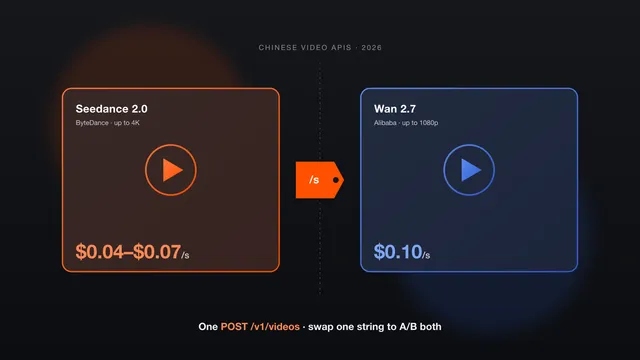
Seedance 2.0 vs Wan: Compare Video API Costs at the Same Resolution
Compare Seedance 2.0 and Wan 2.7 by resolution, input mode and supplier. Updated 1080p estimates, 4K pricing and code for testing both APIs.

Kimi K3 vs GPT-5.5 and Opus 4.8 (2026): The Cheaper Peer
Kimi K3 vs GPT-5.5 and Opus 4.8: comparable intelligence, but K3 runs $3/$15/M at ~$0.94/task vs Opus 4.8 $1.80. Specs, benchmarks, and A/B code.

Codex "failed to start codex app-server" on Windows: Causes and Fixes (2026)
"failed to start codex app-server (os error 3)" on Windows? Six causes — path, Store sandbox, missing binary, plugin crash — plus willRetry and silent turn-completed errors.
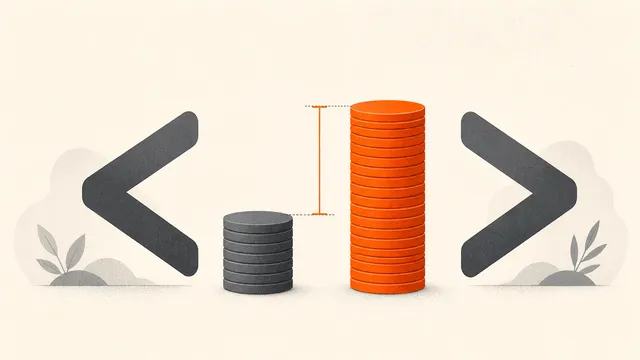
Kimi K3 vs GLM-5.2 (2026): Frontier Worth 2.8x the Cost?
Kimi K3 ($3/$15/M) costs ~2.8x GLM-5.2 ($1.40/$4.40) per run but scores higher on Artificial Analysis (57 vs 51). When the premium pays, with worked math.

Claude Code fallbackModel: 3-Tier Failover Setup (2026)
Claude Code fallbackModel retries up to 3 models on a 529 overload, not on 429. Set it up in 4 steps (settings.json + CLI) and know when a gateway wins.

DeepSeek V4 Flash Free Access: July Findings and Current Ofox Pricing
July 2026 findings on DeepSeek V4 Flash free routes and their limits, with September Ofox prices. Recheck free availability before use.

Kimi K2.7 Code Free (2026): 3 Zero-Cost Paths, Real Caps
Kimi K2.7 Code free? 3 real $0 paths: free web chat, the CLI Adagio tier at 6 agent uses, Modified-MIT self-host. No OpenRouter :free variant.

GLM 5.2 Free (2026): 3 Zero-Cost Paths and Where Limits Hit
GLM 5.2 free? 3 zero-cost paths ranked. No OpenRouter free endpoint exists; self-host needs 240GB+ RAM. Managed fallback runs $1.4/M in, $4.4/M out.

GPT-5.6 Tiers: Which of Sol, Terra, Luna to Run (2026)
GPT-5.6 has 3 tiers: Sol $5/$30, Terra $2.50/$15, Luna $1/$6 per M. Pick by job, run all three on one key, and dodge the bare-ID 404. Full setup.

GPT-5.6 Model Not Available? 7 Causes and Fixes (2026)
Diagnose GPT-5.6 model-not-available errors by checking provider IDs, authentication mode, account access and endpoint support. Includes dated July examples.

GPT-5.6 Terra vs GPT-5.5 (2026): Half Price, Same Coding?
GPT-5.6 Terra ($2.50/$15) is exactly half of GPT-5.5 ($5/$30). Bills at 10K/100K/1M req/day, the honest benchmark read, A/B both via ofox.
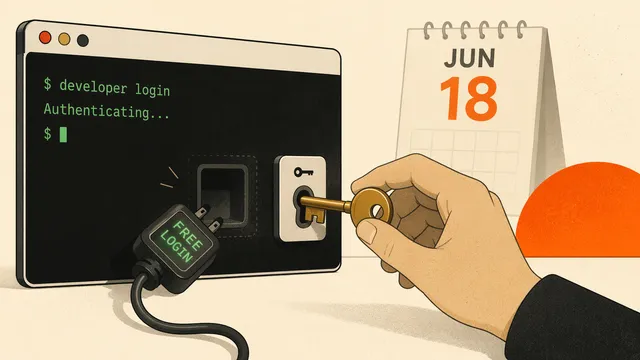
Gemini CLI Free Tier Shut Down: 6 Fixes That Work (2026)
Gemini CLI's free login died June 18, 2026. Keep it running on a paid API key: fix the 429 limit:0 trap, beat the Sept 2026 key cutoff. 6 fixes.

Codex CLI Behind a Corporate Proxy: PAC/WPAD, CA Certs & HTTPS_PROXY (2026)
Codex CLI ignores PAC/WPAD proxies and hangs on connect. Fix it in four steps: resolve the PAC, set HTTPS_PROXY, add your CA cert. Eight errors covered.

Codex Desktop Not Showing Custom Models: 5 Fixes (2026)
Codex Desktop hides custom models from the picker? 5 fixes for the model_catalog_json bug, the cc-switch v3.16.5 patch, and a 1-line workaround.

Claude Code SSL Certificate Error: 5 Fixes That Work (2026)
Claude Code throwing SELF_SIGNED_CERT_IN_CHAIN behind a corporate proxy? Five fixes using the OS trust store, NODE_EXTRA_CA_CERTS and HTTPS_PROXY.

Claude Sonnet 5 in Cline: Setup, Thinking, vs Fable 5 (2026)
Set up Claude Sonnet 5 in Cline in 5 min: the right provider, the reasoning effort that controls cost, and when Sonnet 5 ($2/$10) beats Fable 5 ($10/$50).

Migrate Claude Code to Codex (2026): 12 Configs, 1 Dead End
Codex 0.142 /import auto-moves most of your Claude Code config. All 12 surfaces mapped: what transfers, what breaks, the 1 dead end, and the fix.

Claude Fable 5 vs Sonnet 5 (2026): 5x Pricier, When It Pays
Fable 5 lists $10/$50, 5x Sonnet 5's $2/$10, but hits 80.3% SWE-bench Pro vs 63.2%. When the ceiling model pays, and how to route both on ofox.

Claude Sonnet 5 vs Opus 4.8 (2026): 60% Cheaper on Paper
Claude Sonnet 5 lists $2/$10 vs Opus 4.8 $5/$25, 60% cheaper. It trails 63.2% to 69.2% on SWE-bench Pro, and agentic cost can top Opus. Which to pick.
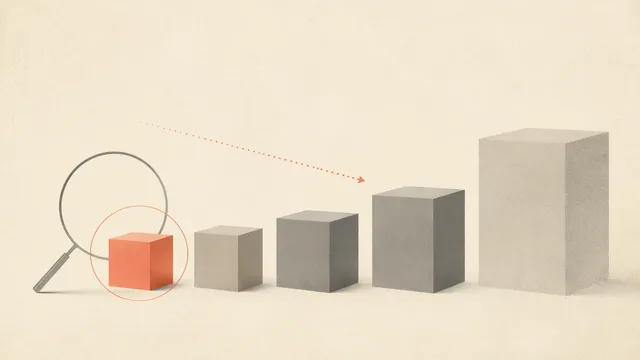
How to Choose an AI Model: 3 Questions, Not the Biggest One
Picking an AI model? Don't default to the biggest. Use 3 questions (task, volume, stakes) plus a free finder that ranks 100+ models across 15 use cases.
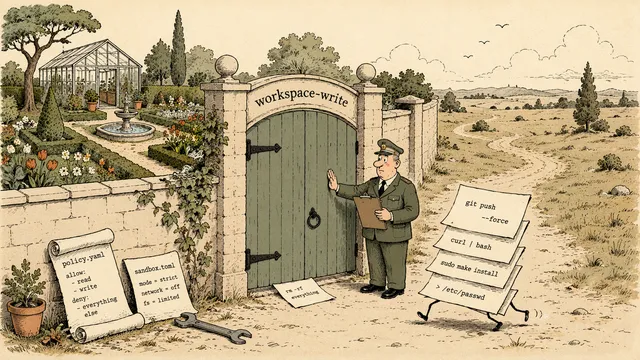
Codex "command failed; retry without sandbox": 6 Fixes (2026)
Fix Codex CLI "command failed; retry without sandbox": install bubblewrap, set sandbox_mode to workspace-write and approval_policy to on-request.

Grok Build Pricing: $30/mo Subscription vs $1/M API (2026)
Grok Build costs $30/mo on SuperGrok, not the $300 Heavy tier. Or meter grok-build-0.1 at $1.00/$2.00 per M with 256K context. Break-even math for both.
Doubao Seed 2.1 API (2026): Pro & Turbo, No Volcano Signup
Call Doubao Seed 2.1 Pro ($0.884/$4.42 per M) and Turbo (half: $0.442/$2.212) from one endpoint. 256K context, one key, no separate Volcano signup.
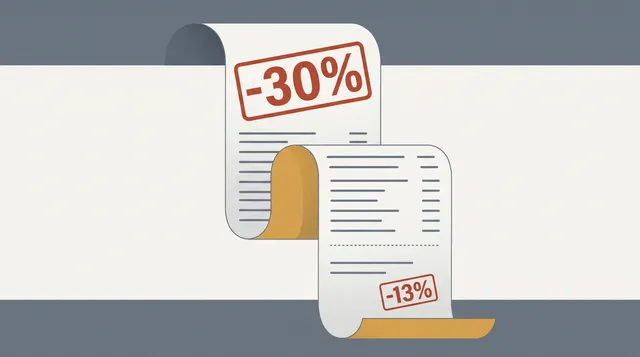
Kimi K2.7 Code: Does a 30% Token Cut Lower Your Bill? (2026)
Kimi K2.7 Code costs the same per token as K2.6 ($0.95/$4.00). Its 30% thinking-token cut trims ~13% off a reasoning-heavy bill, under 1% input-heavy.
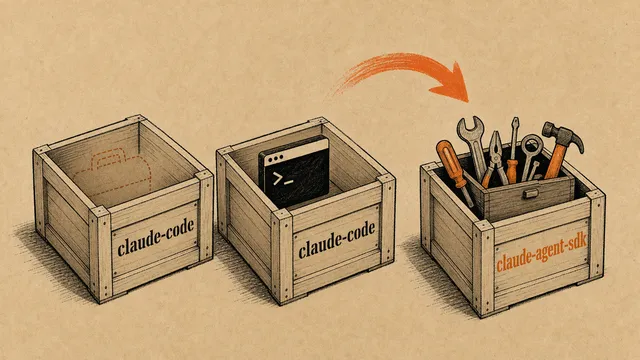
claude-code-sdk Import Errors After the June 2026 Rename: Why and the Fix
ModuleNotFoundError: claude_code_sdk or no export from @anthropic-ai/claude-code? The SDK moved to claude-agent-sdk. Before/after fix for TS + Python.
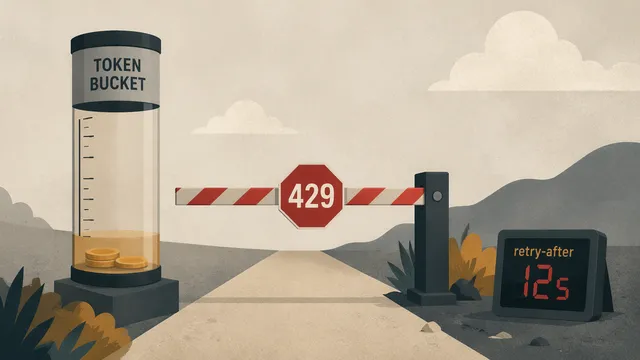
Rate Limit Reached in Claude Code: What Each 429 Message Means (2026)
Claude Code shows 'Request rejected (429)' plus the server's own words. Those words tell you who limited you: Anthropic, your gateway, or a free tier.
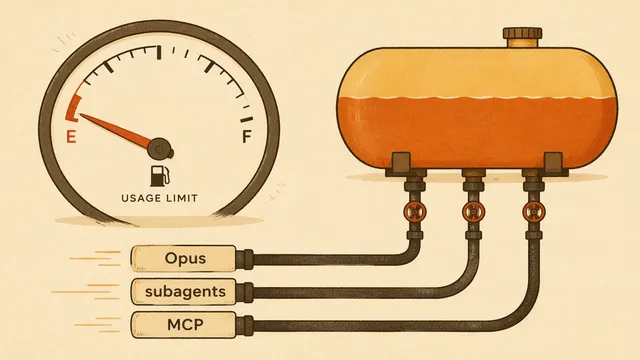
Claude Code Usage Limit Hit Too Fast: Why + 7 Fixes (2026)
Claude Code usage limit gone by lunch? Opus burns several times Sonnet, subagents 7x tokens, MCP eats 33% of context. See it with /usage, 7 fixes.
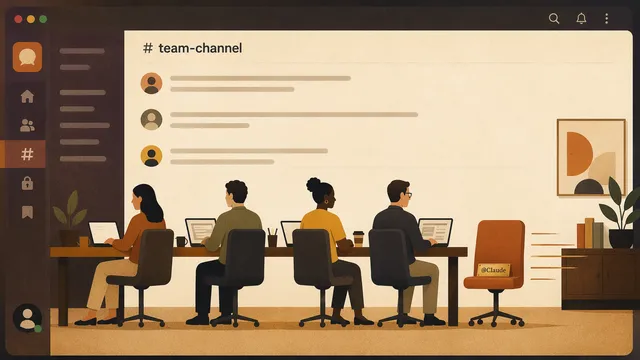
Claude Tag in Slack (2026): 4-Step Setup, Ambient Mode, Aug 3 Deadline
Claude Tag is a shared @Claude teammate in Slack running on Opus 4.8. Setup in four steps, ambient mode, admin scopes, and the Aug 3, 2026 cutover.

Run GLM 5.2 Locally (2026): 2-bit on a 256GB Mac or 4090 box
Run GLM 5.2 (753B) locally: 2-bit fits a 256GB Mac Studio, 4-bit wants 512GB, ~3-9 tok/s. GGUF quant picks for llama.cpp, LM Studio, and a 4090 box.
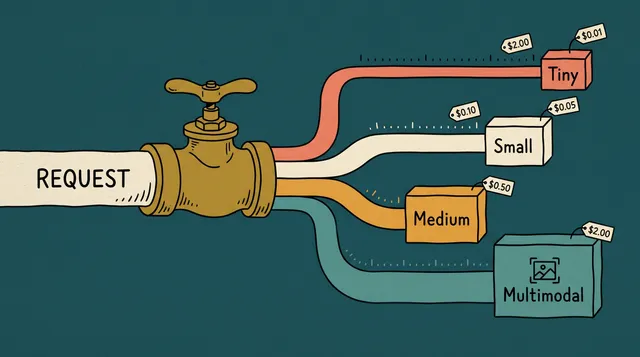
Routing GLM-5.2, DeepSeek V4, MiniMax M3 & Kimi K2.6 Through One API (2026)
Route 4 models on one ofox key: blended $0.19/M (V4 Flash) to $2.40/M (GLM-5.2), 12.86x spread. 1M context, free V4 cache.
GLM-5.2 vs GPT-5.5 Cost: Per-Token Math at 10K/100K/1M Req/Day (2026)
GLM-5.2 at $1.4/$4.4 per M against GPT-5.5 at $5/$30 — a 5.56x blended ratio. Daily bills at three request volumes, and how to A/B both via ofox.
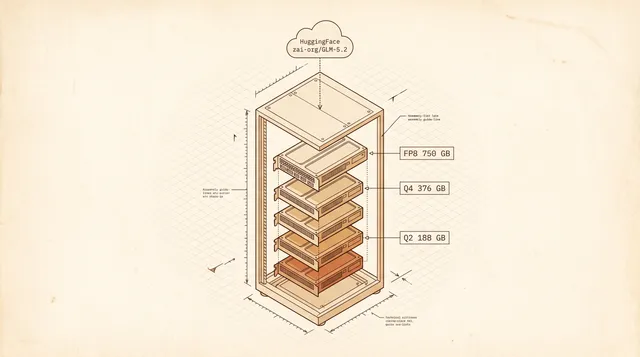
Self-Host GLM 5.2 (2026): 8×H200 vLLM Cost vs $30/mo Cloud
Self-host GLM 5.2 (753B MIT weights): 8×H200 vLLM FP8, 4×H100 Q4, or Mac Studio 2-bit. Hardware sizing + cloud GPU $/hr breakeven vs Z.ai's $30/mo plan.

Codex Banked Rate-Limit Reset: How the Weekly Reset Works (2026)
What a Codex banked rate-limit reset is, who gets one, and how to spend it when the weekly cap hits 0%. Plus four other ways out, including a metered API.
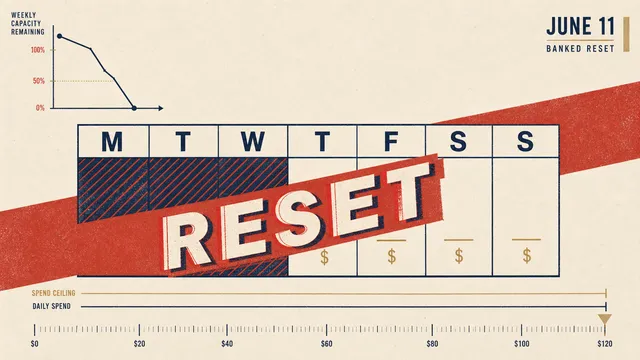
When Does Codex Reset? Check Your Weekly Limit Reset Time
Find your actual Codex reset time, distinguish five-hour and weekly limits, and check available usage or earned resets without assuming a universal reset hour.

DeepSeek V3.2 Prompt Caching on ofox: 10-Min Setup, 80% Savings (2026)
DeepSeek V3.2 caching: $0.06/M cache read vs $0.29/M miss (4.8× cheaper), $0.43/M output, 128K context. Set up on ofox in 10 minutes.

How to Access GLM 5.2 (2026): Step-by-Step API Setup & Pricing
GLM 5.2 access step by step: Z.ai API setup, Coding Plan pricing, the six common errors to avoid, plus MIT open weights and ofox alternatives.

MiniMax M3 vs GPT-5.5: SWE-Bench Pro, 8× Price Gap, A/B Both via ofox (2026)
MiniMax M3 (SWE-Bench Pro 59.0%) vs GPT-5.5 (58.6%): same 1M context, $0.60 vs $5 input, $2.40 vs $30 output.

MiniMax M3 vs Claude Opus 4.8: 59% vs 69% SWE-Bench, 10× Pricing, Pick (2026)
MiniMax M3 hits 59% on SWE-Bench Pro vs Claude Opus 4.8 69.2%. M3 input $0.6/M vs Opus $5/M, output $2.4/M vs $25/M, both 1M context.
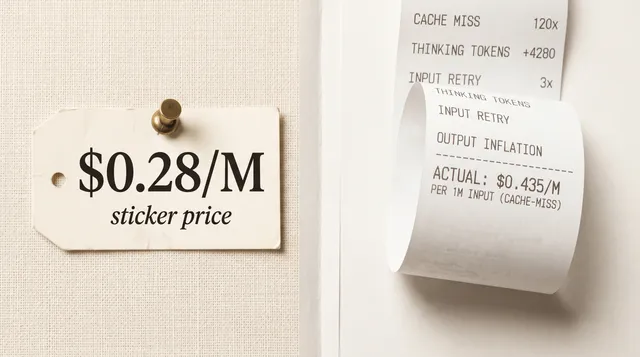
DeepSeek V4 Pro Real Cost: 120x Cache Gap Behind Sticker
V4 Pro lists at $0.435/M input — cache misses cost 120x more than hits, and thinking inflates output. Benchmarked vs GPT-5.5 and Sonnet 4.6 with raw data.

Claude Code /cd: Switch Directories, Preserve Prompt Cache, 3 Edge Cases (2026)
Claude Code /cd switches directories mid-session and keeps the prompt cache hot. Three edge cases break it: CLAUDE.md drift, MCP drift, /add-dir conflicts.

Claude Code Nested Sub-Agents: 5 Levels Deep, Token Math, 3 Pitfalls (2026)
Claude Code v2.1.172 lets sub-agents spawn sub-agents five levels deep. Token costs compound per branch, and three anti-patterns make the bill run away.

Claude Code Safe Mode: 5 Things Disabled + When to Use Over /clear (2026)
Claude Code v2.1.169 --safe-mode: 1 flag disables 5 layers (CLAUDE.md, plugins, skills, hooks, MCP). Differs from /clear (1-turn wipe).

Claude Fable 5 vs Opus 4.8 vs GPT-5.5: SWE-Bench, Pricing, When to Switch
Fable 5 hits 95.0% SWE-bench Verified and 80.3% SWE-bench Pro — 11 points over Opus 4.8, 21.7 over GPT-5.5. At $10/$50 it costs 2x Opus.

Codex AGENTS.md Not Loading in Symlinked Workspaces: v0.138 Fix (2026)
Codex CLI v0.138 finally loads AGENTS.md in symlinked and remote workspaces. Three verification steps, seven error patterns, and the monorepo fix.

Anthropic vs OpenAI Prompt Caching 2026: Cost Math + 3 Cache-Miss Fixes
Anthropic and OpenAI both price cache reads at 0.1x input, but writes and TTLs differ. Three cache-miss patterns and the cost math on 10M tokens a day.
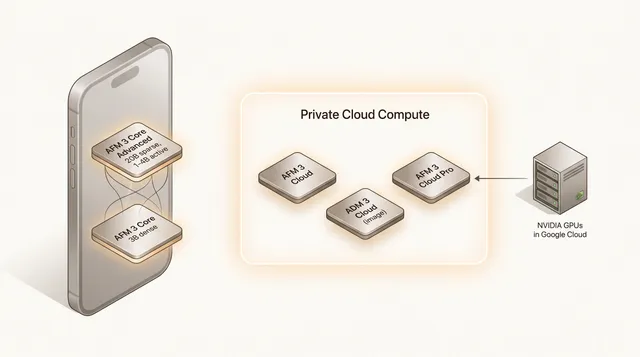
Apple's Third-Generation Foundation Models: A Developer's Read on WWDC 2026
Apple's AFM 3 at WWDC 2026: five models, a 20B sparse on-device LLM, and Private Cloud Compute on NVIDIA GPUs. What is verified, what is spin.

Claude 529 overloaded: what to check before retrying
Claude 529 means temporary API overload. Check status, distinguish 429 limits, budget retries and handle incomplete streams without duplicating requests.
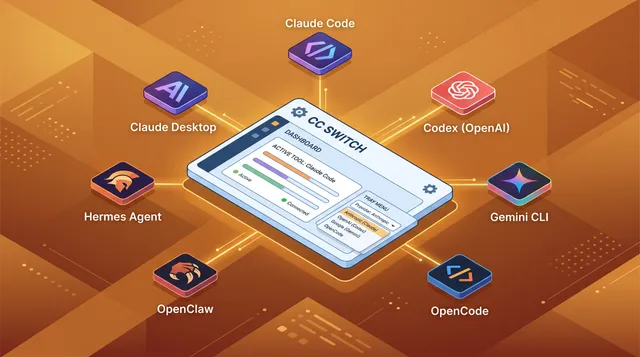
CC Switch Download & Install for Claude Code, Codex (v3.20.1)
Install CC Switch v3.20.1 to switch Claude Code, Codex, Gemini CLI and 4 more from one tray. Direct .msi, .dmg, .deb links, brew and npm CLI setup. Updated Sept 2026.
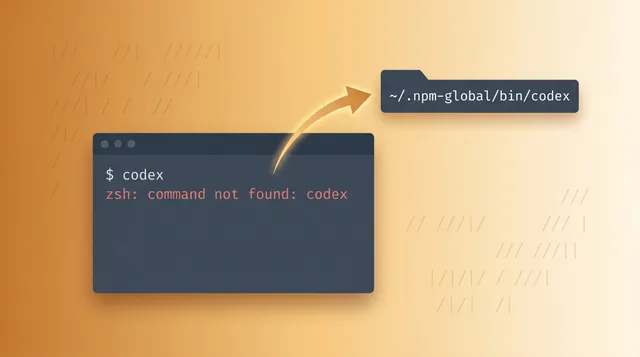
codex: command not found & EACCES on npm install -g @openai/codex
Fix codex: command not found and EACCES: permission denied after npm install -g @openai/codex. 7 fixes: PATH, npm prefix, NVM, Volta, sudo-owned dirs, Node 16+.
Qwen 3.7 Max vs Plus (2026): Plus Wins at 1/6 the Price
Qwen 3.7 Plus ($0.40/M) vs Max ($2.50/M): ~6× cheaper, same 1M context, adds vision, within 2 pts on SWE-Bench Pro. Which to pick + 3 real-task benchmarks.

Claude Opus 4.7 Outages & 529 Errors: Retry + Opus 4.8 Migration
Opus 4.7 hit two May 2026 error windows plus 529 overloaded errors. Get the retry/fallback pattern and migration plan to Opus 4.8.

Claude Opus 4.8: Benchmarks, Fast Mode & Key Changes
Claude Opus 4.8 launches May 28, 2026 at 4.7 pricing: 1890 Elo on GDPval-AA, 69.2% SWE-bench Pro, 35% fewer tokens, and new Fast Mode explained.

Cursor Composer 2.5: What's New, Best Models, and How to Set It Up
Composer 2.5 ships May 2026 with a Kimi K2.5 backbone, 79.8% SWE-Bench Multilingual, and a Fast tier that costs more than Opus.

Codex Goal Mode & Remote Computer Use: How OpenAI's Agent Can Code for Days
Goal Mode and Locked Computer Use went GA in Codex on May 21, 2026. What they do, the safety model, and how to run multi-day agentic coding on budget.

Codex Mobile App: Monitor & Control Your AI Coding Agent from iPhone or Android (2026)
OpenAI shipped Codex inside the ChatGPT mobile app on May 14, 2026. What it does, what it does not, and how it compares to Claude Code Remote Control.

Codex config.toml: Model, Proxy and Permissions Setup
Find Codex config.toml on Windows, macOS or Linux, start with a minimal configuration, and diagnose profile, provider, proxy and permission overrides.
GitHub Copilot BYOK: Set Up an OpenAI-Compatible API in VS Code or CLI
Configure a supported BYOK model in VS Code or Copilot CLI. Check streaming, tool calling, API type and current settings before using a custom endpoint.

Qwen 3.7 Max vs Claude Opus 4.7: Code Arena #4 at 1/3 the Price
Qwen 3.7 Max hits Elo 1541 at $2.50/$7.50 per 1M tokens, a third of Claude Opus 4.7. Where Opus 4.8 pulls ahead, and when Qwen wins on price-performance.
AI API Pricing Comparison May 2026: Every Major Model in One Table
A verified per-million-token price comparison across OpenAI, Anthropic, Google, xAI, DeepSeek, Moonshot, Alibaba, Mistral and Meta as of May 2026.

Gemini 3.5 Pro: Release Date, Expected Specs, and What Flash Already Tells Us
Google delayed Gemini 3.5 Pro to June 2026 but shipped 3.5 Flash at I/O. What the Flash release reveals about Pro pricing, context and benchmarks.
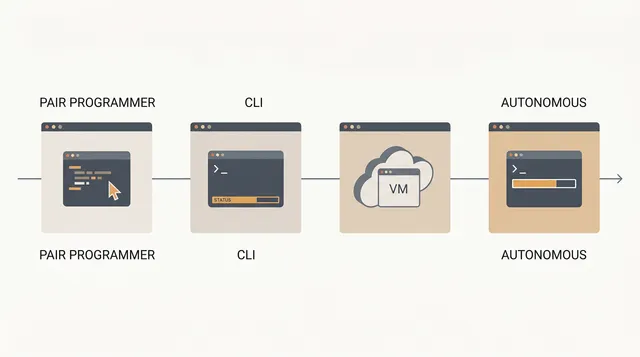
Agentic Coding in 2026: Claude Code vs Codex CLI vs Gemini CLI vs Cursor Agent
The four agentic coding CLIs that actually matter in mid-2026 — Claude Code, Codex CLI, Gemini CLI, and Cursor Agent.
How to Delegate Claude Code Tasks to Mistral Vibe — Save 2-4x on Tokens
Claude Opus 4.7 as the planner, Mistral Vibe as the worker: the real cost math, drop-in subagent configs, and an even cheaper variant via ofox.

Google Antigravity 2.0: Gemini's Agent-First Desktop Platform Explained
Antigravity 2.0 shipped at I/O 2026 as a desktop app, CLI, SDK and Managed Agents API. What each piece does, what it costs, and when to skip it.
Qwen 3.7 Max Developer Guide: 1M Context & $2.50/MTok (2026)
Qwen 3.7 Max: $2.50/$7.50 per MTok, $0.50 cached reads, 1M context, native Anthropic protocol. The verbosity tax triples real agent-session costs.
Gemini 3.5 Flash for Coding and Agents: Setup, Benchmarks, and Honest Best Practices (2026)
Google shipped Gemini 3.5 Flash at I/O 2026 — a Flash-tier model that beats last year's Pro on coding and tool use.

OpenRouter Pricing: Token Costs, Credit Fees and BYOK
Every fee OpenRouter charges: the 5.5% card fee ($0.80 minimum), the BYOK tail now metered in dollars not requests, and why "no markup" holds per token.
MiniMax M2.7 API Pricing 2026: Free Tier, Setup, and How It Stacks Against DeepSeek and Kimi
A developer-honest look at MiniMax M2.7 pricing, free credits, and where it actually wins (or loses) against DeepSeek V4 and Kimi K2.6 in real workloads.
OpenAI model_not_found: check model ID, access and endpoint
Troubleshoot OpenAI model_not_found by checking the model ID, account access, API endpoint and provider. Separate API errors from ChatGPT webpage 404s.
Best LLMs for Text Extraction & Summarization (2026)
Compare summarization faithfulness, long-context comprehension and extraction accuracy. Read benchmark limits and calculate costs before choosing a model.
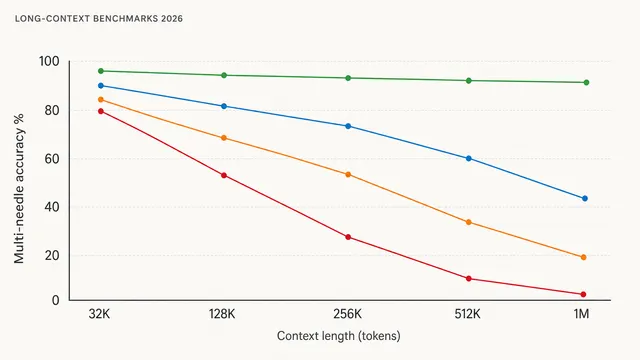
LLM Context Windows 2026: Real Accuracy Past 200K Tokens
RULER, MRCR v2 and NoLiMa expose a 30 to 60 point gap in 1M-token claims. How Gemini 3.1 Pro, Claude Opus 4.6, GPT-5.5 and DeepSeek V4 Pro really perform.

Doubao Seed 2.0 API Guide: ByteDance's Budget LLM Pricing, Setup & Benchmarks (2026)
Developer guide to ByteDance's Doubao Seed 2.0 family — Pro, Lite, Mini, Code. Real pricing, AIME and SWE-Bench numbers, and OpenAI-compatible setup.

AI Model Rankings May 2026: Top LLMs Ranked by Coding, Reasoning & Cost
A May 2026 snapshot of the top LLMs ranked on the three axes that matter: SWE-bench coding, GPQA Diamond reasoning, and real price per million tokens.
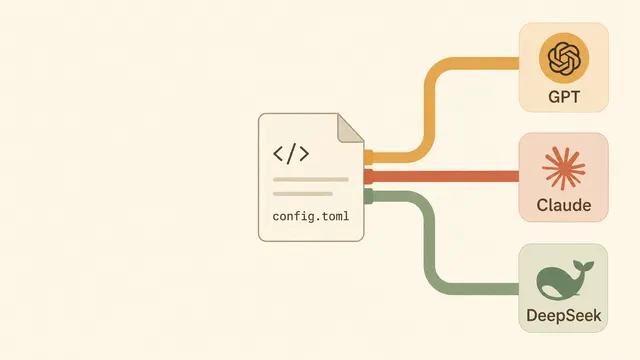
Codex CLI Multi-Provider Setup via config.toml
Configure Codex CLI model providers, Responses API access, authentication and profile files. Check gateway compatibility before switching models.

Claude's "Go to Sleep" Bug Explained: Why It Happens and How to Keep Coding
Claude has been telling developers to go to bed mid-debug. What Anthropic said about it, why the model does it, and the five-line fix that stops it.

Migrate OpenClaw to Hermes Agent v0.14: Step-by-Step Guide
hermes claw migrate moves your API keys, models, skills, and memory from ~/.openclaw to ~/.hermes in minutes.
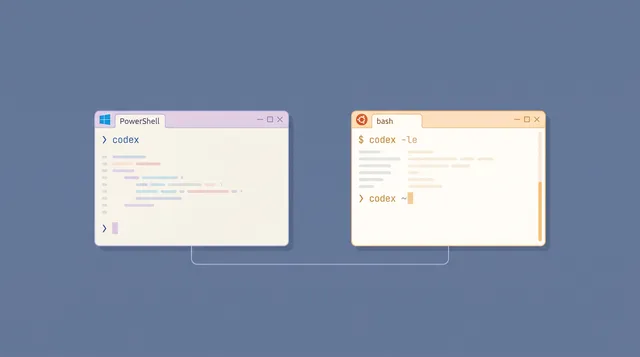
Codex CLI on Windows 2026: Native vs WSL2 Install Guide
OpenAI recommends native Windows for Codex CLI, but WSL2 gives you Linux's Landlock sandbox. Both paths, the sandbox differences, and OfoxAI routing.

Hermes Agent v0.14: Self-Improving AI with Skills & Memory
Hermes Agent v0.14 writes reusable skills and persists memory across sessions. Setup, ofox.ai integration in five minutes, and tradeoffs vs Claude Code.

Codex Chrome Extension: Setup, Permissions, 5 Browsers
It now covers Chrome, Edge, Brave, Opera and Vivaldi and installs from the ChatGPT desktop app. Install path, permissions model, and the real limits.

Install Codex CLI on macOS, Windows and Linux
Install Codex CLI via npm, Homebrew, or binary. Covers API key vs ChatGPT auth, config.toml, approval modes, sandbox levels, AGENTS.md, and MCP servers.

GPT-Image-2 Slow & 504 Errors: 5 Root Causes Fixed (2026)
GPT-Image-2 takes 145–280s by design. Most 504s and failures are gateway timeouts, not OpenAI errors.

Qwen 3.6 27B vs Claude Opus 4.6 for Coding: Can a Free Local Model Replace a $15/MTok API?
Qwen 3.6 27B matches Claude Opus 4.6 within 4 points on SWE-bench Verified and runs on a single RTX 4090.
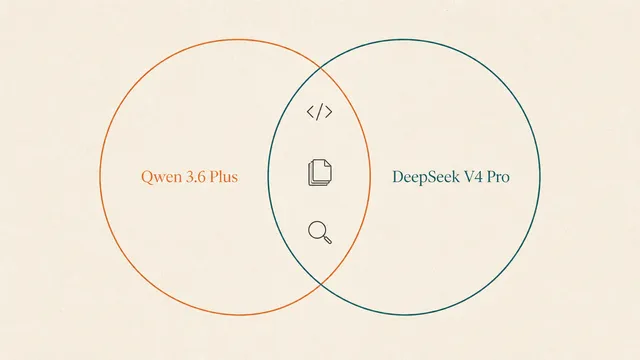
Qwen 3.6 Plus vs DeepSeek V4 Pro: 3 Real Coding Tasks
Both score within two points on SWE-bench, but they fail differently. Algorithmic implementation, multi-file refactor and long-context triage, tested.
Free LLM API Tiers Ranked 2026: Gemini, xAI, DeepSeek, AWS — Which Free Credits Are Actually Usable for Coding?
Compare Gemini free API access, DeepSeek paid rates, xAI promotions and AWS credits. Check eligibility, limits and coding costs before choosing.
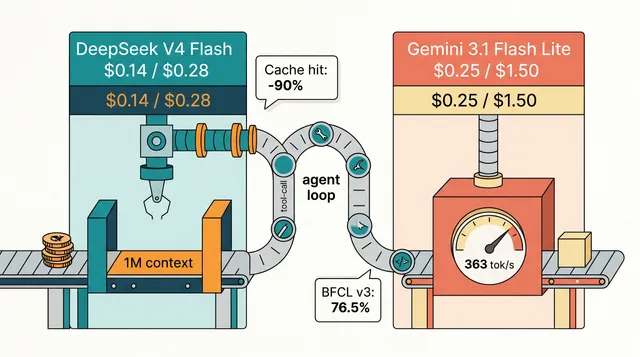
DeepSeek V4 Flash vs Gemini 3.1 Flash Lite & Pro: Real Cost
DeepSeek V4 Flash vs Gemini 3.1 Flash Lite for agent loops, plus the 3.1 Pro question: DeepSeek scores 52 on Artificial Analysis to Pro's 48 at a fraction of the price.
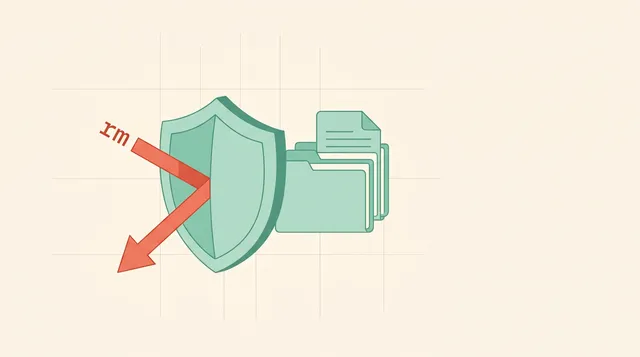
Claude Code File Deletion: Defense-in-Depth Safety Guide
Stop Claude Code from deleting your files. Real incidents, hook scripts, permission deny rules, git worktree isolation and Anthropic's 2025 sandbox.
Claude Code Token Optimization 2026: 5 Strategies That Cut Your API Bill by 60-90%
Five Claude Code optimisations that move the needle: cache TTL discipline, /compact and /clear, Sonnet-default routing, isolated subagents, less MCP bloat.

$30/Month AI Coding Stack vs $200 Subscriptions (2026)
Stop paying for throttled AI access. A $30/month stack of open-source CLIs, an API gateway and tiered routing that matches $200 subscription workflows.

AI Coding Agents Compared 2026: Claude Code vs Codex CLI vs Cursor vs DeepSeek TUI
Four coding agents, four philosophies. Claude Code, Codex CLI, Cursor and DeepSeek TUI on price, quality, daily-driver feel, and where each one breaks.
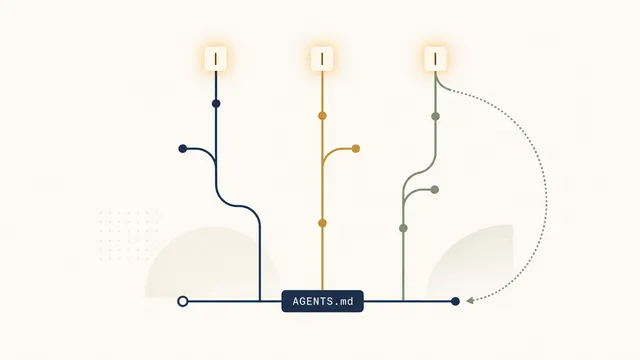
Codex CLI Workflow: The Setup Senior Devs Use in 2026
The real Codex CLI loop — AGENTS.md, plan mode, worktrees, GPT-5.5 vs GPT-5.4 Mini trade-offs, and the seven mistakes that waste your first week.
Qwen 3.6 Plus API: Complete Guide to Pricing, Benchmarks, and Access (2026)
Alibaba's Qwen 3.6 Plus ships a 1M-token context and a SWE-bench score within two points of Claude Opus 4.6, at roughly a thirtieth of the price.
Best LLM for Coding by Task in 2026: Decision Matrix
Claude Opus 4.6, GPT-5.5, Gemini 3.1 Pro and DeepSeek V4 Flash ranked across 10 coding sub-tasks, with May 2026 pricing and a 5-question self-assessment.
LLM API cache costs: calculate reads, writes and real bills
Calculate LLM API cache costs without double-counting tokens. Separate reads, writes, output and retries, with a worked example and provider-specific checks.

Claude Opus 4.6 vs GPT-5.5 vs Gemini 3.1 Pro: Reasoning Benchmarks (3 Real Tasks Tested)
Three reasoning tasks, three frontier models, one weekend of runs. Opus 4.6 leads on step-by-step logic, GPT-5.5 on speed, Gemini 3.1 Pro on price.
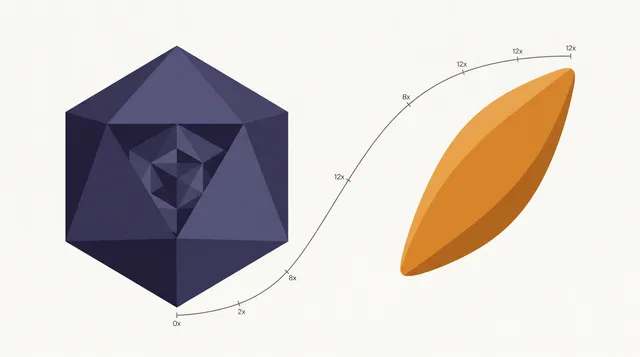
DeepSeek V4 Pro vs Flash: Real Cost-Quality Tradeoff
V4 Flash is 12x cheaper than V4 Pro and nearly equal on bounded coding tasks. Which three task types expose the gap, and how to cut your bill by 80%.
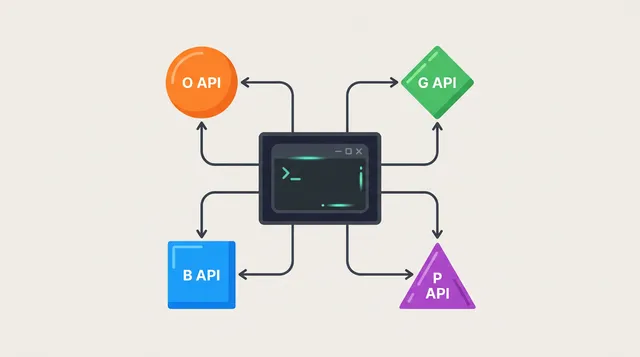
Claude Code Backend Switching Guide (2026): DeepSeek, OpenRouter & More
Configure Claude Code backends with the correct endpoint, authentication and model ID. Includes OpenRouter, DeepSeek and checks for tool compatibility.
Why Claude Max Users Are Leaving in May 2026: A Data-Driven Look at the Throttling Backlash
Anthropic confirmed peak-hour throttling, two cache bugs that inflate token bills 10–20×, and a v2.1.100 client that burns 40% more tokens.
Claude Code + DeepSeek V4: 98.7% Cost Cut Tested
DeepSeek V4 Flash vs Claude Opus 4.6 across 100M tokens. Real cache behaviour, the quality gaps, and five tasks where DeepSeek holds its own.

Kimi K2.6 vs Claude Opus 4.6: 30-Day Coding Benchmark (10x Cheaper, 80% as Good?)
Kimi K2.6 costs roughly 7x less per token than Claude Opus 4.6 while scoring within 3-5 points on every major coding benchmark.

Sora 2 vs Veo 3.1 vs Kling 2.6: Which Video API Wins (2026)
Hands-on API comparison: Sora 2 Pro for photorealism, Veo 3.1 for 4K + native audio, Kling 2.6 Pro for lip-sync. Find which fits your pipeline.
Cut Claude Code Costs 80% with Hybrid Model Routing
85% of Claude Code tokens do not need Opus. Route only the hard tasks through it and replace a $200 Max plan with $30/month via ofox or LiteLLM.

GPT-5.5 Instant Is Now ChatGPT's Default: 52.5% Fewer Hallucinations
OpenAI made GPT-5.5 Instant the ChatGPT default on May 5 (API: chat-latest). Hallucinations down 52.5%, answers 30.2% shorter.

Kling 2.6 Pro API: Image-to-Video, Pricing & Docs (2026)
Developer guide to Kuaishou's Kling 2.6 Pro video generation via Replicate — text-to-video, image-to-video, native lip-synced audio, and pricing.

Google Veo 3.1 API: Docs, Setup & Pricing (2026)
Hands-on guide to Google DeepMind's Veo 3.1 video generation API via ofox — setup, code examples, native audio, and production considerations.
OpenAI Sora 2 API: Access, Pricing & Python Code (2026)
A developer guide to OpenAI's Sora 2 video generation API — authentication, Python and curl examples, pricing, and what to expect in production.
Best AI Models in 2026: Ranked by Benchmark and Cost per Task
Claude Opus 5 leads SWE-Bench at 97%. Fable 5.1 tops the Artificial Analysis Index at 66. Seven models now clear 95%, so cost per task separates them. Updated September 2026.
Seedream 4.5 Image API: Complete Developer Guide (2026)
Learn Seedream 4.5 API integration with Python: text-to-image, image editing, superior typography, 4K output, and pricing vs Flux for production use.
Flux 2 Max API: Developer Guide for Production Workflows (2026)
Integrate Flux 2 Max via API: Python for text-to-image and image editing, tier comparisons (Max vs Pro vs Dev), and cost optimisation for production.
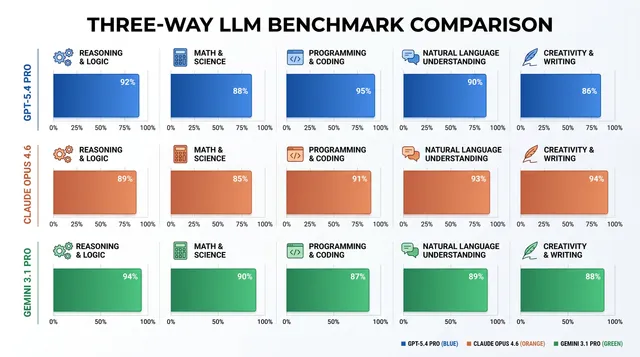
GPT-4o vs Claude Opus vs Gemini Pro: Production API Comparison for 2026
Flagship models from OpenAI, Anthropic and Google compared for production: latency, cost structures, context handling, and when to use each family.
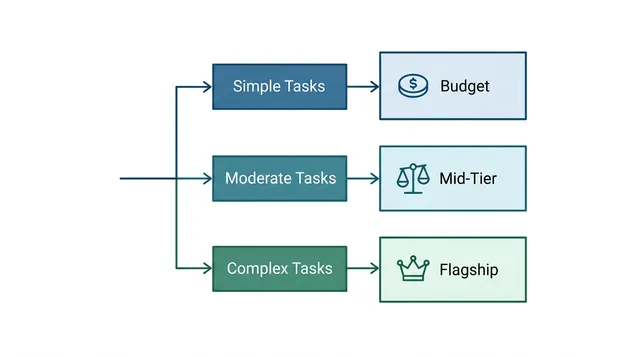
LLM API Decision Matrix 2026: Best Model by Use Case
Route 12 use cases to the right LLM in 2026 — model recommendations, cost-performance tradeoffs, and a routing framework that cuts API costs 40 to 70%.
Best LLM for Coding in 2026: Ranked by Real Use
Claude Opus 4.7, GPT-5.5, DeepSeek V4, and Gemini 3.1 Pro ranked for coding tasks. Real pricing, context windows, and when each model wins.
GPT vs Claude vs Gemini: Production API Comparison for Real-World Use
OpenAI GPT, Anthropic Claude and Google Gemini APIs compared for production — latency, cost structures, error handling, rate limits, and when to use each.
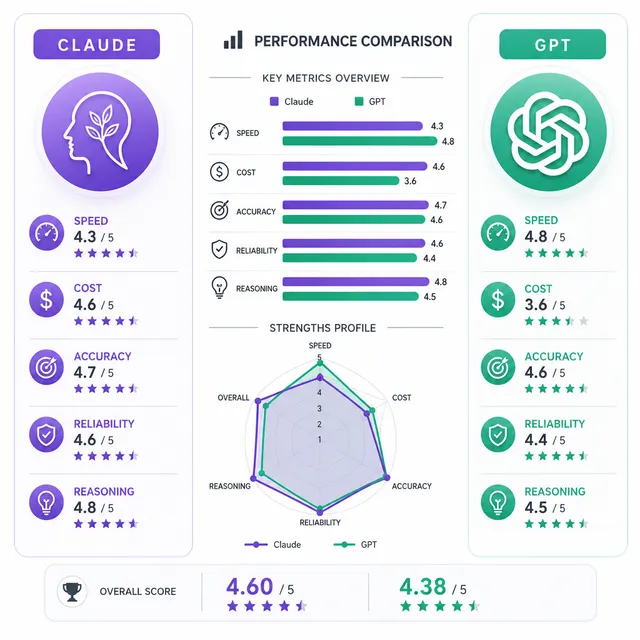
Claude Haiku 4.5 vs GPT-5.4 Mini (2026): $1 vs $0.75/M — Who Wins?
Claude Haiku 4.5 ($1/$5 per M) vs GPT-5.4 Mini ($0.75/$4.50): GPT wins on price and speed, Haiku on code quality. Route both to cut API costs 60–70%.
GPT-5.4 Pro API: Complete Developer Guide — Pricing, Setup & When to Use It
Real pricing, benchmark numbers, and a straight answer on when GPT-5.4 Pro is worth $30/M tokens — plus how to access it at a 20% discount via ofox.
GPT-5.5 API, Four Days In: Benchmarks vs Claude Opus 4.7 and Gemini 3.1 Pro
GPT-5.5 launched April 24, 2026. Real benchmark numbers across coding, reasoning, math, and long-context retrieval.
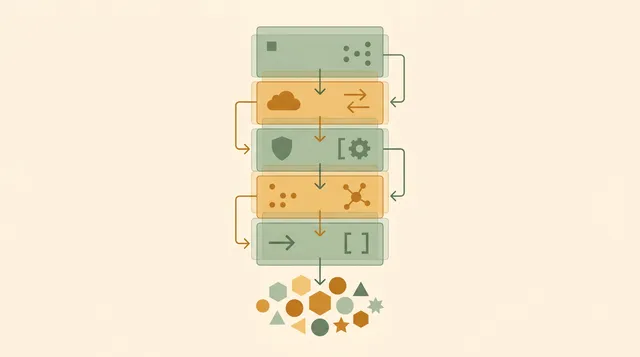
Llama 4 API Access: Complete Developer Guide (Scout, Maverick, ofox)
Call Llama 4 Scout and Maverick via API in 2026: model IDs, pricing across providers, working code, and when open source beats proprietary on cost.

DeepSeek-R1 Reasoning API: Production Guide (2026)
Extract chain-of-thought at $0.28/M tokens, 9x cheaper than GPT-5. Capture reasoning tokens, build agent loops, deploy resilient pipelines with ofox.ai.

Claude Haiku 4 API: Production Guide for Budget-Conscious Devs
Claude Haiku 4 handles 70% of production tasks at a fraction of flagship cost. Real benchmarks, code, and a tiering strategy to cut AI spend by 80%.

Claude Code: Hooks, Subagents & Skills Complete Guide
Claude Code's three extensibility layers: lifecycle hooks for deterministic control, subagents for parallel tasks, and skills for reusable workflows.
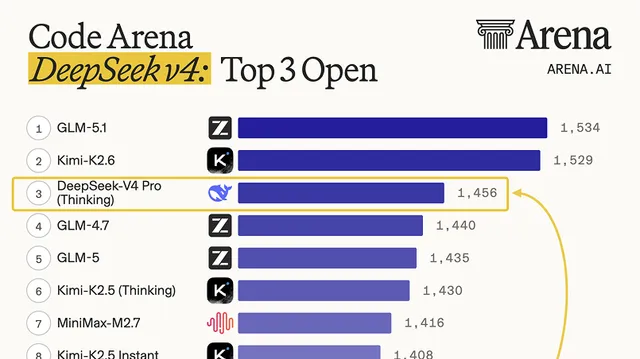
DeepSeek V4: 1.6T MoE, 1M Context, Apache 2.0, Cheaper Than GPT-5.5
DeepSeek V4 lands the same day as GPT-5.5: 1.6T-param Pro, 284B Flash, 1M context, open Apache 2.0 weights, and pricing that undercuts GPT-5.5.
GPT-5.5: First Full Retrain Since GPT-4.5, 1M Context
OpenAI shipped GPT-5.5 — first fully retrained base model since GPT-4.5. 1M-token context, 82.7% Terminal-Bench 2.0, and doubled pricing at $5/$30.
Grok API: Pricing, Setup & Access Guide (2026)
Complete guide to xAI's Grok API in 2026 — every model's pricing, exact model IDs, a working code setup, and how to access Grok without an xAI account.

MiniMax API Guide: Access M2.5 and M2.7 via ofox (2026)
How to use the MiniMax M2.5 and M2.7 API for coding, agents, and production apps — with pricing, benchmarks, and a one-endpoint setup via ofox.
OpenAI Just Named It Workspace Agents. We Open-Sourced Our Lark Version Six Months Ago
OpenAI's Workspace Agents validates what our open-source bot Marvin has done for six months: team AI agents, MIT-licensed, model-agnostic and self-hosted.
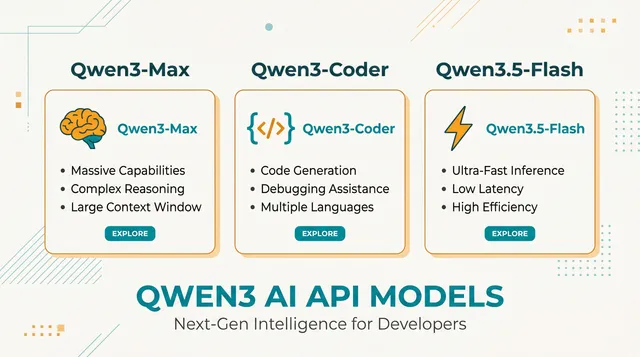
Qwen3 API Guide: Access Qwen3-Max, Qwen3-Coder, and Qwen3.5 Models (2026)
Guide to the Qwen3 family — pricing, model IDs, context windows, thinking mode, and how to reach Qwen3-Max and Qwen3-Coder Next via ofox.ai.
GPT-Image-2 Released: The Text-to-Image Model That Broke the Arena Leaderboard by 242 Points
OpenAI released GPT-Image-2 on April 21 2026. It scored 1,512 on Arena — 242 points ahead of Nano Banana 2, the largest gap on record.
Artificial Analysis & LMArena Leaderboard: Top AI Models (Sept 2026)
The Artificial Analysis Intelligence Index, LMArena Elo and vals.ai SWE-Bench Verified side by side, with live API prices. Updated September 2026.
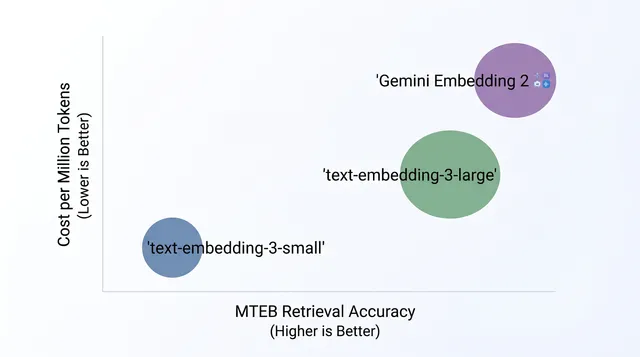
Text Embedding Models Compared: OpenAI vs Gemini via One API (2026)
Compare text-embedding-3-small, text-embedding-3-large, and Gemini Embedding 2 Preview on price, accuracy, and use case.

DeepSeek API Pricing 2026: Official Rates per Million Tokens
Official DeepSeek rates per million tokens, read off the pricing page on 2026-08-18: V4 Flash from $0.22 input, V4 Pro from $0.66, plus real cache math.
Is OpenRouter Reliable? An Honest Review for Production Use (2026)
OpenRouter had three documented outages in 2025-2026, charges a 5.5% credit fee, and adds 25-40ms latency overhead.

Kimi 2.6 Released: 256K Context, Native Video, Beats Claude Opus 4.6 on Benchmarks
Kimi K2.6 just launched with 256K context, native video understanding, and improved long-horizon coding.
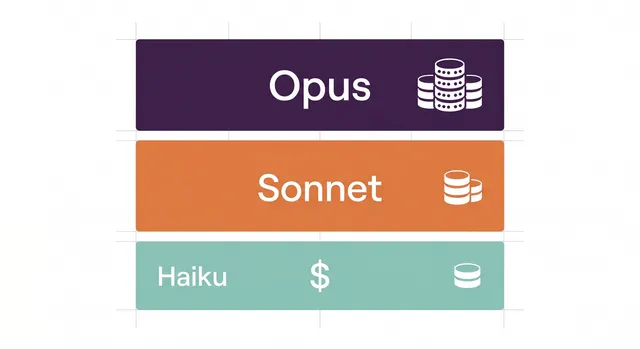
Claude API Pricing: Complete Breakdown 2026
Every Claude model's real cost per token, with a comparison table, prompt caching math, and a decision guide for picking the right tier.

Claude Opus 4.7 Review: Real Costs & What Changed
Claude Opus 4.7 lands April 16, 2026 with 87.6% SWE-bench, 3x better vision, and xhigh effort. Catch: new tokenizer raises real costs 5-35%.

Gemini 3.1 Pro vs Claude Opus 4.6: Benchmarks & Pricing
Gemini 3.1 Pro wins on benchmarks and price. Claude Opus 4.6 wins in production. Compare both and learn how to route requests to the right model.
GLM-5 API Guide: Pony Alpha, Pricing & Zhipu AI in 2026
The GLM-5 family — Turbo, V-Turbo, 5.1 — priced 10 to 15x below Claude Opus 4.6. Covers the Pony Alpha reveal, the SWE-Bench Pro result, and API setup.

Kimi K2.5 API: Pricing, Access & Benchmarks (2026)
Kimi K2.5 costs about $0.60/M input tokens, 5x cheaper than Claude Sonnet 4.6. Its real capabilities, how it compares, and how to access it from anywhere.
Best LLM for OCR (2026): GLM-OCR Wins at 94.62 — 7 Models Ranked
GLM-OCR scored 94.62, Gemini 3.1 Pro 90.33, Claude Opus 4.6 87.1 on OmniDocBench. Per-page cost gap: 167×.
OpenRouter alternatives: Ofox costs and migration
Evaluate Ofox as an OpenRouter alternative: compare billing terms, map model IDs and routing settings, and test an OpenAI SDK migration before moving traffic.
Best AI Model for Agents in 2026: Claude, GPT, Gemini, and Grok Compared
Claude Opus 4.6, GPT-5.4, Gemini 3.1 Pro and Grok 4 compared for agent workloads — tool use, multi-step reasoning, reliability and cost.

Claude Opus 4.6 API Review: Pricing, Strengths, and When It's Worth the Premium
An honest look at Claude Opus 4.6 after months in production: API pricing, where it beats GPT-5.4 and Gemini, where it does not, and the cheapest access.

Best AI for Coding in 2026: Claude, GPT-5.4, Gemini & More
Claude Opus 4.6, GPT-5.4, Gemini 3.1 Pro, and DeepSeek V4 tested on real tasks. Learn which model wins at refactoring, debugging, and agentic workflows.

Claude Code Source Leak: 512K Lines of TypeScript Exposed
Anthropic shipped Claude Code v2.1.88's full source via npm by accident. The 512,000-line leak reveals a 3-layer memory system and 44 hidden feature flags.

Gemini 3.1 Pro API 2026: Pricing, Performance & Quick Start
Gemini 3.1 Pro offers a 1M-token context window at half the cost of GPT-5.4. How it compares to Claude Opus 4.6, and how to start calling it via ofox.ai.
Configure Continue, Aider, BoltAI, TypingMind & ChatBox With One API Key
Step-by-step setup for five AI tools using a single OfoxAI endpoint. Connect GPT, Claude, Gemini and more.
Cherry Studio Custom API: Connect GPT, Claude & Gemini in One Place
Configure Cherry Studio with a custom API provider: OpenAI and Anthropic protocols, multi-model comparison, RAG knowledge base setup, and troubleshooting.
Claude Code + OfoxAI Setup: Configure the OfoxAI Provider for Claude Code (2026)
Point Claude Code at OfoxAI step by step: install the CLI, add OfoxAI as a provider in CC Switch, verify with /status, then set up Skills and CCometixLine.
Cline VS Code AI Plugin: Complete API Configuration Guide with OfoxAI
Configure Cline (formerly Claude Dev) in VS Code with a custom API — OpenAI Compatible and Anthropic Provider methods, model selection, troubleshooting.

Configure Codex CLI with a Custom API Endpoint (2026)
Set up OpenAI's Codex CLI with OfoxAI in minutes. Configure two environment variables, select your model, and generate code from your terminal.
Gemini CLI Setup Guide: Custom API Endpoint & Configuration
Install and configure Gemini CLI with a custom API endpoint. Set base URL, API key, and model for code generation, file analysis, and multimodal tasks.
Use the OpenAI SDK with OfoxAI: Python and TypeScript Migration
Connect the OpenAI SDK to OfoxAI with the right base URL, API key and model ID. Includes Python, TypeScript, streaming and framework migration checks.
Connect a custom API provider to OpenCode
Add a custom OpenCode provider, align credentials and model IDs, and check the installed version before mixing provider/npm/options with the v2 configuration.
Zed Editor: Configure Custom LLM Providers & External Agents
Configure Zed Editor with OfoxAI as a custom OpenAI-compatible backend. Reach GPT, Claude, Gemini and Qwen, plus Claude Code and Codex CLI external agents.
AI API Aggregation: One Endpoint for Every Major Model
Juggling Claude, GPT, Gemini, and DeepSeek APIs is tedious. AI API aggregation unifies keys, SDKs, and billing into one endpoint.

Claude 4 vs GPT-5 vs Gemini 3: Pick the Right AI Model (2026)
Choosing between Claude 4, GPT-5 and Gemini 3 in 2026: strengths, pricing, and a decision framework for coding, writing, vision and long-context tasks.
LLM API Gateway Guide: Choose the Right One (2025)
LLM providers had major outages in 2025. OpenRouter, LiteLLM, Portkey and Helicone compared, with a decision framework and code to start in five minutes.
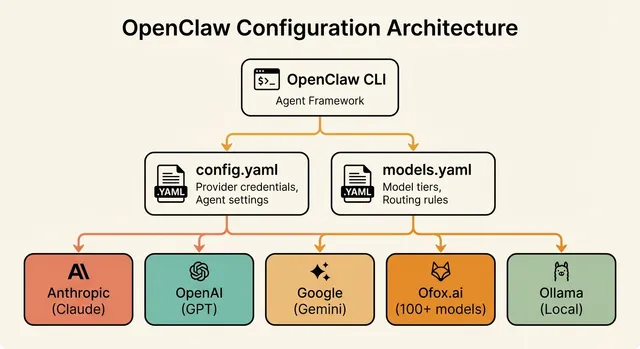
OpenClaw API Setup & Model Configuration Guide (2026)
Configure OpenClaw with any AI provider — OpenAI, Anthropic, Google, Ofox, Ollama. Covers config.yaml, multi-model routing, cost optimisation, error fixes.
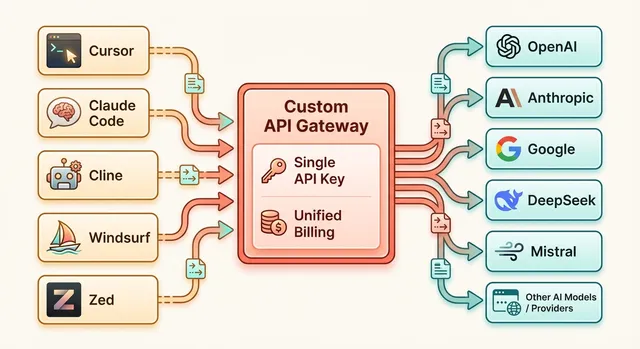
Custom API Endpoints for Cursor, Claude Code, Cline & More (2026)
Configure custom API endpoints in Cursor, Claude Code, Cline, Windsurf and Zed. Match each tool to its required protocol, model capabilities and credentials.
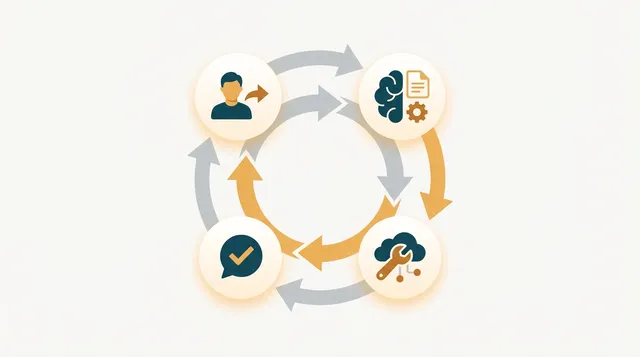
Function Calling Guide: GPT, Claude & Gemini (2026)
Tool use across OpenAI GPT, Claude and Gemini: parallel calls, multi-step agent loops, error handling, and production-ready Python for 2026 APIs.
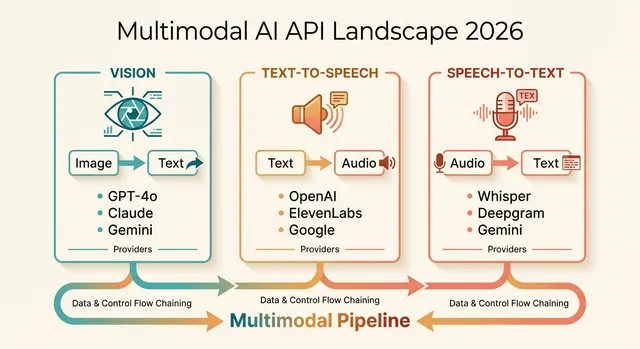
Multimodal AI APIs 2026: Vision, TTS & Transcription Guide
Compare GPT-4o, Claude Sonnet 4.6, and Gemini 3 Pro for vision; OpenAI TTS vs ElevenLabs for speech; Whisper vs Deepgram for transcription.
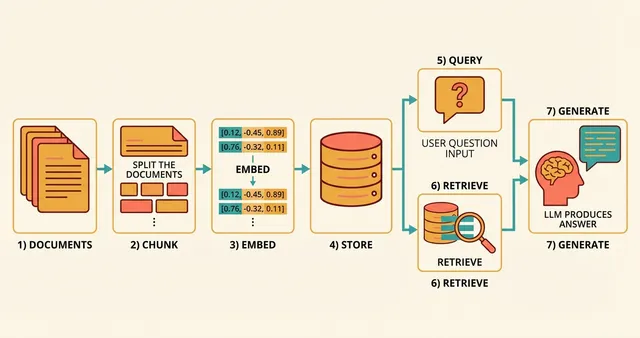
Best Embedding APIs for RAG in 2026: Models & Guide
OpenAI text-embedding-3-large, Cohere embed-v4, Voyage 3.5 and BGE-M3 compared — benchmarks, Python code, chunking, vector DBs and cost optimisation.
AI API Error Handling: Fix 429, 401 & 500 Errors (2026)
Fix AI API errors fast: 429 rate limits, 401 auth and 500 failures, with Python for exponential backoff, multi-model fallback and circuit breakers.
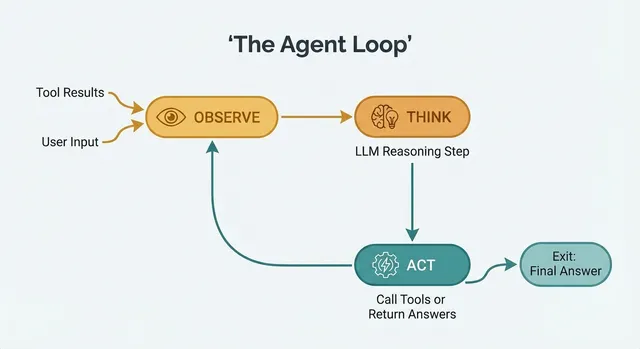
Building AI Agents from Scratch in Python (2026)
Build production AI agents in Python without frameworks — function calling, the ReAct pattern, memory and multi-tool orchestration, with OpenAI SDK code.
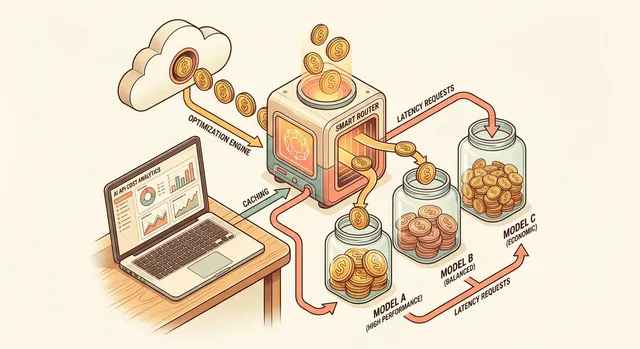
Reduce AI API Costs by 60%: 7 Proven Strategies for 2026
Cut AI API spending with prompt caching, model tiering, Batch API and semantic caching. Includes 2026 pricing tables and Python you can deploy today.
No articles found. Try another keyword.